Optimising Shopify Core Web Vitals for E-commerce Speed
Optimise your Shopify store's Core Web Vitals for better search rankings and sales. Practical strategies for improving LCP, FID, and CLS performance.
Contents
Page speed isn’t just about keeping visitors happy anymore. It’s about keeping your business profitable.
I’ve watched this frustration repeat across e-commerce businesses: a beautifully designed Shopify store that loads like it’s running through treacle. They’ve invested thousands in design, products, and marketing, only to watch potential customers abandon their carts because pages take too long to load.
Core Web Vitals have made this problem impossible to ignore. These Google metrics directly impact your search rankings, and more importantly, your bottom line. When your Shopify store fails these performance benchmarks, you’re not just losing traffic. You’re losing sales to competitors whose sites load faster.
Understanding Core Web Vitals for Shopify
Core Web Vitals measure three specific aspects of user experience: loading performance, interactivity, and visual stability. For Shopify stores, these metrics translate into real business outcomes.
Largest Contentful Paint (LCP) measures how quickly your main content loads. For e-commerce, this typically means your product images and key information. Google considers anything over 2.5 seconds poor performance. In my experience working with small retailers, stores with LCP scores above 3 seconds see noticeably higher bounce rates, particularly on mobile devices.
First Input Delay (FID) tracks how quickly your site responds to user interactions. When someone clicks ‘Add to Cart’ or tries to navigate your menu, delays here create the most frustration. Delays in interactivity, even at the millisecond scale, can reduce conversion rates.
Cumulative Layout Shift (CLS) measures visual stability. This is particularly problematic for e-commerce sites where elements shift as images load, causing users to accidentally click the wrong product or button. A CLS score above 0.1 indicates significant stability issues.
Shopify’s architecture creates specific challenges for each metric. The platform’s reliance on third-party apps, extensive JavaScript for cart functionality, and multiple image sizes for responsive design all contribute to performance bottlenecks.
The Performance Impact on E-commerce Revenue
The connection between Core Web Vitals and revenue isn’t theoretical. Pages meeting all Core Web Vitals thresholds tend to have lower abandonment rates than those that don’t.
For e-commerce specifically, the impact compounds through the customer journey. A slow-loading product page doesn’t just lose that immediate sale. It affects customer perception of your brand reliability, reduces the likelihood of return visits, and decreases the chance customers will recommend your store to others.
Mobile performance particularly affects small e-commerce businesses. I’ve seen Shopify stores with desktop scores above 90 achieve mobile scores below 30, creating a significant disconnect between their intended user experience and reality.
The revenue impact varies by product category and price point, but the pattern remains consistent: faster sites convert better. This isn’t just about reducing bounce rates. Improved Core Web Vitals scores correlate with higher average order values, increased pages per session, and better customer lifetime value.
Shopify-Specific Performance Challenges
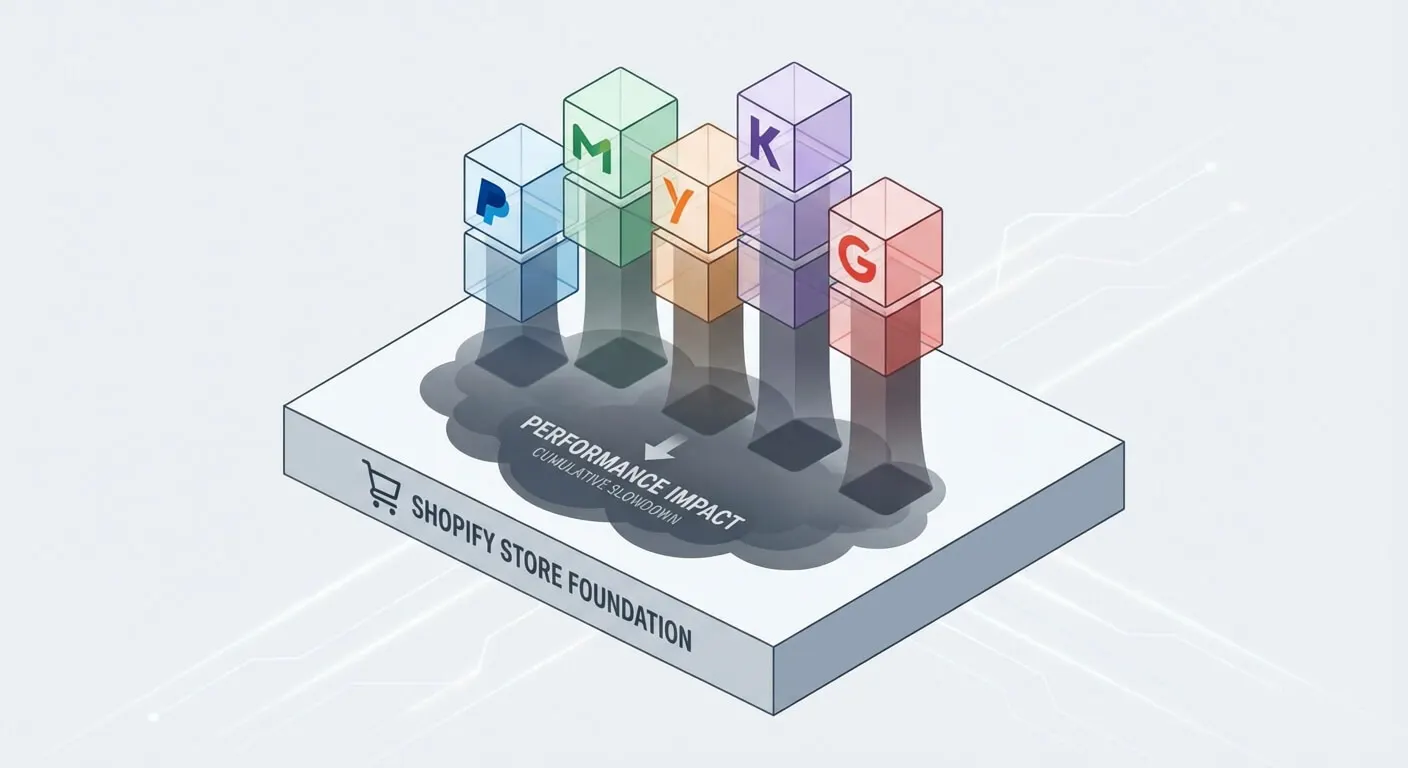
Shopify’s app ecosystem, while powerful, creates unique performance challenges. Each installed app typically adds JavaScript and CSS files to your site, often loading on every page regardless of whether that specific functionality is needed.
Theme complexity compounds this issue. Many popular Shopify themes prioritise visual appeal over performance, implementing multiple JavaScript libraries for animations, sliders, and interactive elements. These features might look impressive in demos, but they significantly impact Core Web Vitals scores in real-world usage.
Image handling represents another common bottleneck. Shopify automatically generates multiple image sizes for responsive design, but many store owners upload images that are far larger than necessary. A 3000px product image uploaded to display at 400px still requires the browser to download and process the full-size file.
Third-party integrations for analytics, chat widgets, reviews, and social media feeds each add external requests that can delay page loading. While these tools provide valuable functionality, their cumulative impact often goes unmoeasured until Core Web Vitals scores reveal the performance cost.
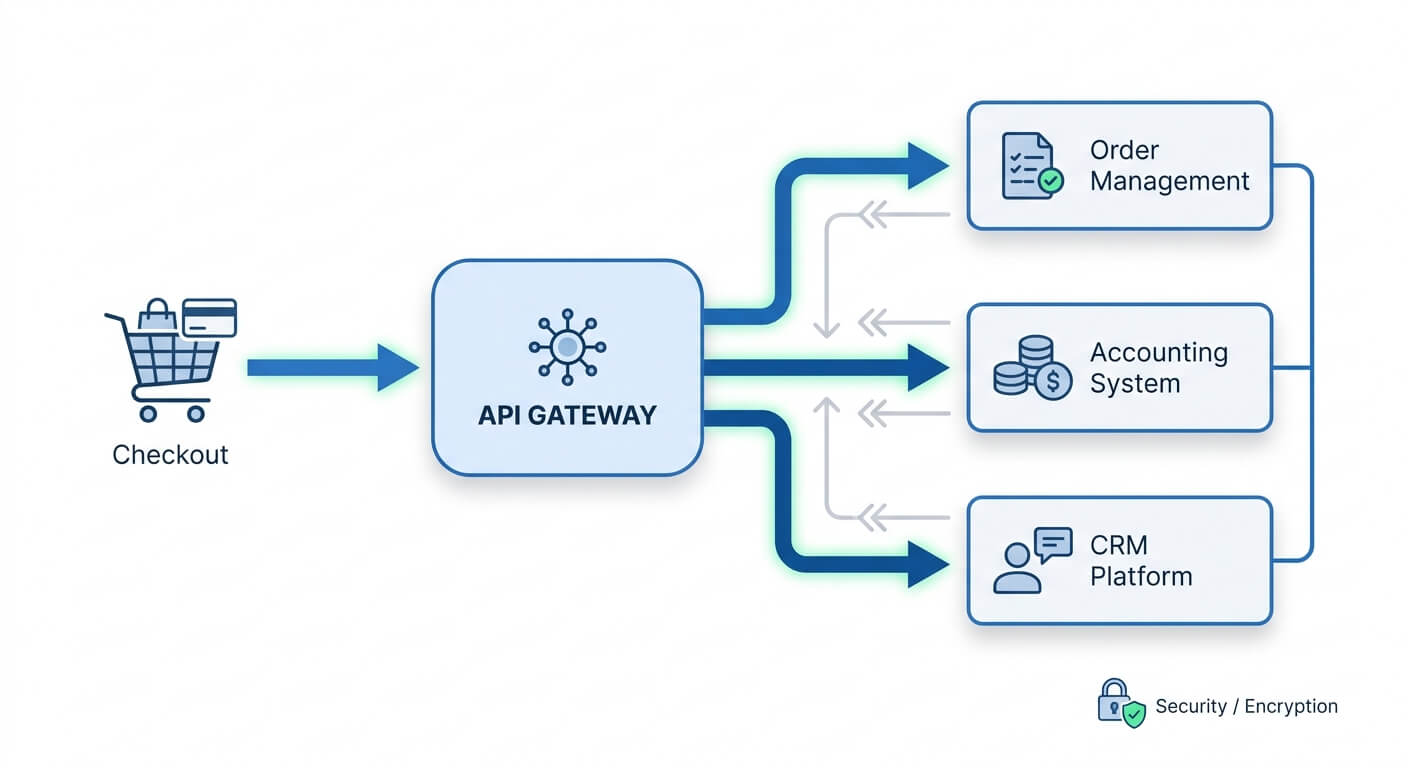
Checkout performance deserves special attention. Shopify’s checkout process involves multiple steps, each requiring optimal performance to prevent cart abandonment. Payment processor integrations, address validation, and tax calculations all add processing time that directly impacts conversion rates.
Technical Optimisation Strategies
Image optimisation provides the most immediate impact for most Shopify stores. Converting product images to WebP format can reduce file sizes by 25-50% without visible quality loss. Shopify’s built-in image transformation capabilities make this process straightforward, but many store owners aren’t aware of these features.
Implementing proper image sizing prevents unnecessary bandwidth usage. Rather than relying on CSS to resize large images, ensure you’re serving appropriately sized images for each display context. Shopify’s responsive image system works well when configured correctly, but requires attention to srcset implementation.
Lazy loading for images below the fold significantly improves LCP scores. This technique delays loading images until users scroll to them, reducing initial page load time. Most modern Shopify themes support this functionality, but it requires proper implementation to avoid layout shifts.
JavaScript optimisation often provides substantial performance gains. Identifying and removing unused JavaScript files, particularly from uninstalled apps, can dramatically improve FID scores. Many Shopify stores carry JavaScript remnants from previously tested apps, creating unnecessary performance overhead.
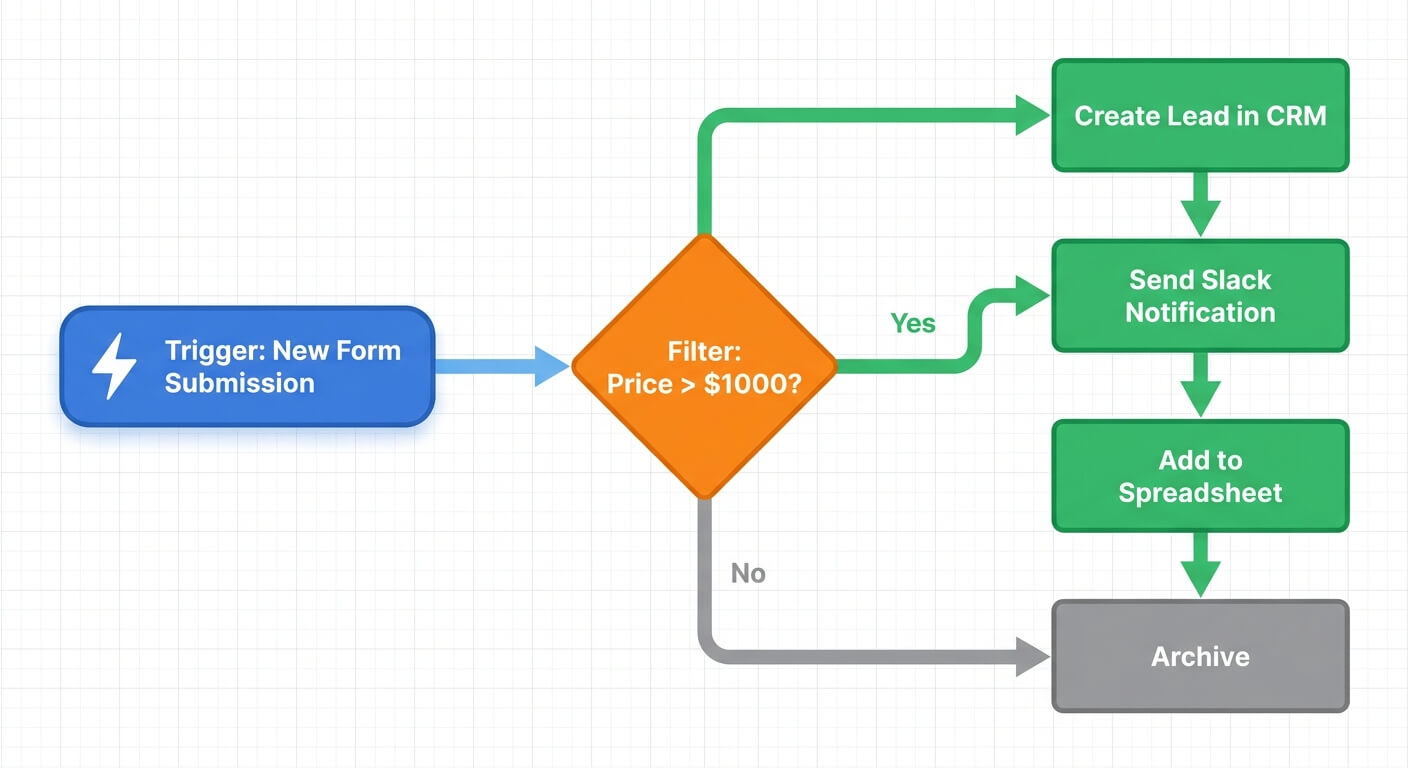
Minifying CSS and JavaScript files reduces transfer sizes and parsing time. While Shopify handles some optimisation automatically, additional gains come from optimising custom code and third-party integrations. Tools like system integration can help identify and streamline these technical elements.
Database query optimisation, while less visible to store owners, significantly impacts server response times. Shopify’s Liquid templating language can create inefficient queries when used incorrectly, particularly in product filtering and collection pages.
App and Theme Selection
Choosing performance-optimised themes sets the foundation for good Core Web Vitals scores. Some Shopify themes achieve excellent performance out of the box, while others require significant optimisation regardless of content.
When evaluating themes, test Core Web Vitals scores on demo stores rather than relying on visual appeal alone. Many theme developers now provide performance benchmarks, but real-world testing with your specific product catalog and app requirements provides more accurate insights.
App selection requires balancing functionality with performance impact. Before installing any app, consider whether the functionality could be achieved through simpler methods. Many apps provide features that duplicate Shopify’s built-in capabilities or add minimal value while significantly impacting performance.
Regular app audits help maintain optimal performance. Shopify stores often accumulate unused or redundant apps over time. Each installed app, even if unused, may still load resources on your site. Periodic reviews of installed apps, combined with performance testing, help identify candidates for removal.
Custom development sometimes provides better performance than app-based solutions. For businesses with specific requirements, web development focused on performance can deliver functionality without the overhead of general-purpose apps.
Advanced Performance Techniques
Server-side optimisation, while handled largely by Shopify, still offers opportunities for improvement. Proper use of Shopify’s caching mechanisms, particularly for collection and product pages, can significantly reduce server response times.
Content Delivery Network (CDN) optimisation ensures global performance consistency. Shopify includes CDN functionality, but additional optimisation through proper asset organisation and cache header configuration can improve performance, particularly for international customers.
Critical CSS identification and inlining can improve LCP scores by ensuring essential styling loads immediately. This technique requires careful implementation to avoid increasing HTML file sizes unnecessarily, but when done correctly, provides measurable performance improvements.
Prefetching and preloading strategic resources helps browsers prepare for likely user actions. For e-commerce sites, this might include preloading key product images or prefetching collection page resources when users hover over navigation elements.
Advanced image techniques, such as progressive JPEG loading and adaptive image quality based on connection speed, can further optimise performance for different user contexts. These implementations require technical expertise but can provide significant performance gains for high-traffic stores.
Monitoring and Measurement
Establishing baseline measurements provides the foundation for optimisation efforts. Google PageSpeed Insights offers the most accessible Core Web Vitals testing, but real user monitoring provides more accurate insights into actual customer experiences.
Field data from Google Search Console shows how real users experience your site, including the distribution of Core Web Vitals scores across different devices and connection types. This data often reveals performance issues that don’t appear in laboratory testing.
Regular monitoring helps catch performance regressions before they impact business results. New app installations, theme updates, or content changes can all affect Core Web Vitals scores. Establishing monitoring processes ensures you catch and address these changes quickly.
Setting up automated alerts for significant performance changes helps maintain consistent optimisation efforts. Many businesses implement performance improvements only to see scores decline over time due to gradual accumulation of new apps, content, or integrations.
Implementation Planning
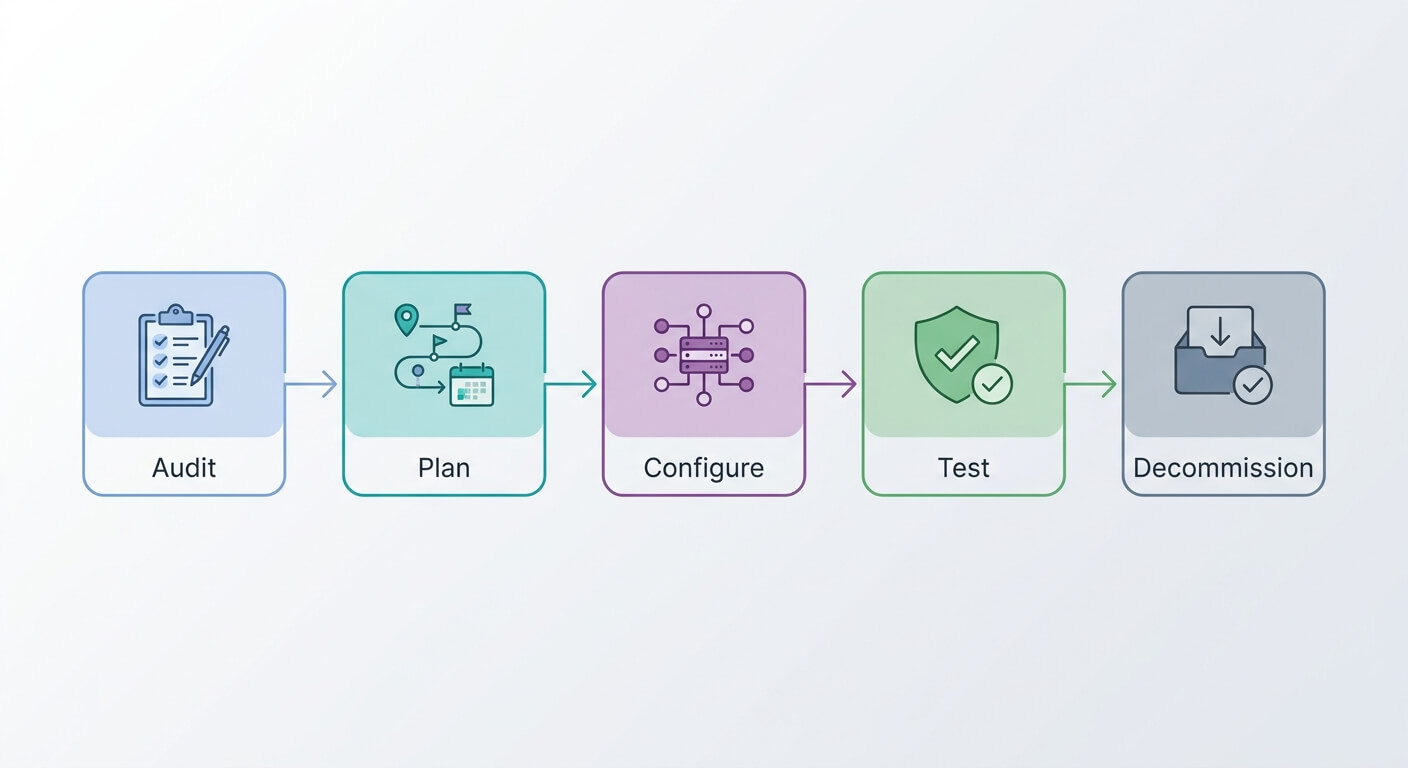
Prioritising optimisation efforts based on impact and complexity ensures efficient use of time and resources. Quick wins like image optimisation and unused app removal provide immediate benefits, while more complex optimisations can be planned for implementation over time.
Testing optimisations in staging environments prevents disrupting live store performance. Shopify’s theme development tools allow for comprehensive testing before applying changes to live stores. This approach is particularly important for businesses with high transaction volumes where performance regressions could immediately impact revenue.
Documenting optimisation efforts helps maintain performance over time. Recording which changes provided the most benefit, along with benchmark scores, helps guide future optimisation decisions and prevents repeating ineffective strategies.
AI automation can help monitor performance metrics and identify optimisation opportunities automatically. Rather than manually checking Core Web Vitals scores, automated systems can track performance trends and alert you to issues requiring attention.
Long-term Performance Strategy
Maintaining optimal Core Web Vitals requires ongoing attention rather than one-time fixes. E-commerce businesses naturally accumulate performance debt over time through new product additions, seasonal promotions, and feature enhancements.
Establishing performance budgets helps prevent gradual degradation. Setting limits on JavaScript file sizes, image quantities per page, and third-party integrations provides guidelines for future development decisions.
Training team members on performance impact helps ensure that daily operational decisions support rather than undermine optimisation efforts. When marketing teams understand how large promotional banners affect loading times, or inventory managers realise how image sizes impact performance, performance becomes everyone’s responsibility.
Process optimisation can integrate performance considerations into regular business workflows. Rather than treating performance as a separate technical concern, integrating it into content creation, product management, and marketing processes ensures consistent attention to Core Web Vitals.
Building relationships with performance-focused developers and agencies provides ongoing support for optimisation efforts. As your business grows and requirements become more complex, having access to technical expertise specifically focused on e-commerce performance becomes increasingly valuable.
Core Web Vitals will continue evolving, and maintaining awareness of upcoming changes helps you prepare for new requirements. Google regularly updates these metrics based on user behaviour research and technical capabilities, making ongoing education important for long-term success.
Optimising Shopify Core Web Vitals isn’t a destination; it’s an ongoing commitment to providing the best possible experience for your customers. The businesses that treat performance as a competitive advantage, rather than a technical requirement, consistently outperform those that don’t. When your store loads faster than your competitors’, every visitor notices, even if they can’t articulate why your site feels better to use.
Frequently Asked Questions
What are Core Web Vitals and why do they matter for my Shopify store?
Core Web Vitals are three specific metrics Google uses to measure user experience: Largest Contentful Paint (LCP) for loading speed, First Input Delay (FID) for interactivity, and Cumulative Layout Shift (CLS) for visual stability. They matter because they directly affect your search rankings and conversion rates. Poor Core Web Vitals scores can lead to lower visibility in search results and higher cart abandonment rates, directly impacting your revenue.
How long does it take to see improvements after optimising Core Web Vitals?
Technical improvements like image optimisation and removing unused apps can show results within days as Google recrawls your site. However, seeing the full impact on search rankings typically takes 4-8 weeks, as Google needs sufficient data to assess your site’s improved performance. Revenue impacts from better conversion rates can be visible immediately once optimisations are live, particularly if you had significant performance issues beforehand.
Can I optimise Core Web Vitals without technical expertise?
Yes, several optimisation strategies require minimal technical knowledge. You can achieve significant improvements by compressing images before uploading, removing unused apps, choosing performance-optimised themes, and limiting the number of third-party integrations. However, advanced optimisations like custom JavaScript modifications, critical CSS implementation, and server-side improvements typically require developer expertise or working with a performance-focused agency.
Which Core Web Vital should I prioritise first for my e-commerce store?
For most Shopify stores, Largest Contentful Paint (LCP) should be your first priority because it directly affects how quickly customers see your products. Image optimisation provides the most immediate LCP improvements. However, if your analytics show high bounce rates specifically when users try to interact with your site (clicking buttons, adding to cart), prioritising First Input Delay (FID) might yield better conversion rate improvements. Review your specific performance data to identify your biggest bottleneck.
How often should I monitor my Shopify store’s Core Web Vitals?
Conduct comprehensive Core Web Vitals audits monthly, with weekly spot-checks using Google PageSpeed Insights or Search Console. Set up automated monitoring alerts for significant performance changes, particularly after installing new apps, updating themes, or making major content changes. During peak trading periods like seasonal sales, increase monitoring frequency to daily checks, as the additional traffic and promotional content can impact performance differently than normal operations.