How E-Learning Consultants Integrate LMS Platforms With CRM Systems for Seamless Student Tracking
How e-learning consultants integrate LMS platforms with CRM systems for seamless student tracking, plus five costly mistakes to avoid.
Contents
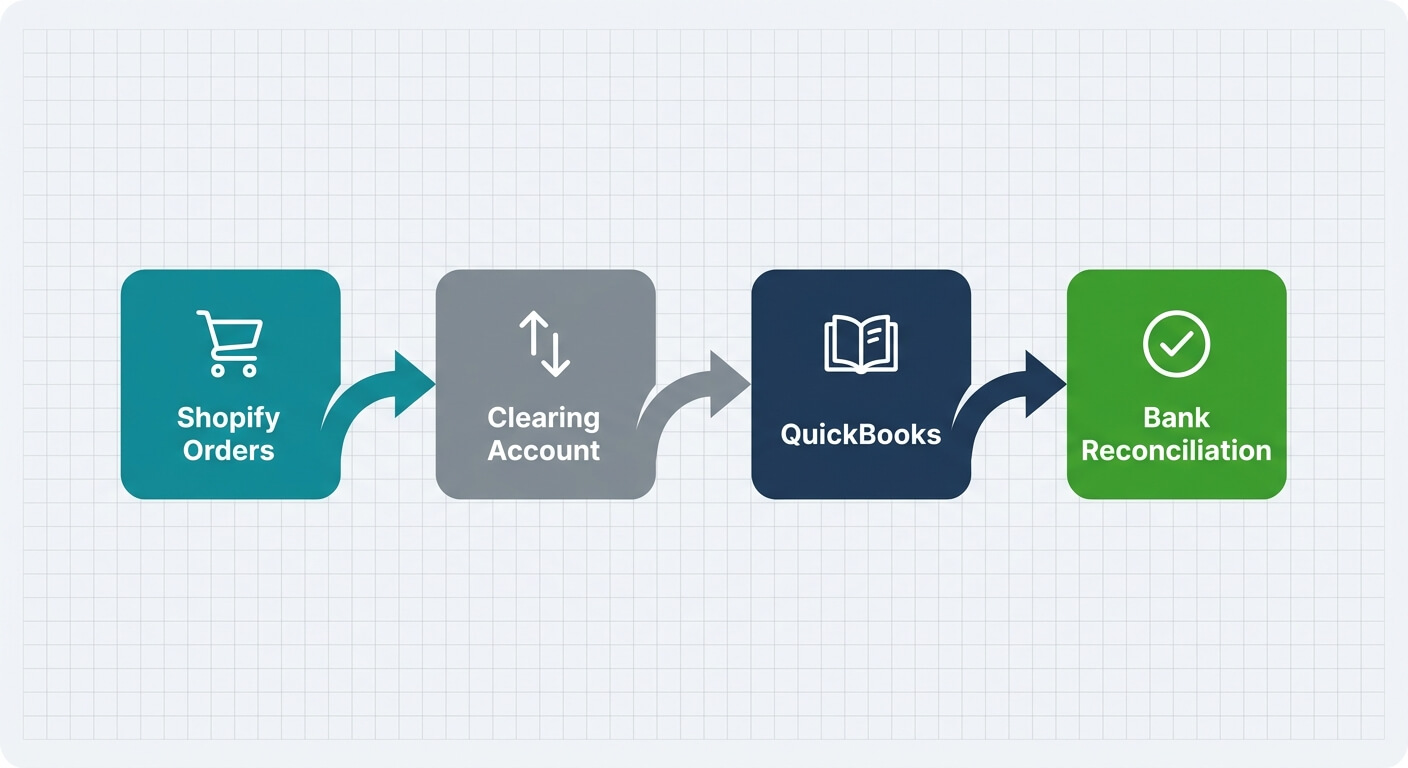
E-learning consultants connect an LMS and a CRM in three moves. They map the learner journey first and choose one unique ID to match records. Then they sync only the events that matter, such as enrolment, progress and completion. Tools like n8n or Zapier move that data across, so sales and support teams see every learner’s status inside the CRM.
Here’s a scene we see often. A course provider’s sales rep phones a ‘warm lead’ to pitch a new programme. The person on the other end finished that exact course last month. The LMS knew. The CRM didn’t.
That gap is what this guide covers. If you’ve wondered how e-learning consultants integrate LMS platforms with CRM systems for seamless student tracking, here’s the honest answer: the technical part is the easy bit. The hard part is avoiding a handful of mistakes we see again and again.
Below are the five most common ones, and what to do instead. They apply whether you run Moodle, LearnDash, TalentLMS or Thinkific on one side and HubSpot, Pipedrive or Salesforce on the other.
Mistake 1: Connecting the tools before mapping the learner journey
Process mapping means writing down every step a learner takes, from first enquiry to certificate, and who touches each step. It’s the most skipped stage in LMS and CRM projects. Skip it and you automate guesswork, which produces wrong records faster than any human could ever manage.
In our experience, automating a broken process just creates faster chaos. One training provider we worked with wanted course completions pushed into their CRM. That sounded simple enough.
When we mapped the journey, we found three people enrolling learners in three different ways. Nobody owned the record. The integration wasn’t the problem. The process was.
What to do instead
Before anyone opens an automation tool, answer these questions on paper:
- Where does a learner first appear: a web form, a checkout or a corporate client’s spreadsheet?
- Who creates the CRM record, and who creates the LMS account?
- Which events actually matter to sales, support and accounts?
- What happens when someone drops out, defers or asks for a refund?
Our guide to mapping a business process before automating it walks through this step by step. It often takes an afternoon and saves weeks of rework.

Mistake 2: Syncing everything, in both directions
A two-way sync lets changes in either system overwrite the other. It sounds ideal, but for most course businesses it’s the riskiest option available. When both systems can edit the same field, you get conflicts, endless update loops and silent overwrites that nobody spots until a learner complains.
Here’s the counterintuitive part: less data makes a better integration. Your sales team doesn’t need quiz scores for module three. They need to know whether a learner is enrolled, active, stalled or finished.
So give each system a clear job. The LMS owns learning data, such as progress and assessments. The CRM owns commercial data, such as deals, invoices and contact preferences.
What to do instead
Start with a one-way sync from the LMS to the CRM. Push a small set of status fields: enrolment date, course name, progress stage and completion date. Add a ‘stalled’ flag when someone hasn’t logged in for a set period.
Only add a reverse flow when you have a specific reason. A good example: a new deal marked ‘won’ in the CRM creates the LMS account automatically. Everything else stays one direction.
Mistake 3: Matching learners by name instead of a unique ID
A unique identifier is a value that belongs to one learner and never changes, such as a student ID. Matching records on anything weaker, like a full name, guarantees duplicates. Two learners with the same name merge into one record, and one learner who changes her surname splits into two.
Email addresses are better than names, but they aren’t perfect either. Corporate learners often enrol with a work email, then contact you from a personal one. Companies also bulk-enrol staff using shared or placeholder addresses.
What to do instead
Match on email the first time, then store the LMS user ID in a custom CRM field. From then on, every update uses that ID. If the email changes, the link survives.
Clean your existing data before you switch anything on. Merge duplicates in the CRM first, or the integration will copy the mess at speed. Our data migration checklist covers the clean-up steps in detail.
Mistake 4: Choosing the integration tool on day-one price
The integration layer is the software that sits between your LMS and CRM and moves data when something happens. For most small course providers, that layer is Zapier or n8n. The right choice depends on volume and control, not the monthly price you see on day one.
Zapier is simple and quick to set up. But its per-task pricing punishes growth. Every enrolment, lesson completion and status update can count as a task, so a busy course launch can push your bill up fast.
n8n has a steeper learning curve. In return, you get more control, the option to self-host and room to scale without per-task charges. Self-hosting does swap subscription fees for maintenance responsibility, so someone needs to own updates and backups.
What to do instead
Estimate your events per month, not just your learner count. Then check whether your LMS supports webhooks, which are instant messages one app sends the moment something happens. Webhooks are faster and cheaper than tools that check for changes every few minutes.
The n8n documentation explains webhook triggers clearly. For a wider view of the platform, see our n8n guide for small businesses.

Mistake 5: Letting automation talk to learners unchecked
Automated learner messages are emails or texts that LMS events trigger, such as a nudge when someone stalls on a module. They work well for routine reminders. They go badly wrong when the system contacts someone at a sensitive moment, like after a failed assessment, without a person checking first.
Our rule is simple. Automation should take people out of repetitive internal work, but keep a human in the loop for anything a learner feels. A cheerful ‘Keep going!’ email after a failed exam does real damage to trust.
What to do instead
Split your messages into two groups. Routine reminders, such as login nudges and certificate delivery, can run on their own. Sensitive messages go to a staff member as a draft.
AI can help here too. It can draft a supportive follow-up based on the learner’s progress, and your tutor reviews it before sending. You keep the speed without losing the human touch.
Data protection matters as well. Learning records are personal data, so store only what you need. If you serve UK learners, GOV.UK is a sensible starting point for official data protection guidance.
How e-learning consultants integrate LMS platforms with CRM systems for seamless student tracking
The right build order runs from process to data to automation, never the other way round. Consultants who follow this sequence deliver integrations that teams actually trust. Those who start with the tool usually end up rebuilding within months, because the underlying process never got fixed.
Here’s the order we follow:
- Map the journey and agree who owns each step.
- Define the fields the CRM needs, and nothing more.
- Pick a unique ID and clean existing duplicates.
- Build a one-way sync for enrolment, progress and completion.
- Test with real scenarios, including refunds, deferrals and name changes.
- Add human checkpoints for sensitive learner messages.
- Review after a month and adjust based on what staff actually use.
Testing deserves more time than most people give it. Our guide to testing n8n workflows before going live covers the edge cases that catch teams out. For broader reading on how data shapes operations, Harvard Business Review is worth a browse.

The short version
In our experience, a typical small business loses 8 to 10 hours a week to manual admin. For course providers, much of that time goes on copying learner data between systems and chasing records that don’t match.
Understanding how e-learning consultants integrate LMS platforms with CRM systems for seamless student tracking comes down to discipline, not clever tech. Map first. Sync less. Match on IDs. Choose tools for growth. Keep humans on the sensitive stuff.
If you’d like help connecting your systems, our system integration team can help. Or start with a free automation assessment to see where your hours are going.
Frequently Asked Questions
Which LMS platforms connect most easily to a CRM?
Platforms with good webhook support and an open API connect most easily. TalentLMS, LearnDash, Thinkific and Moodle all offer ways to send events out when a learner enrols or completes a course. Before you choose, check which events your LMS can send and whether you need a paid plan to use them.
Should I use Zapier or n8n to connect my LMS and CRM?
Use Zapier if your volumes are low, your flow is simple and nobody on the team is technical. Choose n8n if you expect growth, need branching logic or want to self-host for data control. Zapier charges per task, so busy course launches can push costs up quickly. n8n takes longer to learn.
How long does an LMS and CRM integration take?
The build itself is rarely the slow part. Mapping the process, agreeing field definitions and cleaning duplicate records take the most time. A simple one-way sync of enrolments and completions is a small project. Anything involving corporate clients, multiple courses and payment data needs proper testing before you switch it on.
Is it safe to store learner progress data in a CRM?
Yes, if you treat it as personal data and store only what you need. Sync status fields rather than full assessment histories, limit who can see them, and record why you hold the data. If you serve learners in the UK or EU, data protection rules apply to learning records too.