How to Map a Business Process Before Automating It: The TRACE Method
Learn how to map a business process before automating it using the five-step TRACE method. Avoid costly mistakes and build automations that actually work.
Contents
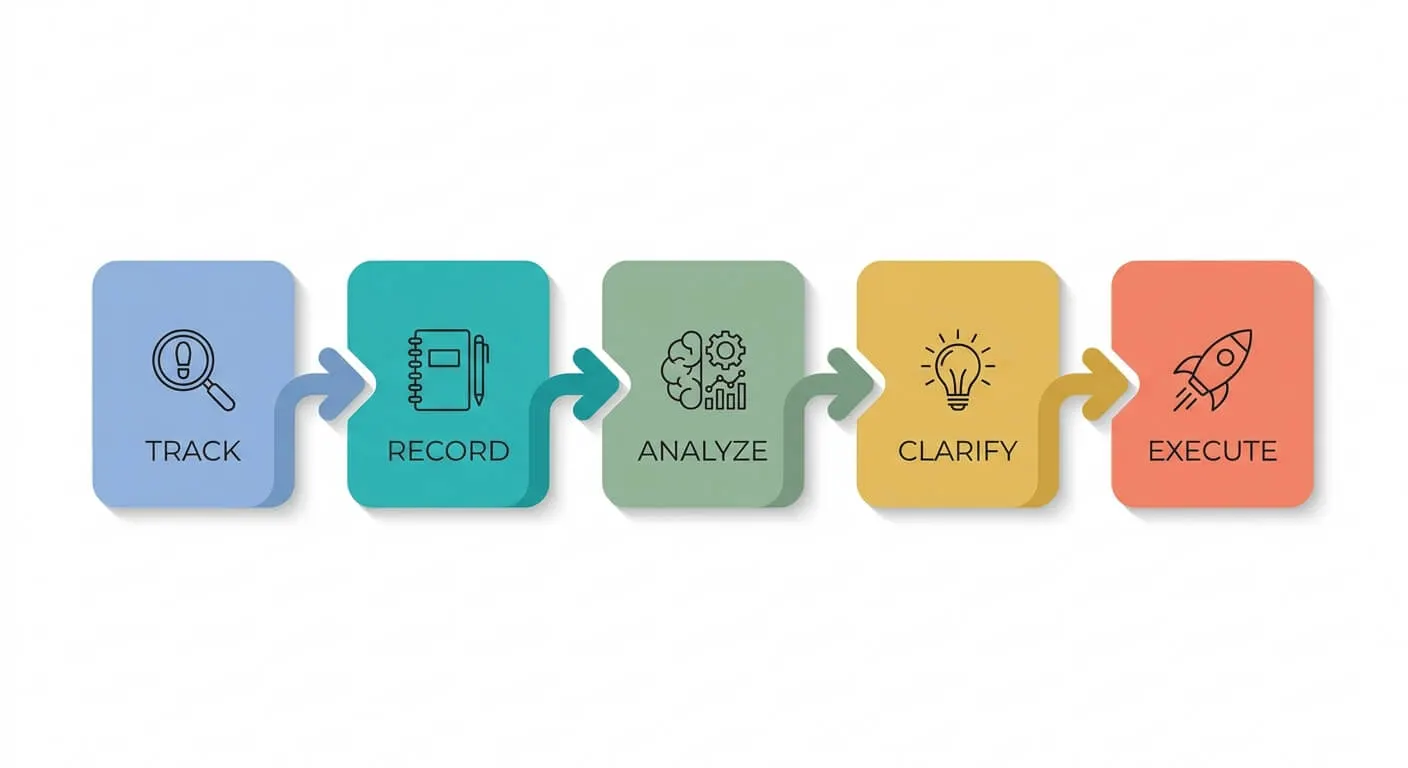
Map a process before you automate it using five steps: Track the real process rather than the ideal one, Record who does what and how long it takes, Analyse where it breaks, Confirm it is worth automating at all, then Export a map anyone can follow. That is the TRACE method, and it usually removes a step before any software is chosen.
Most failed automation projects share one root cause. The owner automated a messy process instead of fixing it first. In my experience, this is the single most expensive mistake a small business makes with automation. The good news is it’s easy to avoid.
Learning how to map a business process before automating it is the difference between a tool that saves you ten hours a week and one that just creates faster chaos. Mapping forces you to see the real shape of how work flows through your business. Often it reveals the actual problem was the process itself.
This guide gives you a simple five-step framework. I call it the TRACE method. You’ll work through each part in order, and by the end you’ll have a clear map you can hand to anyone, including an automation builder.
Why Mapping Comes Before the Tools
Process mapping is the practice of writing down every step in a workflow, who does it, and what triggers the next step. Organisations that document and analyse their processes before adopting automation get considerably more out of it. Automating a broken process just speeds up the mess and makes errors harder to spot. I have found that the act of mapping alone often fixes 30 to 40 percent of the problem before any software gets involved.
Here’s the trap. You buy Zapier or n8n, get excited, and start connecting apps. Two weeks later you’ve automated a step that shouldn’t exist, and now it runs perfectly every single time.
Mapping first saves you from this. It also gives you a shared picture your whole team can agree on. If you want a deeper look at finding waste in your workflows, my guide on finding and fixing hidden productivity drains walks through where the time actually goes.
T: Track the Real Process, Not the Ideal One
The real process is what actually happens day to day, not what the manual says should happen. Most teams operate with hidden workarounds, side emails, and “quick fixes” that never made it into any document. Tracking the real flow means watching the work happen and writing down every step, including the difficult ones.
Start by picking one process. Just one. Pick something repetitive and frustrating, like onboarding a new client or processing an invoice.
Now follow it from start to finish. Write down each step as it really happens. Don’t tidy it up. If someone copies data into a spreadsheet by hand, write that down. If three people touch the same approval, note all three.
The goal here is honesty, not neatness. You’ll be surprised how many steps exist that nobody planned.

R: Record Who, What, and How Long
For every step you tracked, you now need three details: who does it, what tool or input they use, and how long it takes. This turns a vague flowchart into a measurable map. Without timing data, you can’t prove which steps are worth automating and which are just minor friction.
Go back through your list. Next to each step, add the person responsible. Add the tool they use, whether that’s email, a CRM, or a paper form.
Then add a rough time estimate. You don’t need a stopwatch. “Five minutes” or “half a day waiting for approval” is fine.
This step matters more than people think. According to a Zapier productivity report, knowledge workers spend an average of several hours per week on tasks that could be automated with existing tools. Recording the time per step shows you exactly where those hours hide.
Spot the waiting, not just the working
Most time gets lost in waiting, not in doing. A task that takes two minutes to complete might sit in someone’s inbox for two days first. Mark these gaps clearly. They’re often the most straightforward things to fix.
A: Analyse Where Things Break
A broken step is any point where work stops, errors creep in, or a person does something a machine could do more reliably. Analysis is where mapping earns its keep. A small proportion of steps usually account for most of the inefficiency, so identifying them precisely is the whole game.
Look at your map and circle the problem spots. Ask three questions of each step.
- Does work pile up or get stuck here?
- Do mistakes happen at this point regularly?
- Is a person doing repetitive copying or data entry?
The steps with the most circles are your automation candidates. But not every circled step should be automated. Some just need removing entirely.
This is the counterintuitive part. The best outcome of mapping is sometimes deleting a step, not automating it. I once built an automated moodboard generator, then realised the task needed a human eye, so I deliberately kept a person in the loop. Reality beats the plan every time.

C: Confirm the Process Is Worth Automating
A process is worth automating when it’s repetitive, rule-based, high-volume, and stable. If a process changes constantly or needs human judgement, automation will fight you. The principle I work to is simple: automation should take people out of repetitive internal work, and a person should stay involved in anything a customer feels.
Run your cleaned-up process through four quick checks.
- Repetitive: Does it happen the same way often?
- Rule-based: Can you write the decisions as clear if-then rules?
- High-volume: Does it happen enough to be worth the effort?
- Stable: Will the process still look the same in six months?
If you tick all four, you have a strong candidate. If you only tick one or two, fix the process by hand first. Building automation on uncertain foundations wastes money and trust. Process stability is the best predictor I know of whether an automation project succeeds.
For help deciding what to tackle first across your whole business, my piece on building your AI roadmap is a good next read.
E: Export a Map Anyone Can Use
The final map is a clean, shared document that shows the improved process step by step. This is what you hand to an automation builder, whether that’s a team member or an agency. A clear map cuts build time considerably and stops costly misunderstandings later.
You don’t need specialist software. A simple flowchart in a free tool works well. List each step in order. Mark which steps stay manual and which get automated. Note the trigger that starts each automated step.
Keep it readable. If a new hire couldn’t follow it, simplify it further.
This document becomes your blueprint. When you choose a platform, it tells you exactly what to build. Zapier is straightforward but its per-task pricing can become costly as volume grows. n8n has a steeper learning curve but gives you more control and the option to self-host. Your map helps you pick the right fit. If you’re weighing platforms, my 2026 guide to n8n for small businesses covers the trade-offs in detail.

Putting TRACE Into Practice
Learning how to map a business process before automating it isn’t a one-off task. Revisit your maps every few months. Processes shift over time, tools change, and what worked previously might not fit your current needs.
Start small. Map one frustrating process this week using the five TRACE steps. You’ll likely find a step to remove before you’ve even considered any software.
That’s the real value of mapping. It turns vague frustration into a clear plan you can act on. When you do automate, you’re building on something that actually works rather than speeding up dysfunction.
Frequently Asked Questions
How long does it take to map a business process?
Most small business processes take two to four hours to map properly. The tracking and recording steps take the longest because you’re observing real work in action. Analysis and confirmation move more quickly once you have the data. Don’t rush it. A hurried map hides the very problems you’re trying to find.
Do I need special software to map a process?
No. A whiteboard, sticky notes, or a free flowchart tool is enough. The quality of thinking matters far more than the format you use. Many effective maps start as hand-drawn sketches. Tools only help once your process is clear and you’re ready to build.
What if mapping reveals my process is just broken?
That’s a positive outcome, not a failure. Mapping often shows the real problem was the process itself, which no automation can fix. Correct the process by hand first, then automate the improved version. Building automation around a broken workflow produces faster, more consistent mistakes.
Should I map the process before or after choosing an automation tool?
Always map first. Selecting a tool before you understand the process leads to reshaping your workflow to fit the software. Map the real process, confirm it’s worth automating, then choose the tool that fits the map. The blueprint should drive the tool choice, never the reverse.