Something odd is happening in the automation market. New adoption of Zapier fell 64% between 2022 and 2025, whilst n8n grew on roughly a 30x trajectory over the same period, according to spend data from Cledara.
That shift confuses a lot of business owners. You search for Zapier vs Make vs n8n, read five comparison tables, and come away knowing feature counts but no closer to a decision. So let’s build the answer from the ground up instead.
By the end of this, you’ll understand what these tools actually do, where each one starts to hurt, and which one suits a business your size.
Zapier, Make and n8n solve the same problem in different ways. Zapier leads adoption at 37.4% market share, with average spend of $1,654 per company per year. Make averages $1,118. n8n averages $572, because you can run it on your own server for free. Cost scales very differently across the three.
First, what these tools actually do
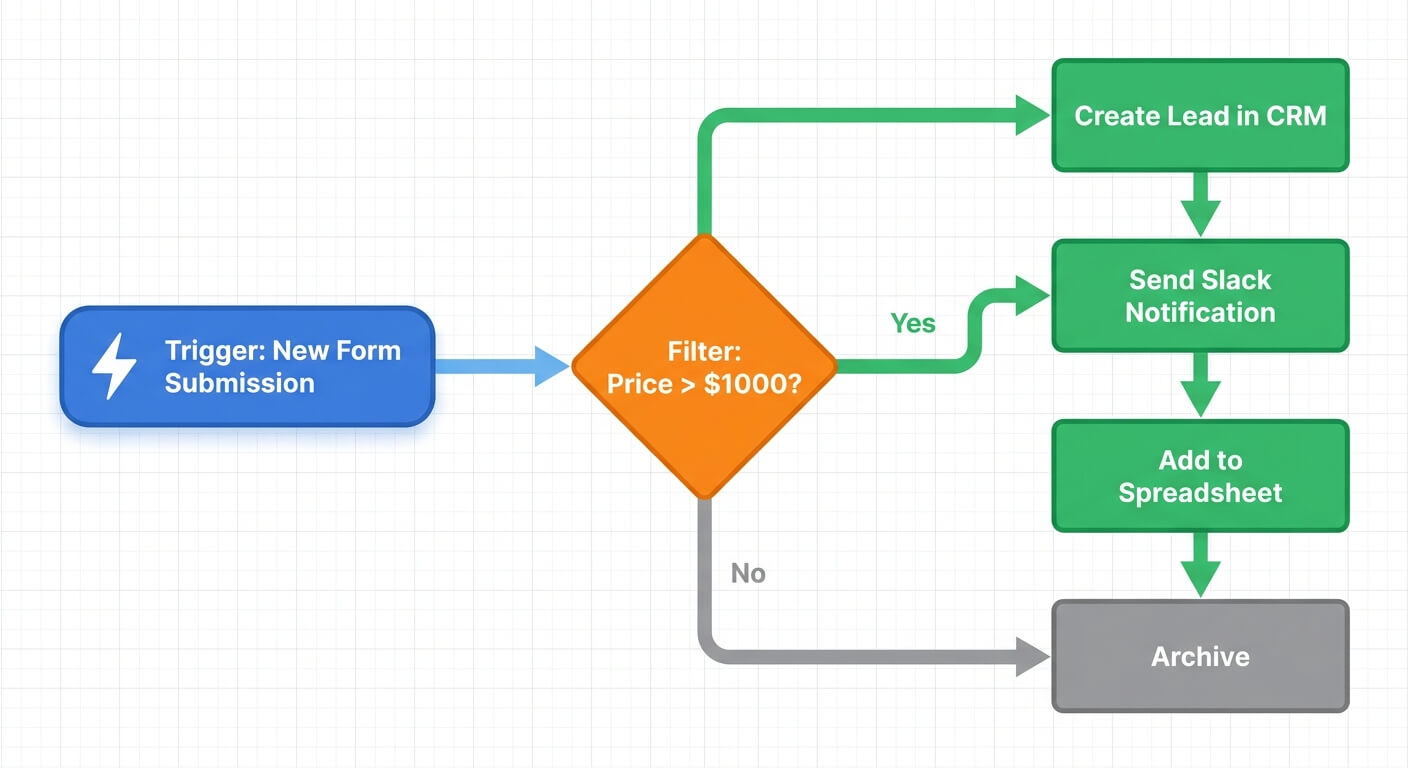
Workflow automation platforms connect your software so data moves without a person retyping it. Every workflow, on every platform, has the same three parts: a trigger, some logic, and one or more actions. Zapier alone connects over 8,000 apps, according to Droptica’s 2026 comparison. So app coverage is rarely the thing that decides your choice.
Here’s a concrete example. A new Shopify order arrives. That’s the trigger.
The workflow then checks whether the order value is over $500. That’s the logic. If it is, the workflow creates a Xero invoice, adds the customer to your CRM and posts a message in Slack. Those are the actions.
That’s the whole idea. Everything else is a question of how much logic you need, how you pay for it, and where the system runs.
 Team alignment is critical before choosing an automation platform
Zapier vs Make vs n8n: what each one is really built for
Each platform makes a different trade. Zapier optimises for speed of setup. Make optimises for visual complexity in the cloud. n8n optimises for control, with over 1,000 native integrations plus around 2,900 community-built nodes and the option to self-host. Pick based on the trade you can live with, not the app count.
Zapier: fastest to start, most expensive to grow
Zapier is genuinely easy. You pick a trigger, pick an action, and you’re running in ten minutes. No training needed.
The catch is the pricing model. You pay per task, and a task is roughly one action step. A workflow with six steps running 500 times a month burns 3,000 tasks.
So the better your automation works, the more it costs. That’s a strange incentive for a growing business.
Make: visual and capable, but cloud only
Make handles complex, branching scenarios well and shows them on a visual canvas. It’s cheaper per operation than Zapier for high-volume work.
The limitation is structural. It’s cloud-only, so you can’t run it inside your own infrastructure. If you handle sensitive data, or you want the option of owning where your workflows live, that ceiling matters. Businesses that hit it usually start looking for a Make.com alternative within a year or two.
n8n: steeper learning curve, far more room
n8n looks intimidating on day one. You’re working with nodes, data structures and occasionally a line or two of code.
But it reports over 230,000 active users and more than 3,000 enterprise customers, as covered by Parseur. The community edition is free to self-host, which is why average spend sits so low.
You get one system that handles both simple jobs and complicated ones. Our full n8n guide for small businesses walks through what that looks like in practice.
 Platform choice depends on complexity, cost, and control requirements
What the market data says about cost
Price differences between these platforms are not marginal. Cledara’s platform data puts average annual spend at $1,654 for Zapier, $1,118 for Make and $572 for n8n. Zapier holds 37.4% market share, with Make and n8n each around 11%. The gap reflects pricing models, not capability.
That $1,082 yearly difference between Zapier and n8n sounds small in isolation. It isn’t, once you add it to everything else you pay for monthly.
Subscription sprawl is one of the quieter costs in small business. Five tools at $200 a month is $12,000 a year, and none of them are ever reviewed. We’ve written before about how to reduce software sprawl, and automation platforms are often the worst offender because usage grows silently.
One honest warning about self-hosting. Running n8n yourself swaps a subscription fee for a maintenance responsibility. Someone has to handle updates, backups and the occasional server issue. That’s a real cost, just not one that appears on a card statement.
Where each platform starts to hurt
Every automation tool works beautifully in a demo. The differences show up at month six, when volume rises and something breaks quietly at 2am. How a platform handles errors, retries and version history matters more than how fast you built your first workflow.
With Zapier, pain arrives as a bill. You add steps, volume climbs, and suddenly you’re on a tier you didn’t plan for.
With Make, pain usually arrives as a boundary. You need to process data somewhere private, or connect to an internal system, and the cloud-only model says no.
With n8n, pain arrives early and then fades. The first fortnight is frustrating. After that, most teams stop hitting walls entirely, because anything the built-in nodes can’t do, a small code step can.
There’s a counterintuitive point here. The tool that feels hardest to learn often produces the calmest year, because you only learn one system instead of outgrowing three.
How to choose between Zapier vs Make vs n8n
Use a simple rule. Count your workflow steps and monthly volume, then pick on scale rather than preference. Fewer than 10 workflows and low volume favours Zapier. Heavy branching in the cloud favours Make. Data sensitivity, high volume or a plan to keep building favours n8n, which averages a third of Zapier’s annual cost.
Here’s the practical version:
- Choose Zapier if you run under 10 simple workflows, nobody technical is available, and you value speed over cost.
- Choose Make if your logic is genuinely complex, volumes are high, and cloud-only is fine for your data.
- Choose n8n if you’re building more than a handful of automations, want AI steps in your workflows, or care about owning your systems.
One more filter: what happens if the vendor doubles its prices next year? With Zapier and Make, you pay or you rebuild. With self-hosted n8n, you own the logic and the data, so nobody can pull the rug.
If you’re still weighing options, our roundup of the best workflow automation tools for small business covers the wider market beyond these three.
Map the process before you pick anything
This is the step almost everyone skips. Automating a broken process just creates faster chaos.
In our experience, a typical small business loses 8 to 10 hours a week to manual admin. But when you map that work honestly, the real problem is often the process itself, which no platform can fix. We’ve had builds where mapping revealed three approval steps that existed for no reason anybody could remember.
So sketch the process first. Every step, every handover, every decision. Our guide to mapping a business process before automating it explains a method you can run in an afternoon.
Keep a human in the loop wherever a customer feels the outcome. Automation should remove repetitive internal work, not judgement. We once built an automated moodboard generator, found the aesthetics needed a human eye, and deliberately pulled it back to human review.
The honest summary of Zapier vs Make vs n8n is that all three work. Zapier gets you moving fastest, Make handles complex cloud scenarios, and n8n gives you the most room to grow for the least money, provided someone will look after it. Decide based on where your business will be in two years, not where it is this week. If you want help with that, our system integration service is a good place to start.
Frequently Asked Questions
Is n8n really free compared to Zapier and Make?
The n8n community edition is free to self-host, which is why average annual spend sits at $572 versus $1,654 for Zapier. But free software still costs time. You need someone to manage hosting, updates and backups, or a partner who does it for you.
Can I switch platforms later without rebuilding everything?
Workflows don’t transfer automatically between Zapier, Make and n8n. The logic transfers, though, because the trigger and action structure is the same everywhere. Rebuilding 10 well-documented workflows typically takes days, not months, especially if you mapped the processes properly first.
Which platform is best for AI-powered workflows?
n8n handles AI steps most flexibly, with native nodes for language models and vector databases plus room for custom code. Zapier offers AI actions that are simpler but more limited. If AI drafting, summarising or triage is central to your plans, n8n gives you the fewest constraints.
How many workflows should a small business start with?
Start with two or three. Pick the tasks that eat the most time and carry the least judgement, such as invoice creation or lead routing. Prove they run reliably for a month before adding more. Most failed automation projects begin with 15 workflows launched at once.