Short answer: for most small businesses the strongest option is n8n, which you can self-host and price per workflow rather than per task. Zapier stays the simpler pick at low volume. A 2026 comparison of alternatives found entry pricing from $15 a month. Choose on volume and control, not feature counts.
Your automation bill doubles overnight. Nobody added a new workflow, and nothing broke. Volume just grew, and the pricing model did exactly what pricing models do.
That’s usually the moment an owner starts hunting for a Make.com alternative. It’s rarely about missing features. It’s about cost, control, or a ceiling you didn’t know existed until you hit it.
Switching is easier than most people expect, as long as you do it in the right order. The mistake is starting with feature comparison tables. That’s the least useful step, and almost everyone starts there.
Why SMBs start hunting for a Make.com alternative
Platform switching is nearly always triggered by the pricing model, not the product. The global workflow automation market was estimated at US$24.5 billion in 2024 and is expected to reach US$78.6 billion by 2030, a CAGR of 21.5%, according to Global Industry Analysts. Fast growth means more tiers, more upsells, and steeper jumps between plans.
The three reasons we hear most from clients are simple. Costs climb faster than usage. The platform is cloud-only, so sensitive data has to leave the building. Or the team has outgrown visual-only building and wants real code when a step gets awkward.
There’s a fourth reason nobody says out loud. Subscription sprawl. When you’re paying for six tools that half-overlap, consolidating onto one automation engine you actually control starts to look attractive. If that sounds familiar, our guide on reducing software sprawl is worth ten minutes.
 Collaborate openly on your migration progress
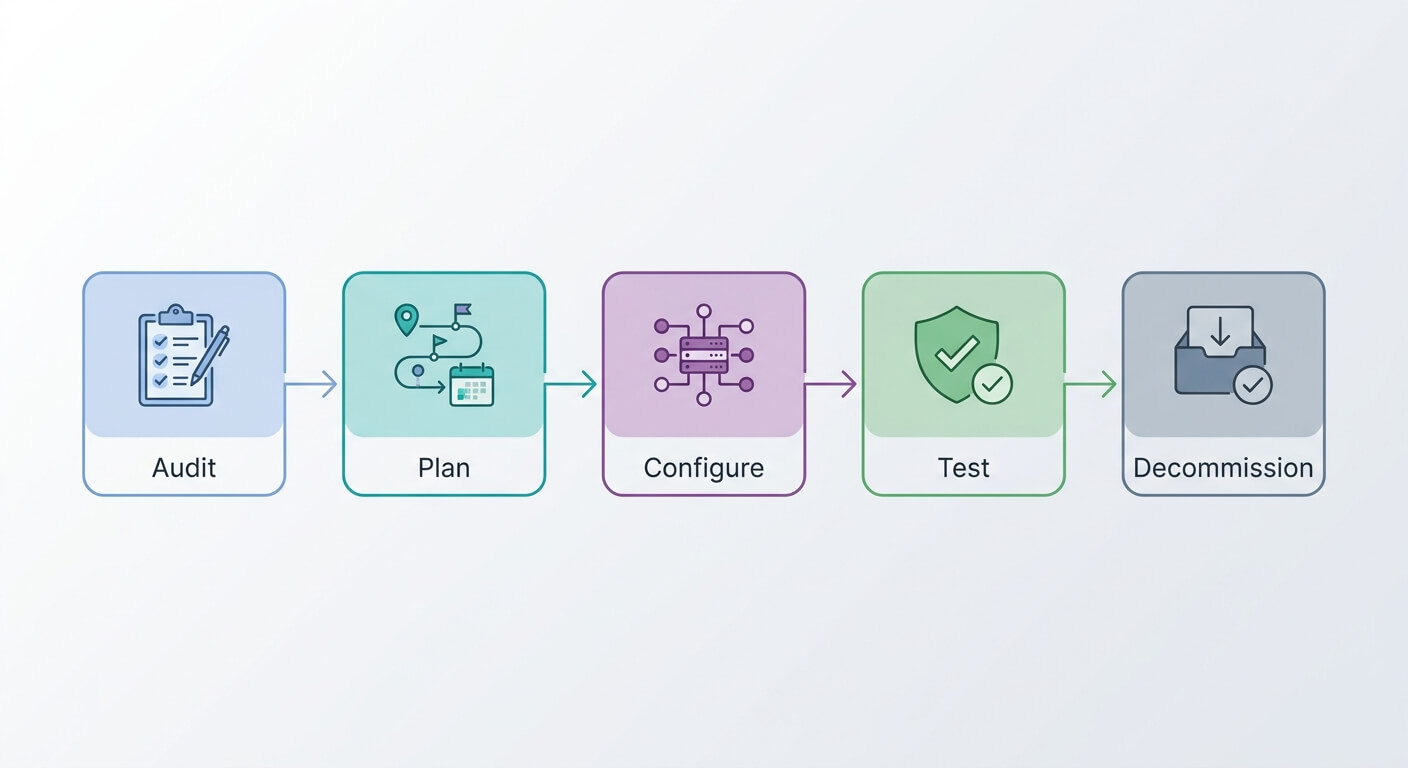
Step 1: Map the process before you move it
Mapping means writing down every trigger, step, decision and handoff in a workflow before touching a new tool. In our experience, a typical small business loses 8 to 10 hours a week to manual admin. Migrating a badly designed workflow just moves the mess to a new platform. Map first, then rebuild.
Most automations that look complicated are three steps and two exceptions. When you write them out, you often find a branch nobody uses any more, or a filter someone added in a panic two years ago. Delete those before you migrate.
This is also where you decide what should stay human. Our rule: automate the repetitive internal work, keep a person in the loop for anything a customer feels or that needs judgement. We once built an automated moodboard generator, realised the aesthetics needed a human eye, and deliberately pulled it back to human-in-the-loop.
If you want a structured way to do this, we use the TRACE method for process mapping. It takes an afternoon and usually saves a week.
Step 2: Count your real monthly volume
Task volume is the single number that decides which platform makes financial sense. Per-task pricing looks cheap at 2,000 operations a month and painful at 50,000. Flat-rate or self-hosted pricing looks expensive early and cheap later. Work out your number before you look at any plan page.
Don’t guess. Open your current account and pull the last three months of operation counts. Then add a growth factor. If you’re adding customers at 20% a year, your automation volume grows with them, usually faster.
Watch out for the loops. One workflow that processes a 200-row spreadsheet can burn 200 operations in a second. Those are the workflows that quietly blow up bills, not the ones running once an hour.
A quick reality check
Write down two figures: current monthly operations, and the same number tripled. Price your shortlist at both. The platform that wins at 3x volume is the one to pick, because you’re not doing this migration twice.
Step 3: Shortlist platforms, not features
A shortlist should be three platforms maximum. A 2026 comparison of alternatives identified nine credible options, with entry pricing starting at $15 per month. Most SMBs genuinely only need two candidates: one simple cloud tool and one self-hostable engine. Comparing more than three wastes days and rarely changes the outcome.
Here’s our honest read on the two we recommend most.
Zapier is the easiest to start with. The app library is enormous, non-technical staff can build in it, and nothing needs maintaining. The catch is per-task pricing, which punishes exactly the growth you’re hoping for. Zapier’s own round-up of low-code automation platforms is a fair place to see how the field lines up.
n8n has a steeper learning curve. In return you get control, the option to self-host, room to scale, and one system your team learns once. You can drop into JavaScript when a step needs logic no visual builder handles well. The n8n documentation is unusually good for an open-source project.
Self-hosting swaps subscription fees for maintenance responsibility. That’s a real trade, not a free win. Someone has to patch the server and watch the backups. For a fuller comparison, see our rundown of workflow automation tools.
 Bridge your workflow to greater automation efficiency
Step 4: Rebuild one workflow as a test
Pick your second most important automation. Not the most critical one, and not a trivial one either. Rebuild it from your process map on the new platform, then run both versions side by side for two weeks.
This is the step people skip, and it’s the step that tells you everything. You’ll find out whether the connectors you need actually exist. You’ll find out how error handling behaves at 2am. You’ll find out whether your team can read the workflow without you.
Test with real, messy data. Not three clean rows you made up. Duplicate contacts, missing phone numbers, odd characters in names. Our four-stage guide to testing workflows before going live covers the checks worth running.
Step 5: Migrate in batches, not all at once
Batch migration means moving workflows in small groups over several weeks, with both platforms live during the changeover. It costs one extra month of subscription overlap. That overlap is the cheapest insurance you’ll ever buy, because a failed big-bang cutover can stop invoicing or lead routing for days.
Start with low-risk internal workflows. Slack alerts, spreadsheet updates, internal reporting. Nothing a customer sees. Once those run clean for a fortnight, move the customer-facing ones.
Keep a simple log: workflow name, old platform status, new platform status, date verified. Boring, but it stops the classic failure where a workflow gets switched off on one side and never switched on properly on the other.
Decommission only when a workflow has run correctly on the new platform for a full billing cycle. Then cancel. Not before.
Choosing between alternatives: our honest take
If you’re under roughly 5,000 tasks a month and nobody on the team is technical, Zapier is fine. Pay the premium, save the hassle, revisit in a year.
If you’re above that, growing, or handling data you’d rather keep in-house, go with n8n. The learning curve is real but short. We’ve watched non-developers become genuinely productive in it inside a month. Our n8n guide for small businesses walks through the first builds.
The deeper argument for owning your automation layer is ownership itself. Building your own systems costs more upfront. You also own the logic and the data, so no vendor can hike prices or pull the rug from under you.
Whichever alternative you land on, the platform matters less than the process behind it. A well-mapped workflow runs fine on almost any decent tool. A broken one just breaks faster on a better engine. If you want a second opinion on which route fits your setup, our system integration team does this work every week.
Frequently Asked Questions
Is n8n really cheaper than per-task automation platforms?
At low volume, no. At scale, significantly. Per-task pricing rises with every operation, whilst self-hosted n8n runs on a server costing roughly $15 to $40 a month regardless of volume. The crossover usually lands somewhere between 5,000 and 15,000 tasks per month, depending on your plan.
How long does migrating automation workflows take?
For a business running 10 to 20 workflows, plan four to six weeks. That includes mapping, rebuilding, a two-week parallel run, and staged cutover. Rushing it into a single weekend is where outages happen. The mapping stage takes longer than people expect and saves the most time later.
Do I need a developer to run a self-hosted automation platform?
Not to build workflows. You do need someone comfortable with server updates, backups and monitoring. Many SMBs use managed hosting instead, which keeps the flat pricing and removes the maintenance work. That’s usually the right middle ground for teams without in-house technical staff.
Can I move my existing workflows automatically?
No. There’s no reliable one-click import between automation platforms. Every workflow gets rebuilt by hand. That sounds worse than it is, because rebuilding forces you to audit what each workflow actually does, and most teams delete 20% of theirs in the process.