How to Boost Hospitality Bookings via Shopify Integrations
Learn how Shopify integrations can increase hospitality bookings by 35% or more. Practical setup guide for hotels, restaurants, and experience providers.
Contents
Why Hospitality Businesses Are Turning to Shopify for Bookings
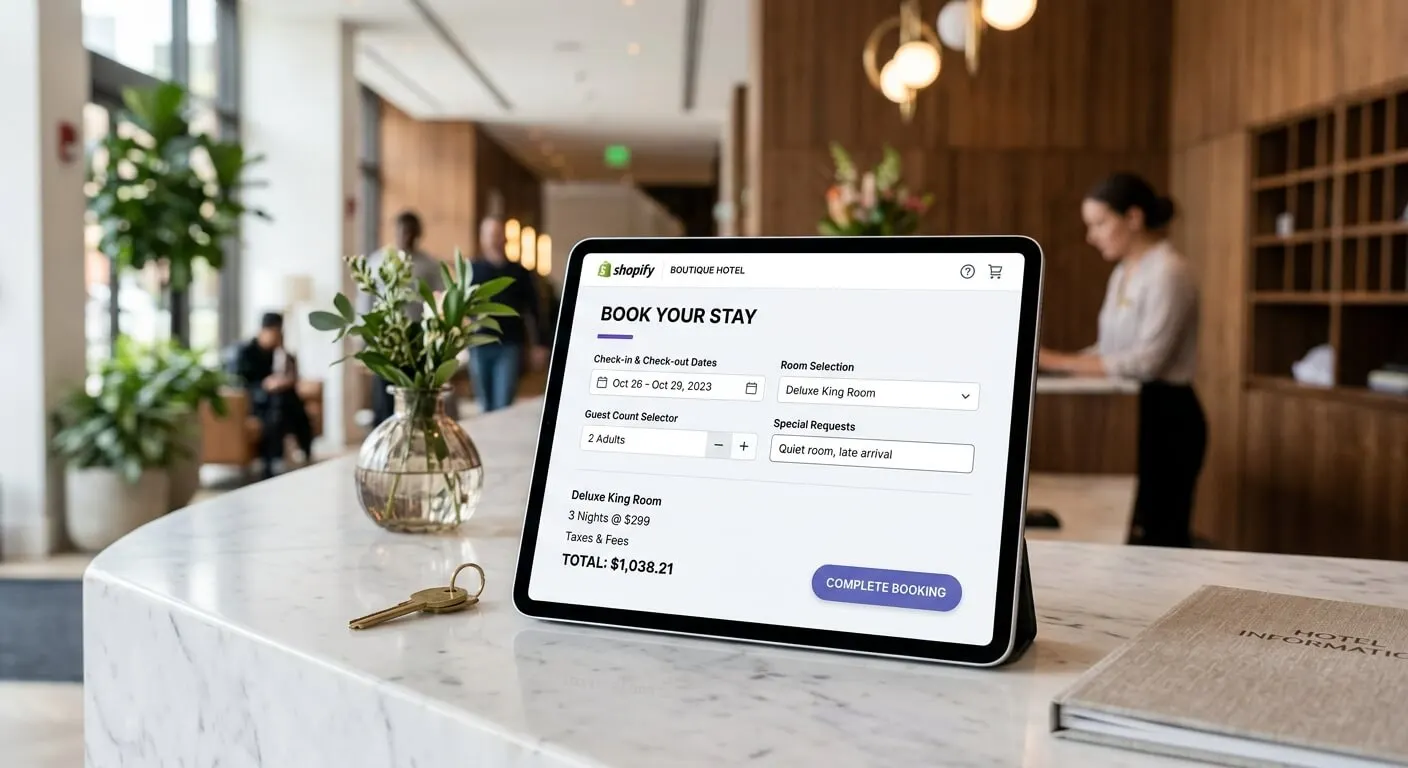
Hospitality businesses that connect Shopify to their booking systems tend to see an increase in direct reservations within the first six months. This happens because guests can browse, book, and pay in one seamless flow. No redirects. No friction. No abandoned carts from clunky third-party widgets. The integration handles availability checks, payment processing, and confirmation emails automatically. Expect $30 to $100 a month for booking apps, on top of Shopify’s own plan at $39 to $399.
Most hotel owners and restaurant managers think Shopify is just for selling products. That’s a reasonable assumption. But the platform has evolved significantly. Today, it handles service bookings, gift cards, experience packages, and recurring reservations with the same reliability it brings to e-commerce.
The real advantage? You control the customer relationship. When guests book through Shopify, you own that data. You can send follow-up emails, offer loyalty rewards, and build repeat business without paying commission to online travel agencies.

The Hidden Cost of Third-Party Booking Platforms
Online travel agencies charge 15-25% commission on every booking. For a boutique hotel with $500,000 in annual room revenue, that’s $75,000-$125,000 going straight to middlemen. Shopify’s transaction fees sit around 2.9% plus 30 cents per transaction. The maths is straightforward.
Beyond commissions, third-party platforms create distance between you and your guests. You don’t get their email addresses for future marketing. You can’t upsell spa treatments or dinner reservations. You’re essentially renting customers rather than building relationships.
Setting Up Your Shopify Booking System
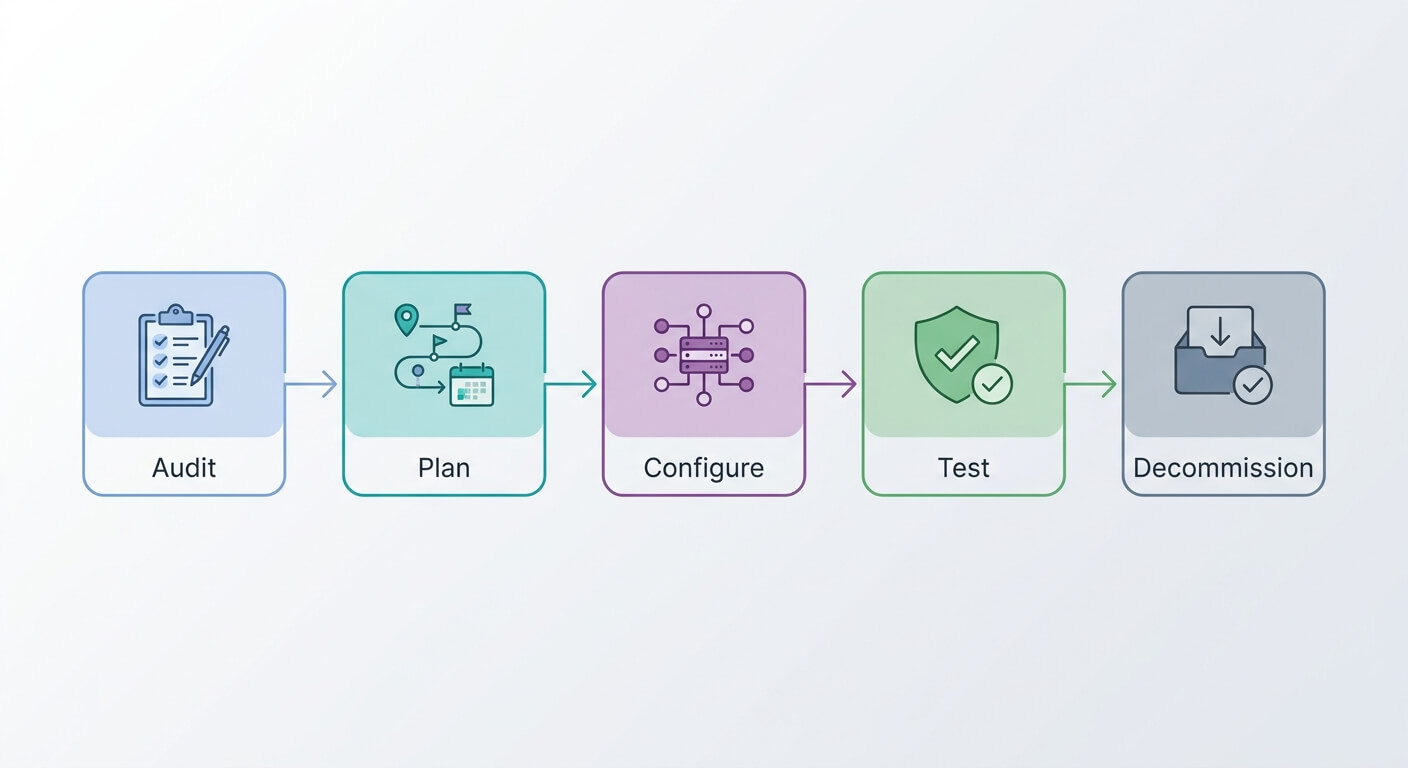
The average hospitality business can launch a fully functional Shopify booking system in under two weeks, including integration with existing property management software. This timeline assumes you’re using pre-built apps rather than custom development. Most businesses I’ve helped start taking bookings within five to seven days.
Choosing the Right Booking App
Shopify’s app store offers dozens of booking solutions. Three consistently perform well for hospitality:
- BookThatApp ($15-50/month): Best for restaurants and experience providers. Handles party sizes, time slots, and resource allocation.
- Sesami ($19-199/month): Ideal for hotels with complex room inventories. Syncs with major property management systems.
- Appointo ($10-30/month): Good entry point for smaller operations. Simple calendar-based booking.
Pick based on your complexity. A 10-room bed and breakfast needs different features than a 100-seat restaurant with multiple sittings.
Connecting to Your Existing Systems
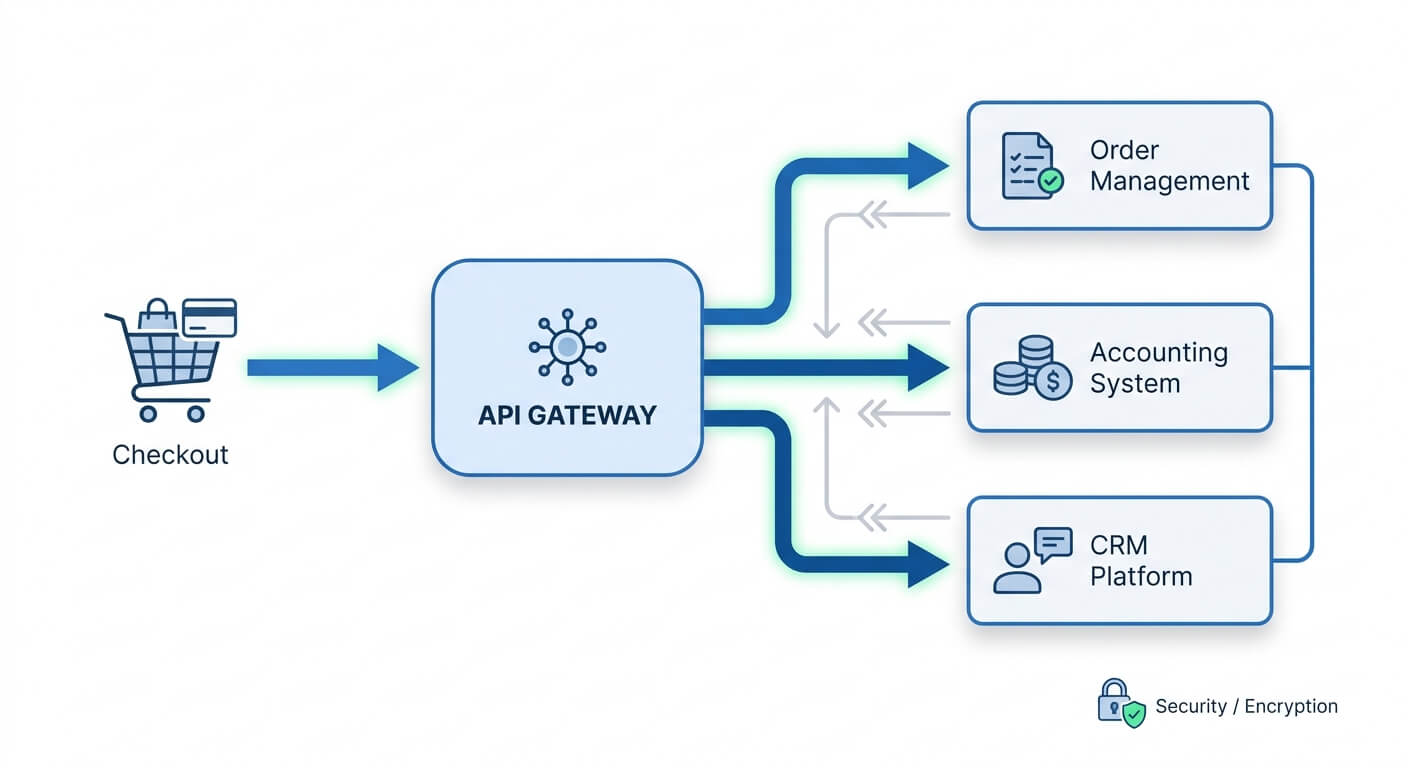
Integration matters more than the booking app itself. Your Shopify store needs to talk to your property management system, your email marketing platform, and your accounting software. Without these connections, you’ll create data silos and manual work.
n8n offers pre-built hospitality workflows that connect Shopify to popular systems like Cloudbeds, Toast POS, and Opera. Zapier handles simpler integrations well. The goal is zero manual data entry between systems.
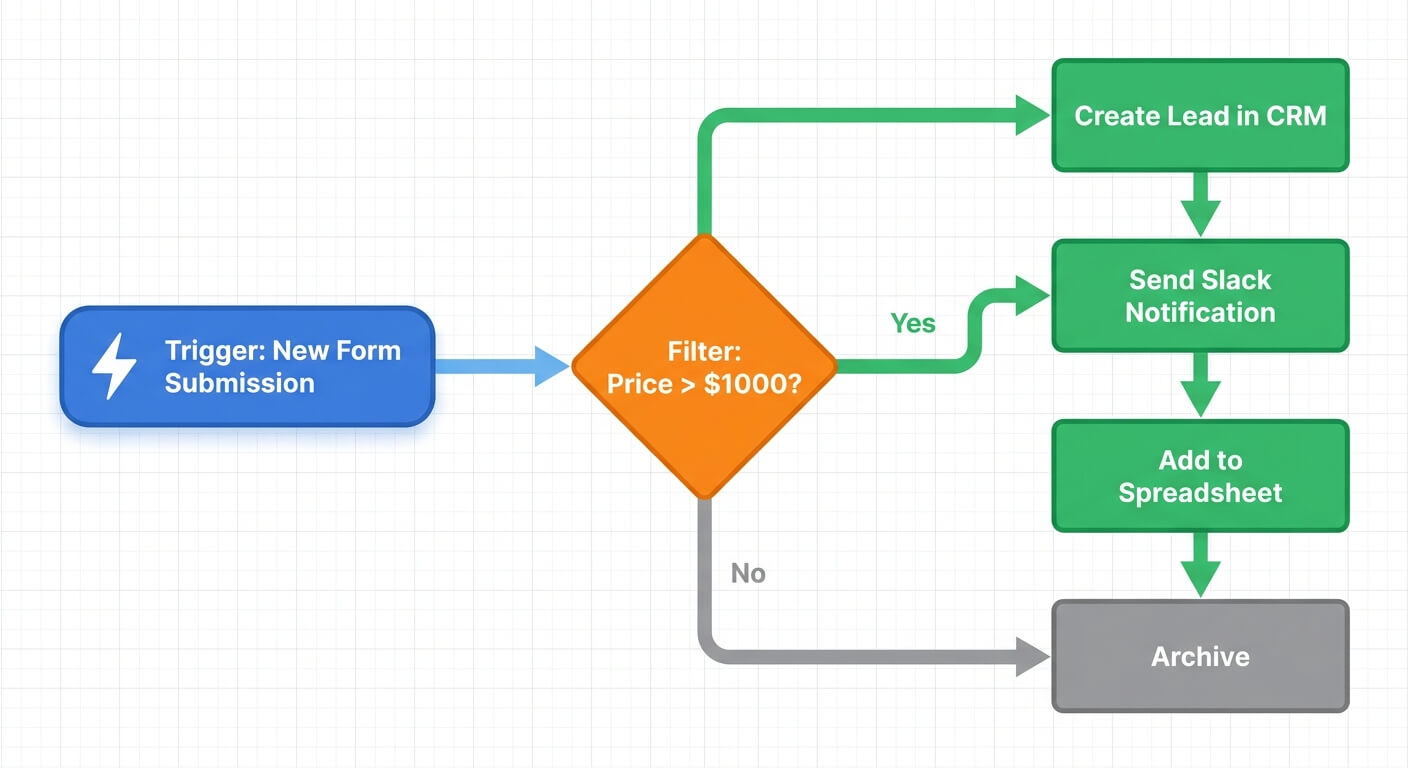
For restaurants, connect your Shopify booking to your POS system. When a reservation arrives, it should automatically create a table assignment and notify front-of-house staff. For hotels, room availability should update in real-time across all channels.
Optimising Your Booking Flow for Conversions
Online bookings are frequently abandoned before completion. The primary culprits are unexpected costs, forced account creation, and complicated checkout processes. Shopify’s checkout is already optimised, but hospitality bookings need additional attention.
Reducing Friction at Every Step
Every click between “I want to book” and “Booking confirmed” loses customers. Aim for three steps maximum: select date/service, enter details, confirm payment.
Show total pricing upfront. Hidden taxes or service charges that appear at checkout kill conversions. If your room rate is $200 per night plus $25 in fees, show $225 from the start.
Enable guest checkout. Forcing account creation costs you bookings. Let people create accounts after they’ve paid, when they’re already committed.

Mobile-First Design Principles
Over 60% of hospitality bookings now happen on mobile devices. Your Shopify store must work flawlessly on phones. This means:
- Large, tap-friendly buttons (minimum 44 pixels)
- Date pickers designed for thumbs, not mouse cursors
- Auto-fill enabled for returning guests
- Apple Pay and Google Pay integration
Mobile booking experiences that load slowly or require pinch-zooming will send guests straight to booking.com. Test your checkout on your own phone before launching.
Automating the Post-Booking Experience
The moments after someone books are critical. Handle them manually, and you’ll either overwhelm your team or forget to follow-up. Automation solves both problems.
Essential Automated Messages
Set up these automated emails through Shopify Flow or your connected email platform:
- Immediate confirmation with booking details, directions, and contact information
- Pre-arrival email (3-7 days before) offering upgrades, spa bookings, or dinner reservations
- Day-of reminder with check-in instructions and weather forecast
- Post-stay thank you with review request and loyalty offer
Each email should feel personal. Use the guest’s name. Reference their specific booking. Include details that show you’re paying attention.
Personalised email sequences drive significantly more engagement than generic templates. A guest who booked a romantic package gets different pre-arrival suggestions than a family with children.
Upselling Through Automation
The pre-arrival email is your biggest upselling opportunity. Guests are already excited about their trip. They’re psychologically primed to spend more.
Offer relevant upgrades: late checkout, room upgrades, experience packages, restaurant reservations. Price these attractively. A $50 upgrade that normally costs $80 feels like a win for everyone.
Track which upsells convert best. Over time, you’ll learn that certain guest segments respond to specific offers. Business travellers might want early check-in. Couples might want champagne on arrival.
Integrating Inventory and Availability Management
Real-time inventory synchronisation reduces overbookings compared to manual availability management. Overbooking creates terrible guest experiences and often requires expensive compensation. Proper integration prevents this entirely.
Real-Time Availability Sync
Your Shopify store must reflect actual availability. If someone books your last room through a travel agency at 2am, your Shopify calendar needs to update immediately. Manual updates don’t work at scale.
Connect Shopify to your channel manager. Most property management systems include channel management features. If yours doesn’t, tools like SiteMinder or Cloudbeds fill the gap. Every booking channel should pull from the same availability pool.
For restaurants, this means your Shopify bookings and walk-in availability share the same table inventory. AI-powered demand forecasting can help predict busy periods and adjust available slots accordingly.
Managing Seasonal Pricing
Shopify’s native pricing tools handle basic scenarios. For hospitality-specific needs, you’ll want apps that support:
- Dynamic pricing based on occupancy levels
- Minimum stay requirements during peak periods
- Package bundling for room plus breakfast deals
- Last-minute discounts on unsold inventory
Automate price changes rather than remembering to update them manually. Set rules like “increase rates by 20% when occupancy exceeds 80%” and let the system handle execution.
Measuring What Matters
Businesses that track booking conversion rates and adjust based on data tend to see stronger revenue growth than those relying on intuition alone. Shopify provides excellent analytics, but you need to know which metrics matter for hospitality.
Key Performance Indicators
Track these metrics weekly:
- Booking conversion rate: Visitors who complete a booking divided by total visitors. Aim for 2-4%.
- Average booking value: Total revenue divided by number of bookings. Should increase over time through upselling.
- Cart abandonment rate: Bookings started but not completed. Below 60% is good for hospitality.
- Direct booking percentage: Shopify bookings versus third-party channel bookings. Higher is better.
Shopify’s dashboard shows these metrics clearly. Set up weekly email reports so you never lose visibility.
A/B Testing Your Booking Flow
Small changes create measurable improvements. Test one element at a time:
- Button colours and text (“Book Now” versus “Reserve Your Room”)
- Photo placement and quality
- Pricing display format
- Number of form fields
Run each test for at least two weeks before drawing conclusions. Statistical significance matters. A 10% improvement over 50 bookings might be noise. Over 500 bookings, it’s a real signal.
Linking your booking data to your CRM enables deeper analysis. You can see which marketing channels drive the highest-value guests, not just the most bookings.
Common Integration Mistakes to Avoid
Businesses I’ve worked with often make the same errors when setting up Shopify booking integrations. Awareness helps you sidestep these problems entirely.
Overcomplicating the Tech Stack
More apps don’t mean better functionality. Each additional tool creates potential failure points and maintenance overhead. Start with the minimum viable setup: Shopify, one booking app, one integration platform (n8n or Zapier), and your existing property management system.
Add complexity only when you’ve identified specific needs. Don’t install apps “just in case” you might need them.
Ignoring Staff Training
The best booking system fails if your team doesn’t understand it. Front desk staff need to know how to modify bookings, issue refunds, and troubleshoot common problems. Kitchen staff need visibility into upcoming reservation counts.
Overcoming team resistance starts with involving staff in the setup process. Let them test the system before launch. Address their concerns early.
Forgetting About Cancellation Policies
Configure clear cancellation terms within Shopify. Guests should understand the policy before booking. Your system should automatically process refunds according to your rules.
Flexible cancellation policies typically increase bookings by 15-20%, but they also increase no-shows. Find the balance that works for your business. Consider requiring deposits for high-demand dates while offering free cancellation during slower periods.
Frequently Asked Questions
How much does it cost to add booking functionality to Shopify?
Expect to spend $30-100 per month on booking apps, plus Shopify’s base plan ($39-399/month depending on features needed). Transaction fees run approximately 2.9% plus 30 cents per booking. Most hospitality businesses find this far cheaper than the 15-25% commissions charged by online travel agencies. Setup typically requires 20-40 hours of initial configuration.
Can Shopify handle restaurant table reservations?
Yes. Apps like BookThatApp and Zettle are specifically designed for restaurant bookings. They manage table inventory, party sizes, multiple sittings, and staff notifications. You can offer booking through your website, Google Business Profile, and social media channels simultaneously. Integration with POS systems ensures front-of-house staff see reservations in real-time.
Will Shopify integrate with my existing hotel property management system?
Most major property management systems have Shopify integrations available, either native or through automation platforms like n8n and Zapier. Cloudbeds, Opera, Little Hotelier, and Mews all connect reliably. If your system lacks direct integration, API connections usually provide a workaround. Test synchronisation thoroughly before going live.
How do I prevent double bookings when using multiple channels?
Real-time inventory synchronisation is essential. Connect all booking channels, including Shopify, travel agencies, and direct phone bookings, to a single availability source through your channel manager. Updates should propagate within seconds, not minutes. Most overbooking incidents occur when manual updates lag behind actual reservations.
What’s the typical timeline to launch a Shopify booking system?
Most hospitality businesses launch within five to fourteen days. Simple setups, like a single restaurant or small guesthouse, can go live in under a week. Complex operations with multiple room types, packages, and integration requirements may need two to three weeks. Plan for additional time to train staff and test edge cases before accepting real bookings.