n8n Workflow Automation for Small Businesses: Complete 2026 Guide
Complete n8n automation guide for SMBs. Save 10+ hours weekly with open-source workflows. Setup tips, real examples, and ROI tracking included.
Contents
Every small business has the same problem: too many tools, none of them talking to each other. n8n stands out because it’s open-source, self-hostable, and connects hundreds of apps. You keep control of your data, and the admin time you win back is real, though how much depends entirely on how much copying and pasting your team does today. Self-hosting n8n costs $5 to $20 a month for small workloads, and n8n Cloud starts at $20 a month.
What Is n8n and Why Should Small Businesses Care?
n8n (pronounced ‘n-eight-n’) is an open-source workflow automation tool. It lets you connect different apps and automate tasks between them. Think of it as a translator that makes your software talk to each other automatically.
The global workflow automation market has continued to grow in recent years. Small businesses represent the fastest-growing segment. Why? Because automation tools like n8n have become accessible enough for teams without dedicated IT staff.
Here’s what makes n8n different from alternatives like Zapier:
- Self-hosted option: You can run n8n on your own server. Your data never leaves your control.
- Fair pricing: The cloud version costs less than competitors. Self-hosting is free.
- Visual builder: Drag and drop nodes to create workflows. No coding required for most tasks.
- 400+ integrations: Connect popular tools like Google Sheets, Slack, Xero, and HubSpot.
For small businesses watching every pound, n8n workflow automation offers enterprise capability at SMB prices. Business automation services can help you implement these systems effectively.
The Real Cost of Manual Processes
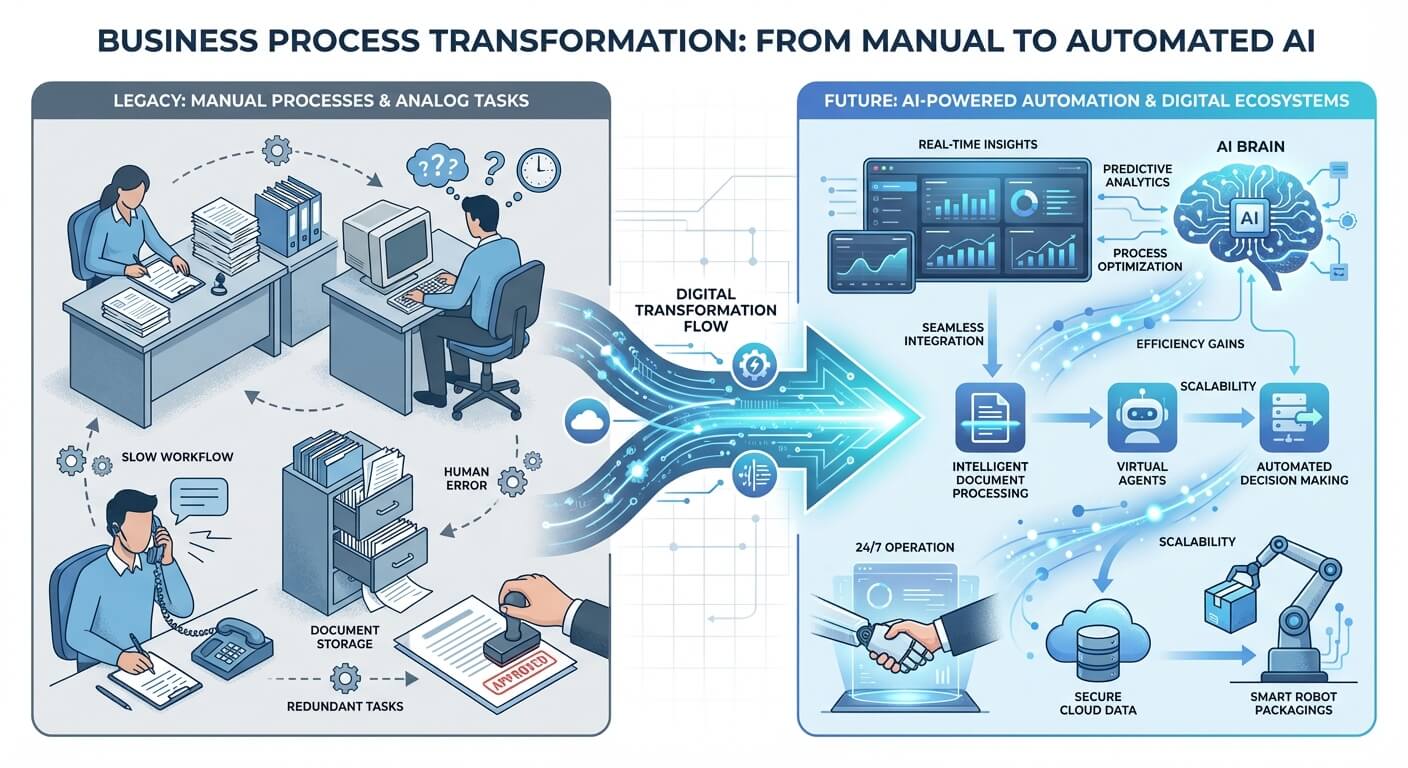
Manual data entry is expensive. Most business owners underestimate how much. Manual data handling exposes businesses to costs arising from errors. When you add the time cost, the numbers get painful.
Let’s look at a typical scenario. A small recruitment agency receives applications via email. Each application needs logging in their ATS. It needs adding to a spreadsheet. It needs an acknowledgement email. That’s 8 minutes per application. With 50 applications weekly, that’s nearly 7 hours of pure admin.
n8n workflow automation can handle this entire process automatically. Applications get parsed. They get logged. They get acknowledged in seconds. Those 7 hours go back to revenue-generating work.
I’ve seen clients across various industries achieve similar results. The pattern is consistent. First, identify repetitive tasks. Then, build the workflow. Finally, reclaim the time.
The Hidden Costs You’re Probably Missing
Beyond direct time savings, consider these factors:
Replacing an employee costs 6-9 months of salary
Automation addresses all three issues. Your team does meaningful work. Errors drop. People stay longer.
Getting Started: n8n Setup and Implementation

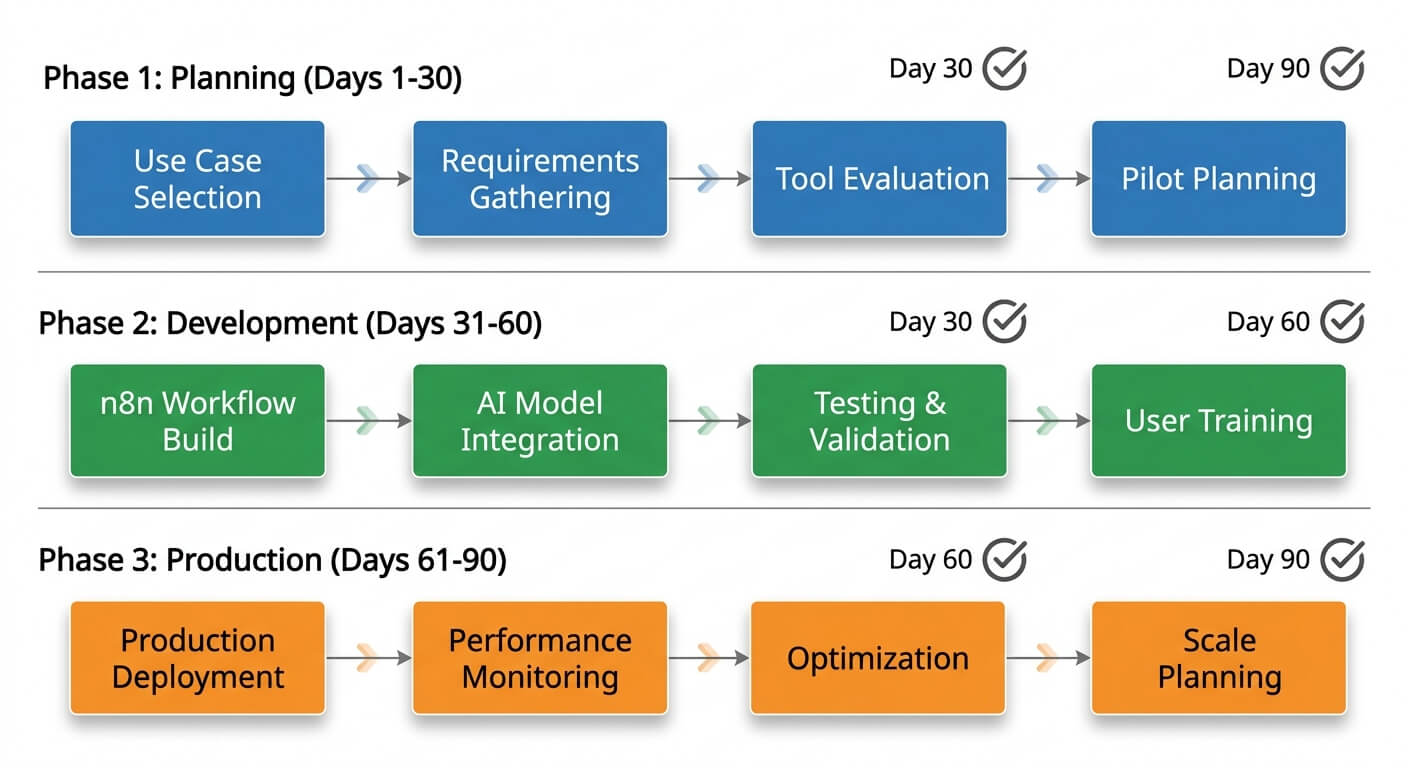
Starting with n8n doesn’t require technical expertise. The learning curve is gentler than most business owners expect. Here’s a practical approach that works well.
Step 1: Identify Your First Workflow
Don’t try to automate everything at once. Pick one process that meets these criteria:
- Happens frequently (daily or weekly)
- Follows predictable rules
- Currently takes significant time
- Has clear success criteria
Good first workflows include invoice processing. They include lead notifications. They include calendar scheduling and data backup. I’ve written extensively about automating invoicing as an ideal starting point.
Step 2: Map the Current Process
Before building anything, document exactly what happens now. Who does what? What triggers the task? Where does data come from and go to?
This mapping reveals inefficiencies you might not have noticed. Sometimes the best automation isn’t doing the same thing faster. It’s doing something smarter.
Step 3: Build Your First Workflow
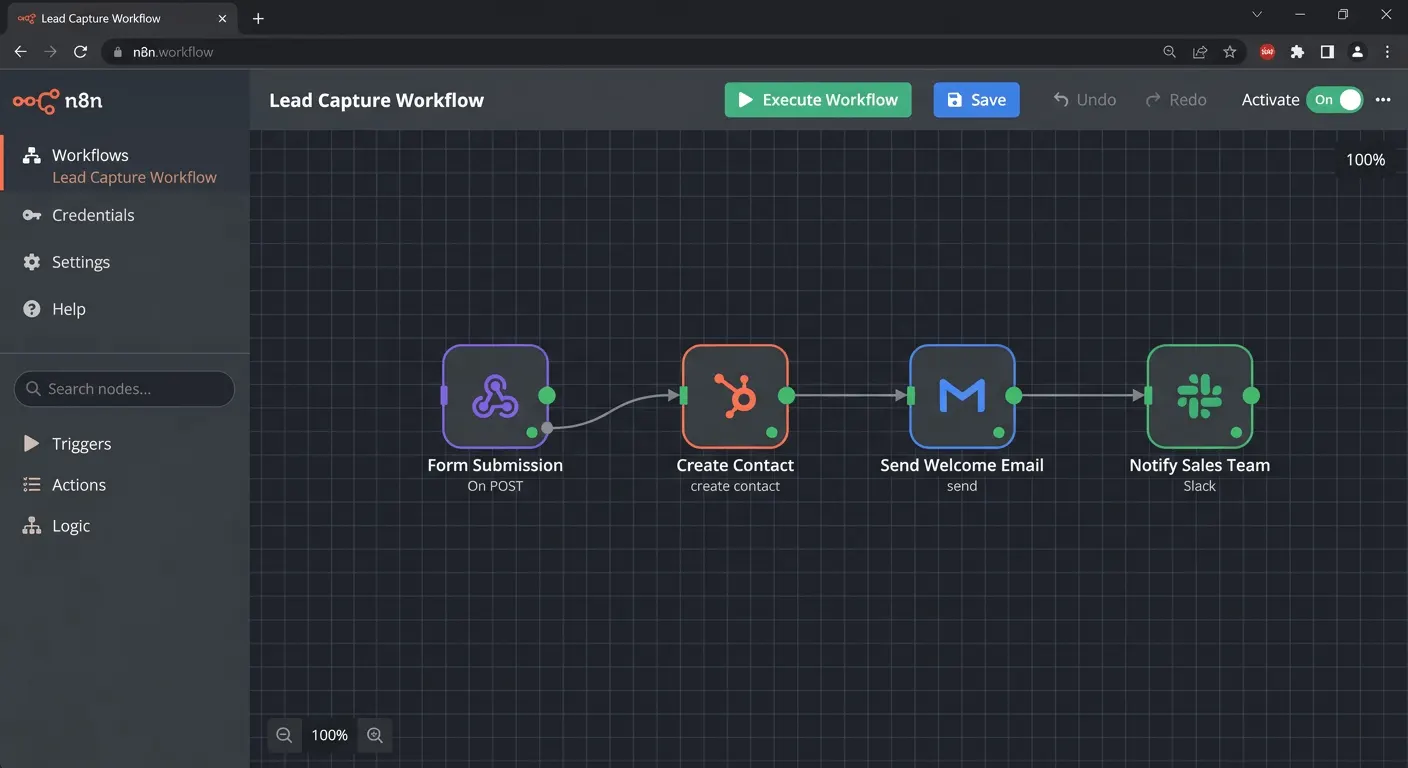
n8n uses a visual interface. You drag ‘nodes’ onto a canvas. You connect them. Each node represents an action. It might trigger an event. It might fetch data. It might send an email. It might update a spreadsheet.
Start simple. A basic workflow might look like this:
- Trigger: New form submission
- Action: Add row to Google Sheet
- Action: Send Slack notification
- Action: Email confirmation to submitter
This four-node workflow might replace 15 minutes of manual work per submission. Multiply that across hundreds of submissions monthly.
Step 4: Test Before Going Live
Run your workflow with test data. Check every output. Look for edge cases. What happens with incomplete forms? What about unusual characters? What about missing fields?
Most workflow failures happen at edges. A customer enters their phone number with spaces. A field gets left blank. Good workflows handle these gracefully.
Five High-Impact n8n Workflows for SMBs
After working with businesses across different sectors, certain patterns emerge. These five workflows deliver outsized returns relative to their complexity.
1. Lead Capture to CRM Pipeline
When someone fills out your contact form, n8n can instantly create a CRM record. It assigns the record to the right salesperson. It sends an acknowledgement. It schedules a follow-up task. What took 10 minutes happens in 10 seconds.
For businesses serious about lead management, combining this with proper lead scoring multiplies the impact.
2. Invoice Processing Automation
n8n can watch an email inbox for invoices. It extracts key details using AI. It creates entries in your accounting software. It flags anomalies for human review. One client reduced invoice processing time from 45 minutes daily to 5 minutes of exception handling.
3. Social Media Content Distribution
Publish once. Distribute everywhere. n8n can take a blog post and automatically create social updates. It formats each appropriately for its platform. It schedules posts for optimal timing.
4. Customer Onboarding Sequences
New customer signs up? Trigger a welcome email series. Create their account in relevant systems. Notify your team. Schedule check-in reminders. Consistent onboarding without manual checklists.
5. Data Synchronisation Between Systems
The average small business uses 37 different software tools, according to research. Keeping data consistent across them is a nightmare. n8n can sync contacts. It updates records. It ensures every system has current information.
Common Mistakes to Avoid
n8n workflow automation fails when implementation goes wrong. These mistakes crop up repeatedly across different implementations.
Automating a Bad Process
Automation amplifies whatever you feed it. A messy, illogical process becomes a messy automated process. Fix your workflows before automating them. Sometimes the answer is simplification, not automation.
Building Too Much, Too Fast
Overenthusiastic teams sometimes build 20 workflows in their first month. Then nobody maintains them. Processes change. Integrations break. Start with three to five workflows. Master those before expanding.
Ignoring Error Handling
What happens when an API call fails? When a required field is empty? When a rate limit gets hit? Robust workflows need error handling built in. n8n offers error triggers specifically for this purpose.
Not Documenting Your Workflows
Six months from now, will you remember why that workflow sends two emails? Will your colleague understand that unusual filter condition? Document as you build. Future you will be grateful.
Measuring Your Automation ROI
Research shows that effective automation typically delivers 3-5x ROI within the first year. But you need to measure properly.
Track these metrics before and after implementing n8n automation:
- Time spent on automated tasks: Measure actual hours, not estimates
- Error rates: Count mistakes requiring correction
- Processing speed: How long from trigger to completion?
- Staff satisfaction: Are people happier without repetitive tasks?
Calculate your hourly cost by dividing salary plus overhead by productive hours. Multiply saved hours by that rate. That’s your direct ROI.
Don’t forget indirect benefits. Faster response times improve customer satisfaction. Fewer errors protect your reputation. Staff retention saves recruitment costs.
When to Get Professional Help
Not every small business needs outside assistance. Simple workflows are genuinely straightforward. But consider professional help when:
- Your workflows involve sensitive data requiring security review
- You need custom integrations with systems lacking native n8n support
- Your team lacks time to learn and maintain workflows properly
- You want to scale automation across multiple departments quickly
System integration services help businesses build robust automation foundations. I’ve seen too many DIY implementations fail from preventable mistakes.
Getting Started Today
The best time to start with n8n was yesterday. The second-best time is now. Begin with one simple workflow. Master it. Then expand. Your future self will thank you for every hour of repetitive work eliminated.
Remember that automation is not about replacing humans. It’s about freeing humans to do what they do best. Strategic thinking. Creative problem-solving. Building relationships. Let n8n handle the boring bits.
Frequently Asked Questions
Is n8n really free for small businesses?
n8n offers a genuinely free self-hosted option with all features included. You pay only for your hosting costs. Typically $5-20 monthly for small workloads. The cloud version starts at $20 monthly with generous limits. Either option costs significantly less than Zapier for equivalent usage.
How technical do I need to be to use n8n?
Most small business workflows require no coding whatsoever. n8n’s visual interface handles common scenarios through drag and drop. Complex custom logic might need basic JavaScript. But templates and community examples cover most use cases. Plan for 10-15 hours to become comfortable with the basics.
What happens if n8n goes down or breaks?
n8n includes error handling and retry mechanisms. Self-hosted versions depend on your infrastructure reliability. Cloud versions offer 99.9% uptime guarantees. Critical workflows should include notification alerts for failures. Most issues resolve automatically through built-in retry logic.
Can n8n connect with my existing business software?
n8n supports over 400 integrations out of the box. Popular business tools like Xero connect natively. So do HubSpot, Mailchimp, and Google Workspace. For unsupported tools, n8n handles generic APIs, webhooks, and database connections. Custom integrations are possible for virtually any modern software.