90-Day AI Implementation Checklist for SMEs: From Planning to Launch
Complete 90-day AI implementation framework for SMEs. Structured checklist covering planning, building, and launch phases with proven strategies.
Contents
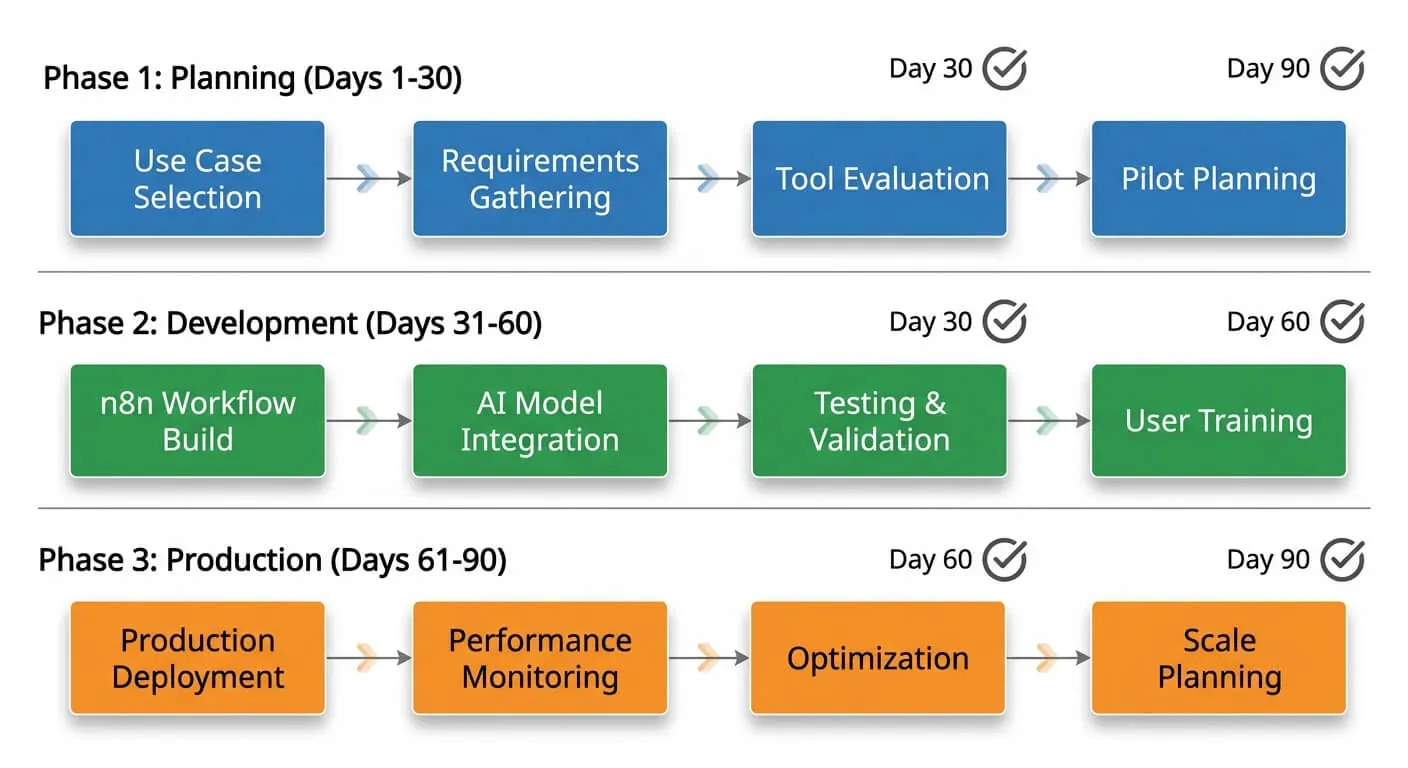
The 90-day AI implementation checklist breaks into three phases: Discovery and Planning (Days 1-30), where you define the problem and audit your data; Build and Test (Days 31-60), where you build a minimum viable workflow and test it internally; and Launch and Optimise (Days 61-90), where you roll out gradually and measure results. An SME AI implementation costs between $5,000 and $50,000, depending on complexity.
Most AI projects stall from poor planning, not technical complexity. A structured checklist and a realistic 90-day timeline fixes that. This guide gives you the exact framework I use with clients to move from idea to a working system.
Why Most AI Projects Fail Before They Start
Most AI implementations fail for the same reason: scope creep and unclear objectives, not budget or technology. Businesses that define specific, measurable outcomes before selecting tools give themselves a real head start over those who don’t.
Methodical approaches consistently outperform ad-hoc implementations, across businesses of every size.
The typical failure pattern looks something like this. A business owner reads about AI chatbots saving time. They sign up for a tool. They spend two weeks trying to configure it. Then it sits unused because nobody mapped out how it would actually fit into daily operations.
Sound familiar? You’re not alone. The difference between successful implementations and expensive experiments comes down to preparation.
Another common mistake is trying to automate everything at once. I’ve seen businesses attempt to overhaul their entire customer service operation in one go. That’s a recipe for frustration. Start small, prove value, then expand.
Phase One: Discovery and Planning (Days 1-30)
This first month is about understanding what you’re actually trying to achieve. Skip this phase, and you’ll waste the next two months building something nobody needs.
Week One: Define Your Problem Statement
Before looking at any AI tools, write down the specific problem you’re solving. Be ruthlessly specific. “Improve customer service” is too vague. “Reduce first-response time for customer enquiries from 4 hours to under 30 minutes” is actionable.
Ask yourself these questions:
- What manual task consumes the most staff time?
- Where do errors happen most frequently?
- What process makes customers wait unnecessarily?
- Which bottleneck, if removed, would have the biggest impact?
My AI readiness assessment helps you identify the highest-impact opportunities in your operation.
Week Two: Audit Your Data
AI runs on data. If your data is scattered across spreadsheets, email inboxes, and sticky notes, you’ll need to consolidate it first. This week, create an inventory of:
- Where your customer data lives
- How clean and complete that data is
- What format it’s currently in
- Who has access to it
Many SMEs discover they have more usable data than they thought. They just haven’t organised it. A proper tech stack audit often reveals goldmines of information sitting in disconnected systems.
Weeks Three and Four: Select Your Use Case and Tool
Now you can start evaluating solutions. Based on what I’ve seen work for SMEs, these three use cases offer the fastest time to value:
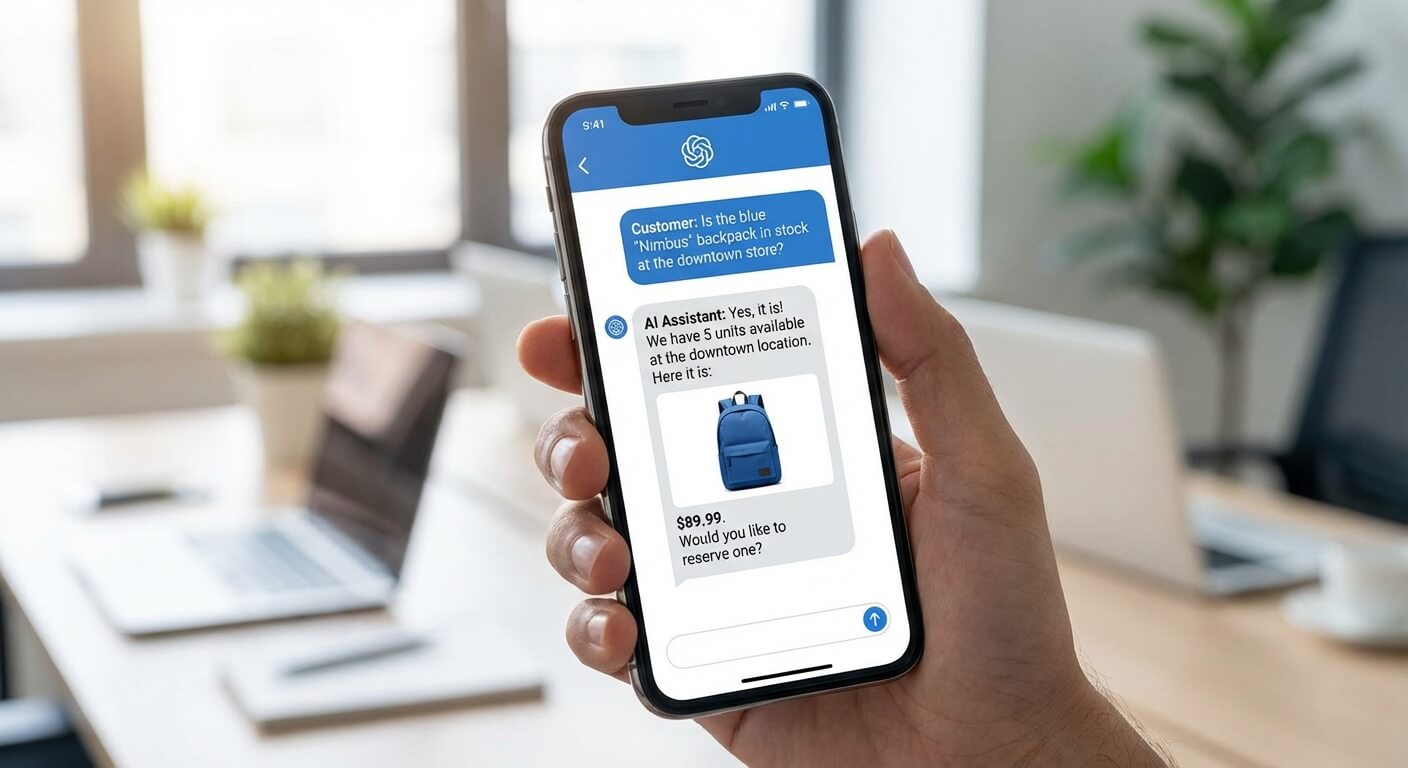
- Customer service chatbots: Handle a meaningful share of routine enquiries automatically
- Document processing: Extract data from invoices, contracts, and forms
- Lead qualification: Score and route prospects without manual review
For automation platforms, n8n and Zapier remain the most accessible options for SMEs. n8n’s documentation is excellent for self-hosted setups. Zapier works well for teams that prefer no-code simplicity.
Don’t choose based on features alone. Choose based on your team’s technical comfort level and your existing tech stack.

Phase Two: Build and Test (Days 31-60)
Month two is where the real work happens. You’re building a minimum viable implementation and testing it with real users.
Week Five: Set Up Your Foundation
AI project foundations require three components working together. First, a connected data source. Second, an automation platform. Third, clear triggers and outputs. Businesses that integrate AI tools with existing systems typically see stronger adoption than those running standalone solutions, in my experience. A tool bolted onto nothing gets forgotten fast.
Start by connecting your AI tool to one data source only. If you’re building a customer service chatbot, connect it to your CRM first. Add other integrations later.
Week Six: Build Your First Workflow
Keep your first workflow simple. A chatbot that answers FAQs. A document processor that extracts invoice totals. A lead scorer that flags hot prospects.
Document everything as you build:
- What triggers the workflow?
- What data does it need?
- What does it output?
- What happens when it fails?
That last question matters more than most people think. Every AI system makes mistakes. Plan for errors now, not after launch.
Weeks Seven and Eight: Internal Testing
Before showing your AI to customers, your team needs to break it. Run at least 50 test cases through your system. Include edge cases: unusual spellings, incomplete data, questions outside the expected scope.
Track three metrics during testing:
- Accuracy rate (how often does it get the right answer?)
- Confidence scores (how certain is the AI about its responses?)
- Failure modes (what makes it break?)
If accuracy falls below 85%, you need more training data or a simpler scope. Don’t launch until you hit that threshold.
Phase Three: Launch and Optimise (Days 61-90)
The final month focuses on controlled rollout and continuous improvement. This is where many businesses drop the ball. They launch and forget.
Week Nine: Soft Launch
Don’t flip the switch for all customers at once. Start with 10-20% of traffic or enquiries. This limits damage if something goes wrong and gives you real data to optimise against.
During soft launch, watch for:
- Customer satisfaction with AI responses
- Handoff rates to human agents
- Resolution times compared to baseline
- Error patterns and edge cases you missed
Have a human review every AI interaction for the first week. Yes, this defeats some efficiency gains temporarily. But the insights are worth it.
Week Ten: Gather Feedback and Iterate
Ask your customers directly. A simple post-interaction survey with two questions works well:
- Did you get the help you needed? (Yes/No)
- Any feedback on your experience? (Open text)
Most of the useful improvements come from that open text field. Customers will tell you exactly what’s confusing or frustrating.
Also, debrief with your team. They’ll have seen patterns you missed. Weekly 15-minute standups during this phase pay dividends.
Weeks Eleven and Twelve: Full Rollout and Measurement
Once you’re confident in performance, expand to 100% of users. But don’t stop measuring.
Set up a monthly review that covers:
- Volume handled by AI vs humans
- Customer satisfaction scores
- Cost per interaction
- Time saved per week
These numbers justify continued investment and highlight areas for expansion.

Common Mistakes to Avoid
After helping many SMBs through AI implementations, certain patterns emerge. Here’s what trips people up most often.
Overcomplicating the first project. Your goal isn’t to build the perfect system. It’s to prove AI can work in your business. Simple wins build momentum.
Ignoring your team. AI adoption fails when staff feel threatened or confused. Involve them early. Explain that AI handles the boring bits so they can focus on work that actually needs a human brain.
Skipping the measurement baseline. If you don’t know how long tasks take now, you can’t prove improvement. Measure before you change anything.
Choosing tools before defining problems. The tool doesn’t matter if it solves the wrong problem. Process first, technology second.
Expecting perfection. AI systems improve over time. Launch at “good enough” and iterate. Waiting for perfect means waiting forever.
The 90-Day AI Implementation Checklist
Here’s your complete checklist, condensed for reference:
Days 1-30 (Planning)
- Define specific, measurable problem statement
- Audit data sources and quality
- Map current process and bottlenecks
- Select single use case for first project
- Choose automation platform
- Secure team buy-in
Days 31-60 (Building)
- Connect primary data source
- Build minimum viable workflow
- Document triggers, inputs, outputs, and failures
- Run 50+ internal test cases
- Achieve 85%+ accuracy threshold
- Create fallback procedures for errors
Days 61-90 (Launching)
- Soft launch to 10-20% of users
- Review every interaction manually for week one
- Gather customer feedback via survey
- Hold weekly team debriefs
- Expand to full rollout
- Establish monthly measurement cadence
What Comes After 90 Days
Your first AI implementation isn’t the destination. It’s proof that your business can successfully adopt this technology. Once you’ve proven value with one use case, you can expand.
Common second projects include:
- Adding AI to a second customer touchpoint
- Connecting multiple data sources for richer insights
- Automating internal workflows alongside customer-facing ones
The businesses that succeed with AI treat it as an ongoing capability, not a one-time project. Build the muscle memory now, and you’ll be ready when bigger opportunities emerge.
Frequently Asked Questions
How much does AI implementation cost for an SME?
Most SME AI projects cost between $5,000 and $50,000, depending on complexity. Simple chatbots using existing platforms might cost under $5,000 including setup time. Custom integrations with multiple data sources push toward the higher end. Budget for ongoing costs too: platform subscriptions, maintenance, and periodic updates.
Do I need technical staff to implement AI?
Not necessarily. No-code platforms like Zapier allow non-technical teams to build useful automations. However, having someone comfortable with data and logic helps enormously. If you lack internal capability, working with an implementation partner reduces risk and speeds up delivery.
What’s the biggest risk with AI implementation?
Scope creep. Starting too broad leads to projects that never finish. Successful implementations begin with a single, well-defined use case. Prove value quickly, then expand. The 90-day framework exists specifically to prevent runaway projects.
How do I measure AI implementation success?
Define success metrics before you start. Common measures include time saved, cost per transaction, error rates, and customer satisfaction scores. Compare post-implementation numbers to your baseline. If you didn’t measure the baseline, start now for your next project.