AI Data Entry Automation for Small Business: Stop Typing, Start Growing
Discover how AI data entry automation for small business cuts manual work by 80%. Practical tools, real costs, and step-by-step implementation for SMBs.

Contents
The Hidden Cost of Manual Data Entry
Manual data entry quietly consumes a serious share of an admin worker’s month, and because it arrives as dozens of small tasks it rarely shows up on anyone’s radar as a cost. AI data entry automation eliminates this drain by capturing, processing, and routing information without human intervention, freeing your team for work that actually grows revenue. AI data entry automation costs a small business $100 to $500 a month in tooling.
Here’s what makes this painful: most SMB owners know data entry is eating their time. They just don’t realise how much. When you add up invoice processing, contact updates, order entries, and expense logging, the numbers become staggering.
The problem compounds as you grow. Hire more people, generate more data, need more entry. It’s a trap that scales in the wrong direction.
Why Traditional Approaches Fail
Hiring more admin staff seems logical. But each new person adds salary, training time, and management overhead. Outsourcing moves the problem elsewhere without solving it. Spreadsheet templates help organise data but someone still has to type it.
The fundamental issue remains unchanged. Humans are manually transferring information from one place to another. That process is slow, error-prone, and expensive regardless of who does it.
How AI Data Entry Automation Actually Works
According to McKinsey Global Institute research from 2023, 60 to 70 percent of current work activities could be automated with existing technology, with data collection and processing among the highest-potential categories. Modern AI systems use optical character recognition, natural language processing, and machine learning to extract structured data from unstructured sources like emails, PDFs, and handwritten notes.
The Technology Behind the Magic
OCR technology reads text from images and documents. But raw OCR is just the starting point. AI adds intelligence on top. It understands context, recognises patterns, and makes decisions about what goes where.
For example, an AI system scanning an invoice doesn’t just read the numbers. It identifies which number is the total, which is the VAT, and which is the invoice reference. Then it routes that data to the correct fields in your accounting software.
Natural language processing handles emails and messages. When a customer sends order details in plain text, the AI extracts product names, quantities, and shipping addresses. No templates required.
Integration Makes It Seamless
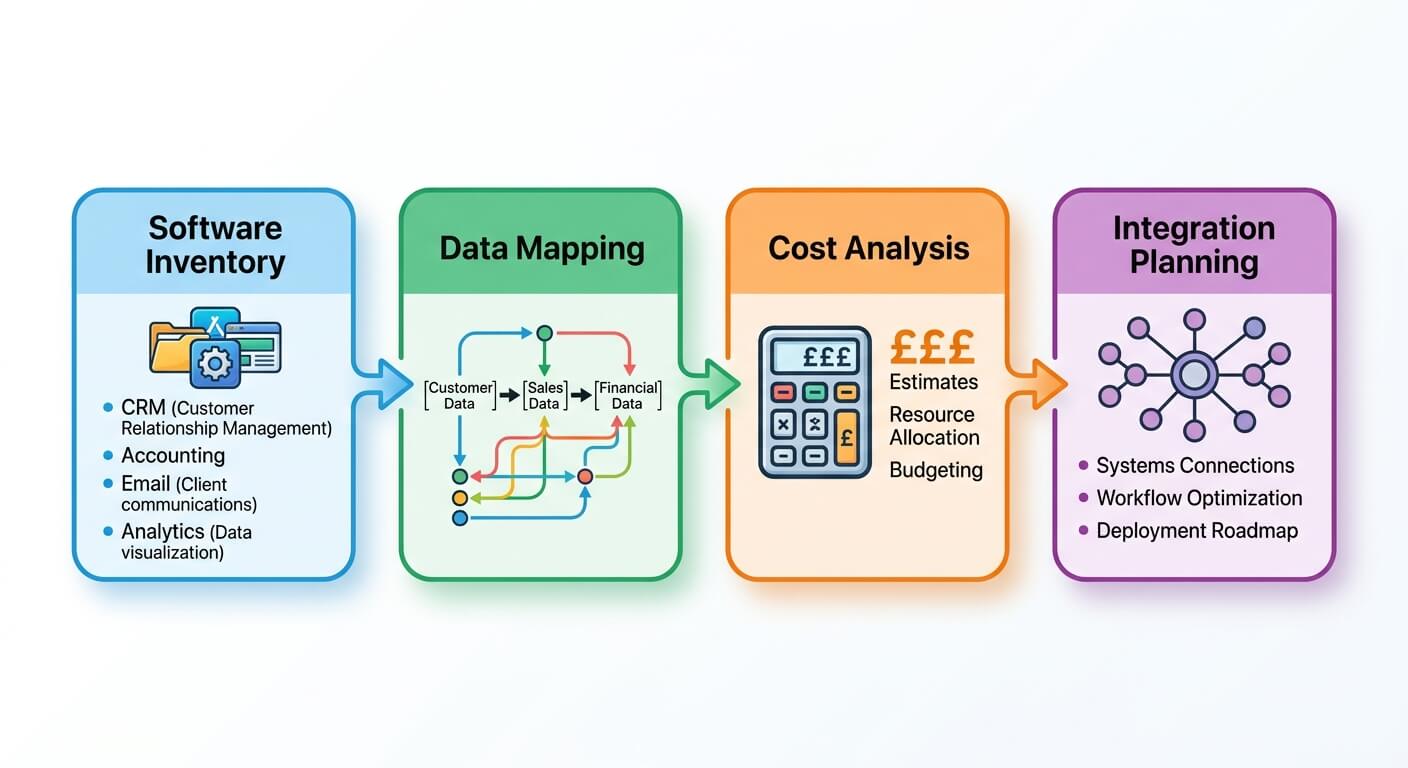
Automation tools like n8n and Zapier connect these AI capabilities to your existing software stack. The invoice scanner talks to Xero. The email parser feeds your CRM. The expense reader updates your books.
I’ve covered this integration approach extensively in my guide to linking CRM and accounting for seamless data flow. The key insight: you don’t need to replace your current systems. You add an intelligent layer that moves data between them.
Real Applications for Small Business Operations
These aren’t theoretical benefits. They’re measurable outcomes from businesses like yours.

Invoice and Receipt Processing
This is the most common starting point. Suppliers send invoices via email. Your AI system extracts the vendor name, amount, due date, and line items. It matches against purchase orders automatically. Then it creates the entry in your accounting software and flags anything unusual for human review.
One retail client reduced their accounts payable processing time from 4 hours daily to 45 minutes. The AI handles roughly 120 invoices per day. Staff now focus on vendor relationships and payment optimisation instead of data entry.
Customer Order Entry
Orders arrive through multiple channels. Email, web forms, phone calls, WhatsApp messages. Without automation, someone must manually enter each one into your order management system.
AI consolidates these channels. It parses incoming communications, extracts order details, validates against your product catalogue, and creates orders automatically. Exceptions get flagged. Clean orders flow straight through.
My article on document processing automation explores this in detail for businesses handling complex document workflows.
Lead Capture and CRM Updates
New leads arrive constantly. Business cards from events. LinkedIn connection requests. Website enquiries. Conference attendee lists.
Manually entering these contacts into your CRM is tedious. Worse, it often doesn’t happen. Leads go cold while sitting in someone’s inbox.
AI automation captures lead data from any source, enriches it with publicly available information, and creates CRM records instantly. Some systems even score leads automatically, so your sales team knows who to call first. I’ve written about this approach in my lead scoring guide.
Expense Management
Receipt capture is a perfect use case. Employees photograph receipts on their phones. AI extracts the merchant, amount, date, and category. The expense report builds itself.
No more shoeboxes of receipts at month end. No more deciphering faded thermal paper. No more chasing people for missing documentation.
Choosing the Right Tools for Your Business
Forrester’s Total Economic Impact studies consistently show that SMBs achieve fastest ROI with platforms offering pre-built integrations rather than custom development, with payback periods averaging 6 to 9 months for automation investments under $50,000. Tool selection matters enormously for implementation success.
All-in-One Platforms vs. Specialised Tools
You have two main approaches. All-in-one platforms like Zapier bundle document processing, AI extraction, and workflow automation together. Specialised tools like Rossum or Nanonets focus exclusively on document AI but require separate workflow automation.
For most small businesses, all-in-one platforms offer the fastest path to value. The learning curve is gentler. Integrations work out of the box. Support resources are abundant.
Specialised tools sense when you have high document volumes or unusual document types. A logistics company processing thousands of bills of lading daily might need that specialisation.
Cost Considerations
Pricing varies dramatically. Basic automation starts around $20 monthly. Enterprise document AI can run $2,000 or more. Most SMBs land somewhere in the middle.
Here’s a realistic budget framework:
- Starter tier ($20-100/month): Basic form capture, simple document processing, limited AI extraction
- Growth tier ($100-500/month): Advanced OCR, multi-document types, workflow automation, CRM integration
- Scale tier ($500-2,000/month): High-volume processing, custom training, dedicated support, API access
Calculate your current cost first. Hours spent multiplied by hourly rate. Add error correction time. Add the opportunity cost of delayed data. That baseline tells you what automation is worth.
My business process automation ROI calculator walks through this analysis step by step.

Implementation: A Practical Roadmap
Businesses that start with a single, well-defined process achieve 3x higher success rates than those attempting broad automation rollouts. Narrow focus beats ambitious scope every time.
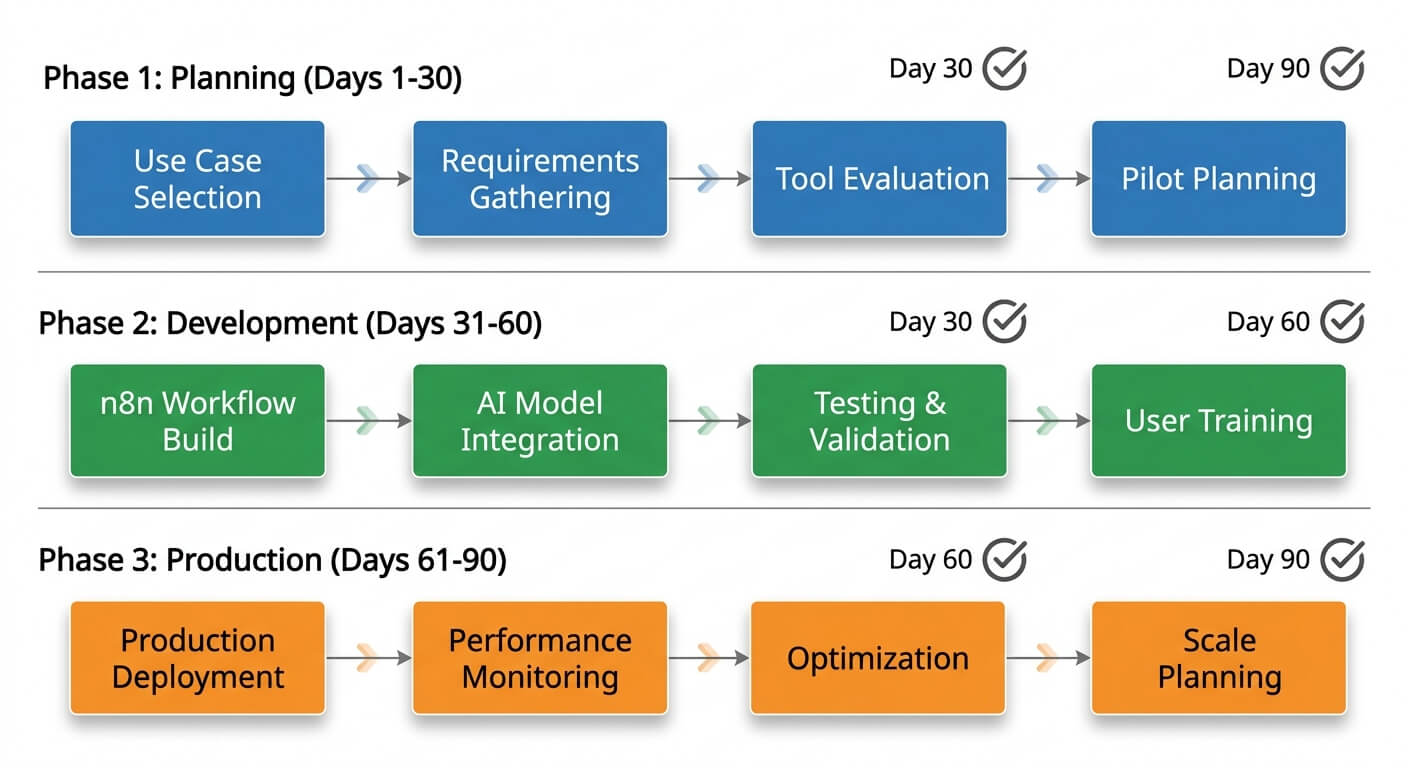
Week One: Audit and Prioritise
List every data entry task in your business. Be thorough. Include the obvious ones like invoices and the hidden ones like updating project status in multiple tools.
For each task, estimate weekly time spent and error frequency. Rank by total impact. The top three items become your automation candidates.
Pick one to start. Just one. The temptation to automate everything simultaneously leads to incomplete implementations and frustrated teams.
Weeks Two and Three: Configure and Test
Set up your chosen platform. Connect the source system where data originates and the destination system where it needs to go.
Configure the AI extraction rules. Most tools offer templates for common document types. Invoices, receipts, and forms usually work immediately. Unusual formats require custom configuration.
Test with real documents. Not just a few samples. Run a hundred examples through the system. Check every output. Note where the AI struggles. Refine the rules.
Week Four: Parallel Run
Run the automated system alongside your existing manual process. Compare results. This catches edge cases you missed during testing.
Your team needs this confidence-building period too. They need to trust the automation before they’ll rely on it. Rushing this stage creates resistance.
I’ve written extensively about getting your team to embrace AI and overcoming the natural scepticism that accompanies any process change.
Ongoing: Monitor and Expand
Once one process runs smoothly, add the next. Build momentum gradually. Each success makes the following implementation easier.
Set up alerts for exceptions. Review accuracy reports weekly at first, then monthly once stable. AI systems improve with feedback, so correct errors when you find them.
Common Pitfalls and How to Avoid Them
Learning from others’ mistakes saves significant pain.
The Perfect is the Enemy of Good
Some business owners want 100% automation accuracy before going live. This perfectionism delays benefits indefinitely.
Aim for 90-95% accuracy initially. Handle exceptions manually. Improve over time. A system that automates 90% of entries immediately beats one that promises 99% someday.
Ignoring Edge Cases Until They Explode
Every business has unusual transactions. The annual bulk order. The international supplier with different invoice formats. The customer who insists on handwritten purchase orders.
Document these edge cases during your audit. Decide upfront how automation will handle them. Maybe they stay manual. Maybe they trigger a different workflow. Either way, you need a plan.
Underestimating Change Management
Technology implementation is straightforward. Human adoption is hard. Staff who’ve done data entry for years may feel threatened or sceptical.
Involve them early. Show how automation eliminates tedious work rather than their jobs. Let them contribute to workflow design. The people closest to the process often spot improvement opportunities you’d miss.
Measuring Success
Effective automation programmes track leading indicators weekly and business outcomes monthly, with successful implementations showing measurable improvements within 90 days according to industry benchmarks. Define your metrics before you start.
Time Metrics
- Hours saved per week on data entry
- Processing time per document or transaction
- Time from data receipt to system entry
Quality Metrics
- Error rate before and after automation
- Exception percentage requiring manual review
- Rework time for corrections
Business Metrics
- Cost per transaction processed
- Staff capacity freed for other work
- Customer satisfaction with response times
Review these monthly. Share results with your team. Celebrate wins. Address problems quickly.
Frequently Asked Questions
How much does AI data entry automation cost for a small business?
Most small businesses spend $100-500 monthly on automation tools that handle invoice processing, lead capture, and expense management. The investment typically pays for itself within 2-3 months through reduced labour costs. Factor in implementation time of 2-4 weeks for your first workflow.
Can AI handle handwritten documents and poor quality scans?
Modern OCR technology reads most handwritten text with 85-95% accuracy. Heavily degraded scans remain challenging. Best practice involves capturing original documents digitally when possible and using AI for the extraction and routing steps rather than image enhancement.
What happens when the AI makes mistakes?
Good automation systems flag low-confidence extractions for human review. You set the confidence threshold. Start conservative at 90% and adjust based on error patterns. Most businesses find 2-5% of transactions need manual verification after initial training.
How long until we see ROI from automation?
Most businesses achieve positive ROI within 90 days of implementation. The exact timeline depends on transaction volume and current processing costs. Higher volume means faster payback. Businesses processing 50+ documents daily often see returns within the first month.
Do we need technical staff to implement data entry automation?
No-code platforms like Zapier require no programming knowledge. Complex implementations or custom integrations may benefit from technical help. Many businesses start with simple workflows independently, then engage consultants for advanced scenarios.