Document Processing Automation: From RFPs to Invoices
Transform your business with document processing automation. From RFPs to invoices, discover how small businesses eliminate paperwork, save time, and reduce errors through intelligent automation systems.

Contents
Document processing automation uses artificial intelligence and machine learning to handle the tasks humans traditionally performed manually. Modern systems can read incoming documents, extract relevant information, route them to appropriate people for approval, and integrate the data with your existing business systems. Basic cloud-based solutions start from $60 to $250 a month at moderate document volumes.
Purchase orders, invoices, contracts, proposals, compliance documents: printing, scanning, filing and searching through folders for them consumes hours every small business could spend growing instead. Document processing automation removes that cycle, not the documents.
I see this pattern often among small business owners: entrepreneurs who started companies because they’re brilliant at their craft find themselves buried under administrative tasks they never wanted to handle. A skilled architect spends three hours a week chasing invoice approvals instead of designing buildings. A manufacturing company owner manually processes supplier quotes when they could be developing new products.
Document processing automation changes this. It takes the paperwork that steals your time and handles it systematically, accurately, and without your constant attention. From the moment a request for proposal arrives to the final invoice payment, automated systems can manage the entire lifecycle of business documents.
The Hidden Cost of Manual Document Processing
Most business owners underestimate how much time they lose to document handling. Knowledge workers spend a notable amount of their time searching for and gathering information, according to recent research. For a business owner working 50 hours per week, that’s nearly 10 hours spent hunting through files, chasing signatures, and manually processing paperwork.
The problem extends beyond time. Manual document processing creates bottlenecks throughout your business. Invoices sit in email inboxes waiting for approval. Purchase orders get lost between departments. Contract renewals slip through the cracks because nobody remembered the deadline. Each delay costs money, either directly through late fees and missed opportunities, or indirectly through damaged relationships with suppliers and customers.
Accuracy suffers too. When humans manually transfer information from one document to another, errors creep in. A mistyped purchase order number delays delivery. An incorrect invoice amount triggers a lengthy reconciliation process. These mistakes compound, creating more work and frustration for everyone involved.
Document security presents another challenge. Physical files can be lost, damaged, or accessed by unauthorised personnel. Email attachments live in multiple inboxes without version control. Important contracts exist in only one location, creating risk if something happens to that single copy.
Understanding Modern Document Automation
The technology has evolved significantly. Early document management systems required extensive manual setup and could only handle perfectly formatted documents. Today’s solutions use optical character recognition (OCR) combined with machine learning to understand documents in various formats, even handwritten notes or poorly scanned images.
Intelligent document processing goes beyond simple digitisation. These systems understand context, recognise patterns, and make decisions based on business rules you define. When an invoice arrives, the system can verify the supplier exists in your database, confirm the purchase order number matches your records, check that the amounts align, and route the document to the appropriate person for approval.
The key difference lies in the learning capability. Traditional systems follow rigid rules: if document type equals invoice, send to accounts payable. Modern AI-powered solutions adapt and improve. They learn from how you handle exceptions, remember your approval patterns, and suggest process improvements based on actual usage data.
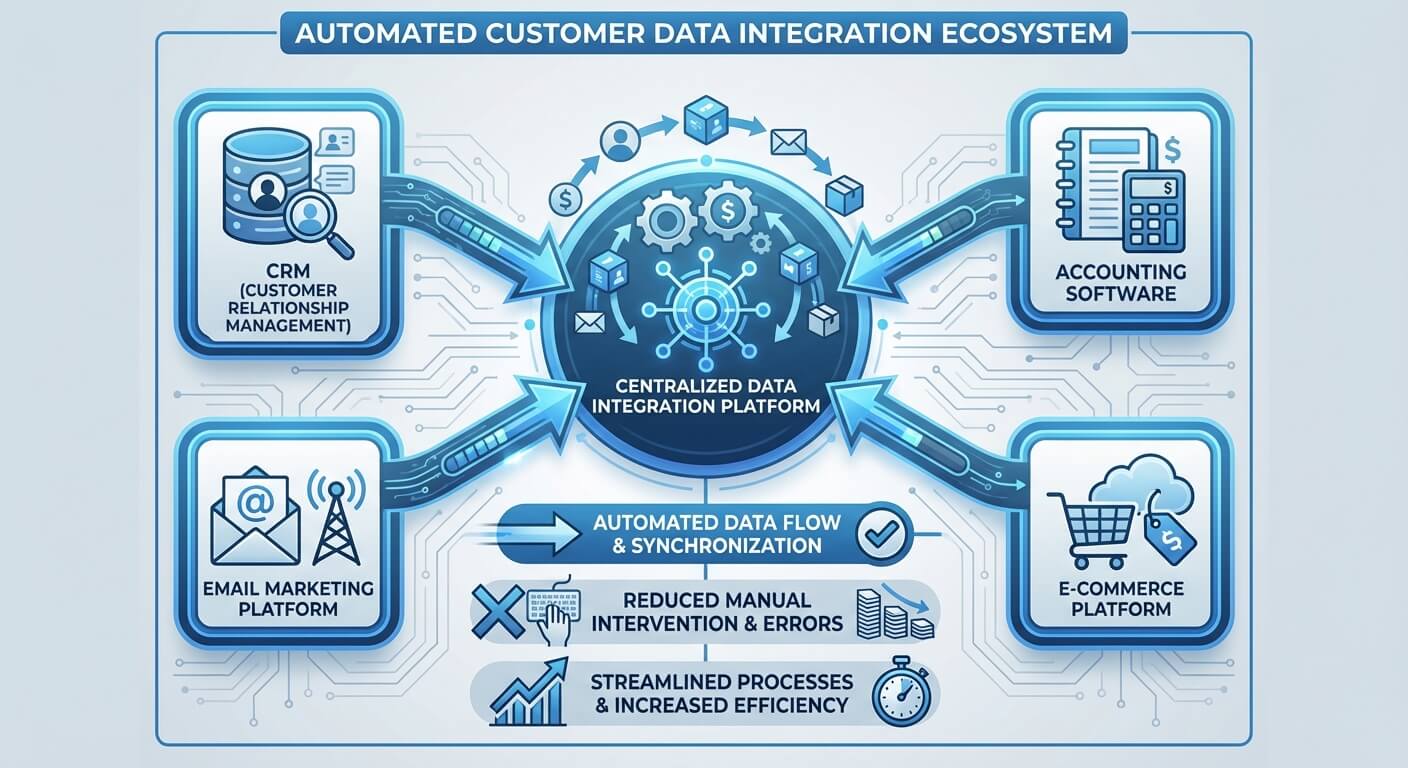
Integration capabilities make these systems genuinely useful for small businesses. Rather than creating another isolated tool, modern document automation connects with your existing accounting software, customer relationship management system, and project management tools. Information flows seamlessly between systems without manual data entry.
Automating the RFP Response Process
Request for proposal responses exemplify the complexity of document processing in small businesses. An RFP arrives, usually as a large PDF document with specific formatting requirements and tight deadlines. The business owner must extract requirements, coordinate responses from different team members, compile supporting documents, ensure compliance with all specifications, and submit everything perfectly formatted before the deadline.
Traditional RFP response involves considerable manual coordination. The business owner reads through the entire document, highlighting key requirements. They create a spreadsheet tracking each requirement and assign responsibility to team members. Information gets gathered from multiple sources, combined into a master document, reviewed for completeness, formatted according to specifications, and submitted.
This process typically takes days or weeks, depending on the RFP complexity. Multiple people touch the document, increasing the risk of inconsistencies or missed requirements. Version control becomes challenging when several people contribute sections simultaneously.
Automated RFP processing transforms this workflow. When an RFP arrives, the system immediately scans the document and extracts key information: submission deadline, required sections, evaluation criteria, and specific formatting requirements. It creates a project timeline working backward from the deadline, accounting for review time and potential revisions.
The system automatically generates response templates based on the identified requirements. For sections your business answers frequently, such as company background or quality certifications, it pulls information from your knowledge base and pre-populates responses. For technical sections requiring subject matter expertise, it assigns tasks to appropriate team members with clear deadlines and formatting guidelines.
Progress tracking happens automatically. Team members receive notifications when their sections are due, and the system monitors completion status. When all sections are complete, it compiles the final document according to the RFP specifications, ensures all required elements are included, and prepares the submission package.
Streamlining Invoice Management

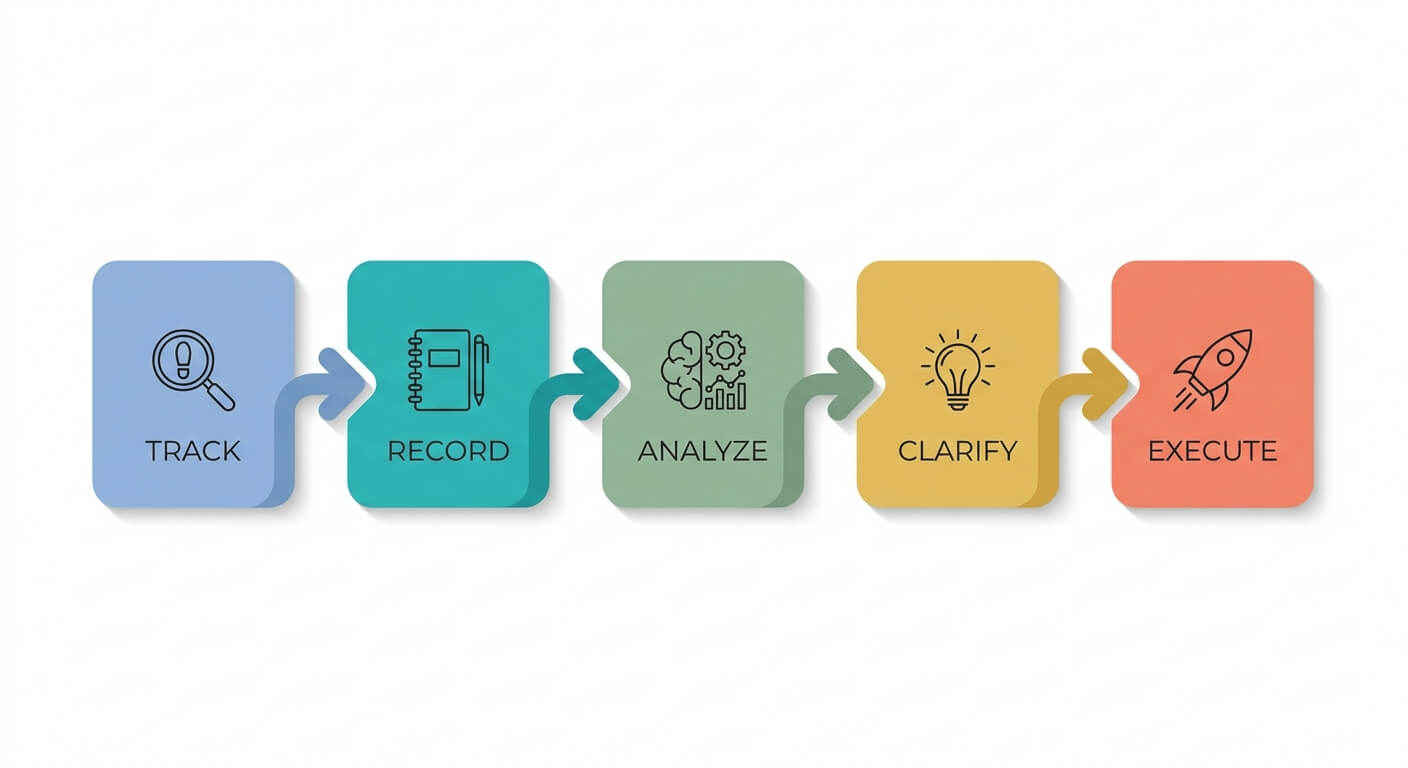
Invoice processing represents one of the most immediate opportunities for document automation in small businesses. Every invoice follows a similar pattern: it arrives, gets reviewed for accuracy, requires approval, gets entered into accounting systems, and eventually gets paid. This repetitive process suits automation perfectly.
Manual invoice processing creates unnecessary delays. Invoices arrive by email, post, or through supplier portals. Someone prints them out or saves them to a folder. The business owner or accounts person reviews each invoice, checking supplier details, purchase order numbers, quantities, and pricing. They manually enter information into the accounting system, route invoices requiring approval to managers, and file the documents for future reference.
Each step introduces potential delays. Invoices might sit in email inboxes for days. Paper invoices get lost in desk piles. Manual data entry takes time and introduces errors. Approval routing depends on people checking their email and remembering to respond promptly.
Automated invoice processing reduces processing time compared to manual methods. More importantly for small businesses, it eliminates the daily burden of invoice management from the business owner’s task list.
Automated invoice systems work by establishing connections with your email, supplier portals, and accounting software. When an invoice arrives, the system immediately captures it and extracts relevant data: supplier name, invoice number, amount, line items, and payment terms. It validates this information against your purchase orders and supplier database, flagging any discrepancies for human review.
For invoices that match purchase orders and fall within predefined approval limits, the system can automatically approve them and enter the information into your accounting software. Invoices requiring approval get routed to appropriate managers with all relevant context, including purchase order details and supplier history.
The system maintains a complete audit trail, tracking when invoices arrive, who approves them, and when payments are scheduled. This visibility helps with cash flow planning and ensures nothing falls through the cracks.
Contract and Agreement Automation
Contract management often overwhelms small business owners because it involves both routine administrative tasks and important legal decisions. Contracts arrive in various formats, require review and negotiation, need signatures from multiple parties, and must be stored securely with appropriate renewal reminders.
Manual contract processing typically involves printing documents, highlighting important terms, scheduling meetings to discuss changes, manually tracking revision cycles, coordinating signature collection, and filing completed contracts with calendar reminders for renewal dates. This process can take weeks or months for complex agreements.
Document automation streamlines contract workflows without removing human judgment from important decisions. When a contract arrives, the system extracts key terms: parties involved, effective dates, payment terms, renewal clauses, and termination conditions. It compares these terms against your standard agreements and flags unusual clauses for legal review.
For routine contracts like supplier agreements or service contracts, the system can route them through predefined approval workflows. Contracts exceeding certain thresholds or containing non-standard terms automatically get flagged for additional review.
Signature collection becomes straightforward with integrated electronic signature capabilities. The system coordinates signature requests, tracks completion status, and ensures all required parties sign before the agreement becomes effective.
Once contracts are executed, the system stores them securely and creates calendar entries for important dates: renewal deadlines, termination notice periods, and performance review milestones. Automated reminders ensure you never miss important contract dates.
Integration with Existing Business Systems
Document automation delivers maximum value when it connects seamlessly with your existing business tools. Isolated systems create more work by requiring duplicate data entry and separate workflows. Effective integration means information flows automatically between your document processing system, accounting software, customer management tools, and project management platforms.
The integration starts with understanding how documents connect to your business processes. An invoice relates to a purchase order, which connects to a project, which links to a customer. A contract might trigger automatic creation of a project in your management system and set up recurring billing in your accounting software.
Modern integration approaches use application programming interfaces (APIs) to connect systems reliably. When your document automation system processes an invoice, it can automatically create entries in your accounting software, update project budgets in your project management tool, and adjust inventory levels if applicable.
This connectivity eliminates manual data entry while maintaining accuracy across systems. Information entered once propagates to all relevant tools automatically. Changes made in one system reflect everywhere else, ensuring everyone works with current information.
The key lies in choosing solutions that offer robust integration capabilities or partnering with providers who can create custom connections. Strategic consulting helps businesses evaluate their current systems and design integration strategies that maximise automation benefits while minimising disruption to existing workflows.
Implementation Strategy for Small Businesses
Successful document automation implementation requires a systematic approach that considers your current processes, available resources, and business priorities. Small businesses often feel overwhelmed by the prospect of changing established workflows, but gradual implementation reduces risk while delivering measurable benefits.
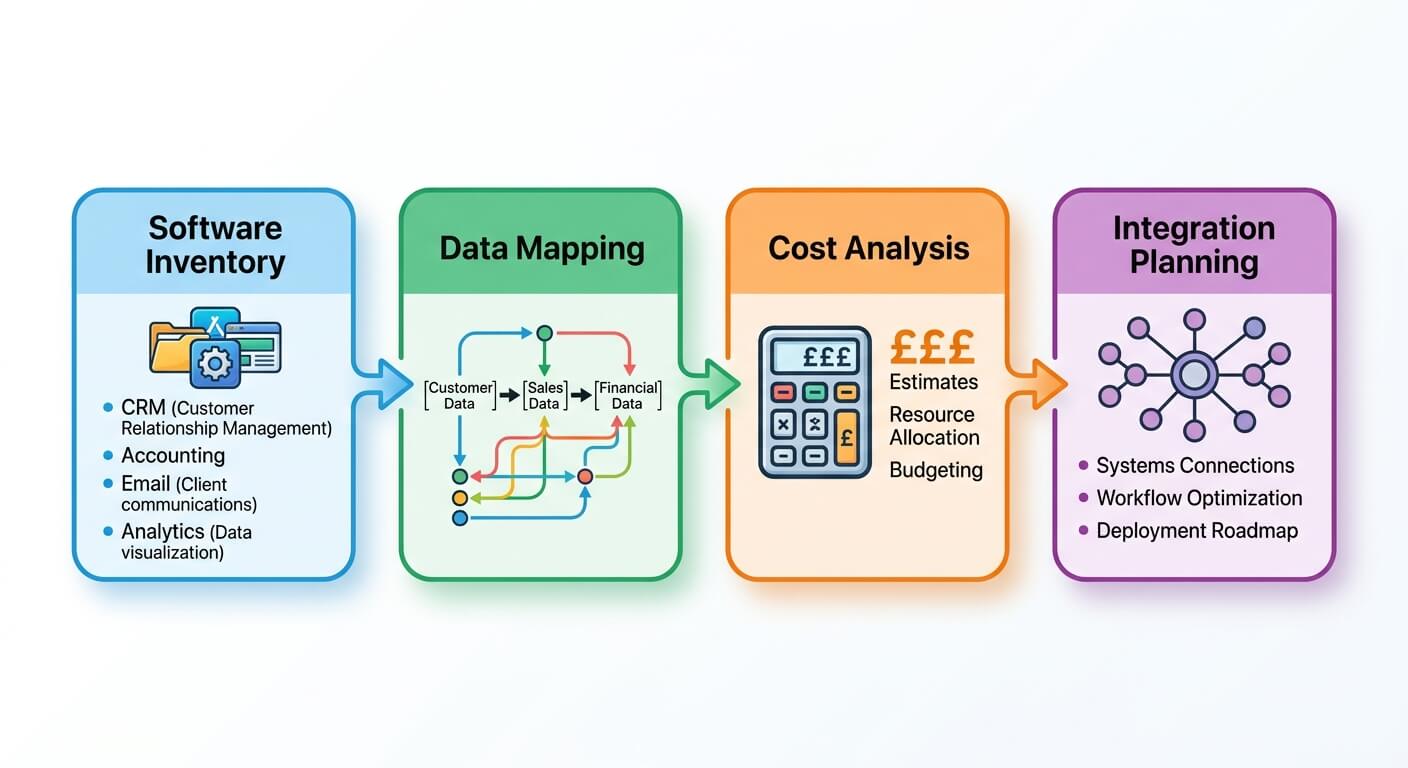
Start by documenting your current document workflows. Map out how different document types move through your organisation: who receives them, what happens next, where they get stored, and what triggers the next action. This mapping reveals bottlenecks, redundancies, and opportunities for automation.
Prioritise automation opportunities based on volume, time consumption, and error frequency. Invoices might represent the highest volume, but if RFP responses consume disproportionate time and directly impact revenue, they might warrant priority attention.
Choose a pilot process that offers clear success metrics and manageable complexity. Invoice processing often works well because the workflow is straightforward, the benefits are measurable, and the risk of disruption is relatively low. Once the pilot succeeds, expand automation to other document types.
Employee training becomes crucial for successful implementation. People need to understand not just how to use the new system, but why it benefits them personally. Focus on how automation eliminates tedious tasks and frees time for more interesting work.
Change management requires ongoing attention. Monitor adoption rates, gather feedback about system performance, and adjust workflows based on actual usage patterns. Document automation systems improve over time as they learn from your business patterns, but only if people use them consistently.
Consider partnering with specialists who understand both the technology and small business operations. AI automation expertise helps ensure you choose solutions that fit your specific needs and integrate properly with existing systems.
Security and Compliance Considerations
Document automation introduces new security and compliance requirements that small businesses must address carefully. Digital documents require different protection strategies than physical files, and automated systems need appropriate access controls and audit trails.
Data security starts with choosing reputable automation platforms that encrypt documents both in transit and at rest. Look for systems that meet established security standards and undergo regular security audits. Cloud-based solutions often provide better security than small businesses can implement independently, but evaluate providers carefully.
Access controls become more important with digital systems because documents can be accessed from anywhere. Implement role-based permissions that limit access to appropriate personnel. Ensure former employees lose access immediately when they leave the company.
Audit trails help with both security and compliance. Good document automation systems track every action: when documents arrive, who accesses them, what changes are made, and when approvals occur. This visibility helps identify security issues and provides evidence for compliance requirements.
Backup and disaster recovery planning protects against data loss. Ensure your automation provider maintains appropriate backups and can restore access quickly if problems occur. Test recovery procedures periodically to confirm they work as expected.
Compliance requirements vary by industry and business type, but most small businesses need to retain certain documents for specific periods and produce them for audits or legal proceedings. Automated systems can enforce retention policies and make document retrieval much faster than manual filing systems.
Measuring Success and ROI
Document automation success requires clear metrics that demonstrate value to your business. Time savings represent the most obvious benefit, but comprehensive measurement should include accuracy improvements, cost reductions, and business process enhancements.
Time measurement starts with baseline documentation. Before implementing automation, track how long current processes take. Measure invoice processing from receipt to payment, RFP response preparation from initial review to submission, and contract processing from receipt to execution. This baseline provides comparison data for measuring improvement.
Accuracy metrics include error rates, rework frequency, and compliance issues. Document automation typically reduces errors significantly, but measure actual performance to validate benefits. Track data entry errors, missed deadlines, and compliance violations before and after implementation.
Cost analysis should include both direct and indirect expenses. Direct costs include staff time, paper, printing, and storage. Indirect costs might include late payment fees, rushed delivery charges, and opportunity costs from missed deadlines. Document automation typically reduces both categories.
Business process improvements might include faster customer response times, shorter project delivery cycles, and improved supplier relationships. These benefits are harder to quantify but often provide the greatest long-term value.
Customer satisfaction metrics can reflect automation benefits. Faster invoice processing improves supplier relationships. Quicker RFP responses increase win rates. More reliable contract management builds customer confidence.
Employee satisfaction surveys reveal whether automation achieves its goal of eliminating tedious work. If people spend less time on administrative tasks, they should have more capacity for strategic activities and higher job satisfaction.
Future-Proofing Your Document Processes
Document automation technology continues evolving rapidly. Small businesses investing in automation today should choose solutions that can adapt to future developments while meeting current needs effectively.
Artificial intelligence capabilities are expanding quickly. Current systems handle structured documents well and are improving with unstructured content. Future developments will bring better understanding of context, more sophisticated decision-making, and improved integration with business intelligence tools.
Mobile capabilities become increasingly important as business becomes more distributed. Choose automation solutions that work effectively on smartphones and tablets, allowing document approval and management from anywhere.
Integration standards continue developing, making it easier to connect different business systems. APIs and middleware solutions simplify integration projects and reduce the technical expertise required for implementation.
Regulatory requirements around digital documents are evolving, particularly regarding electronic signatures, data retention, and privacy protection. Choose providers who stay current with regulatory changes and update their systems accordingly.
Scalability considerations matter for growing businesses. Automation solutions should handle increasing document volumes without proportional cost increases. Cloud-based systems typically scale more easily than on-premises solutions.
Vendor selection becomes crucial for long-term success. Choose providers with strong development capabilities, good customer support, and clear product roadmaps. Small businesses can’t afford to replace automation systems frequently, so initial vendor selection deserves careful consideration.
Document processing automation represents a practical opportunity for small businesses to reclaim time, improve accuracy, and reduce costs. The technology has matured to the point where implementation is straightforward and benefits are measurable. Success requires systematic planning, appropriate vendor selection, and commitment to change management, but the rewards justify the effort.
Starting with a focused pilot project, measuring results carefully, and expanding gradually allows small businesses to realise automation benefits while managing implementation risk. Process optimisation expertise helps ensure automation projects deliver maximum value and integrate effectively with existing business operations. The question isn’t whether small businesses can afford document automation, but whether they can afford to keep drowning in paperwork when solutions exist to free them from administrative burden.
Frequently Asked Questions
What types of documents can be automated in a small business?
Almost any repetitive document can be automated, including invoices, purchase orders, contracts, proposals, RFPs, receipts, compliance forms, and employee onboarding documents. The best candidates are high-volume documents with consistent formats and predictable workflows. Start with documents that consume the most time or cause the most errors, such as invoices or supplier agreements, then expand to other document types as you become comfortable with the technology.
How long does it take to implement document processing automation?
Implementation timescales vary based on complexity and scope. A simple invoice automation pilot can be operational within 2-4 weeks, whilst comprehensive document management covering multiple document types might take 2-3 months. Small businesses commonly report measurable benefits shortly after implementing automation. The key is starting small with a focused pilot project, validating the approach, and then expanding systematically rather than attempting to automate everything simultaneously.
Do I need technical expertise to manage document automation systems?
Modern document automation platforms are designed for business users, not technical specialists. Most systems offer intuitive interfaces for setting up workflows, defining approval rules, and monitoring performance. Initial setup might benefit from specialist support, particularly for complex integrations with existing systems, but day-to-day management typically requires minimal technical knowledge. Training usually takes a few hours to a few days, depending on system complexity.
How much does document processing automation cost for small businesses?
Costs vary significantly based on document volumes, required features, and integration complexity. Basic cloud-based solutions start from $60-$250 per month for small businesses processing moderate document volumes. More comprehensive platforms with advanced AI capabilities and extensive integrations typically cost $600-$2,500 monthly. However, most small businesses recover these costs quickly through time savings alone. Calculate potential ROI by multiplying hours currently spent on document processing by your labour costs, then compare this to automation expenses.
Will document automation replace staff members in my business?
Document automation eliminates tedious tasks rather than jobs. The goal is freeing your team from repetitive administrative work so they can focus on activities that require human judgment, creativity, and relationship-building. In small businesses, automation typically enables existing staff to handle growing workloads without proportional headcount increases, or allows skilled employees to dedicate more time to revenue-generating activities. Most businesses find automation improves employee satisfaction by removing frustrating manual tasks.