Shopify and QuickBooks Integration Guide for Small Retailers
A practical Shopify and QuickBooks integration guide for small retailers: compare four sync options, real costs and setup time, then pick the right one.
Contents
Most small retailers should sync summary journals, not individual orders. The free QuickBooks Connector handles shops under roughly 500 orders a month on a single channel. Above that, a specialist sync app at $30 to $100 a month usually pays for itself within weeks through saved reconciliation time.
One shop owner I worked with closed up at 6pm, then spent two hours matching Shopify payouts to QuickBooks deposits. Every fortnight. That is around 50 hours a year spent on typing numbers that software can move for free.
The frustrating part? She had already installed a sync app. It was pushing every single order into QuickBooks as a separate invoice, which made her books slower to read, not faster. This Shopify and QuickBooks integration guide for small retailers exists to stop that happening to you.
I will weigh the four realistic options honestly, including the boring manual one, then give a clear recommendation based on your order volume.
What Goes Wrong When Your Store and Your Books Disagree
Disconnected e-commerce accounting creates one specific failure. Shopify reports gross sales, whilst QuickBooks only ever sees the net deposit that lands in your bank. The difference is payment fees, refunds, shipping income and tax. In my experience, a typical small business loses 8 to 10 hours a week to manual admin, and reconciliation is one of the biggest chunks.
That gap causes real damage. Your profit looks lower than it is because fees are buried inside sales. Or your revenue looks higher because refunds never got recorded properly.
Three things usually break first:
- Payout mismatches. A $4,820 Shopify payout does not match $5,100 of gross orders, so nobody reconciles it.
- Sales tax and VAT errors. Tax collected at checkout sits in the sales figure instead of a liability account.
- Inventory value drift. Cost of goods sold never updates, so gross margin is guesswork.
Your accountant then charges you to untangle it at year end. That fee is the hidden cost of skipping integration.

Map the Process Before You Connect Anything
Process mapping means writing down every step of your current order-to-books flow before automating it. Automating a broken process just creates faster chaos. I have found that mapping often exposes the real problem, such as a chart of accounts nobody has tidied in years, which no integration can fix on its own.
Spend 30 minutes answering these questions:
- How many orders do you take per month, and on how many channels?
- Do you sell in more than one currency?
- Who currently records refunds, and where?
- Does anyone use QuickBooks to track stock, or is Shopify the master?
- Do you need order-level detail, or just accurate monthly totals?
That last question matters most. Most retailers assume more detail in QuickBooks is better. It is not. A single clean journal per payout is easier to reconcile than 300 invoices.
My guide on how to map a business process before automating it walks through this properly if you want a repeatable method.
The Four Realistic Ways to Sync Your Store and Your Accounts
Four routes exist: manual CSV exports, Shopify’s QuickBooks Connector, a specialist e-commerce accounting app, or a custom workflow you own. Monthly costs run from $0 to about $100. Setup takes between two hours and two full days. Order volume and channel count decide which one actually fits your shop.
Option 1: Manual exports and a monthly journal
You export a Shopify finance summary each month and post one journal entry in QuickBooks. It costs nothing and takes maybe 30 minutes if your accounts are tidy.
This is genuinely fine under about 30 orders a month. Do not let anyone sell you software you do not need yet. The risk is human error and the temptation to skip a month.
Option 2: The QuickBooks Connector app
Intuit’s own connector app pulls Shopify orders, fees and payouts into QuickBooks Online. It is free on most QuickBooks plans and takes a couple of hours to configure.
It works well for single-channel shops with straightforward tax. It struggles with multi-currency selling, high volume and anything unusual like subscriptions or partial refunds. Watch the default settings, because it will happily create a new customer record for every guest checkout.
Option 3: A specialist e-commerce accounting app
Apps such as A2X, Synder and Webgility sit between the two systems and post summary journals per payout. They cost roughly $30 to $100 a month depending on order volume.
This is my default recommendation for growing shops. They handle fees, refunds, gift cards and tax as separate lines, so your payout reconciles to the cent. If you sell on Shopify plus a marketplace, this is the option that keeps both sets of numbers honest.
Option 4: A custom workflow you own
You can build the sync yourself with an automation platform. Zapier is the simplest starting point, but its per-task pricing punishes growth, and every order can burn several tasks. At 1,000 orders a month that gets expensive fast.
n8n has a steeper learning curve, but you get control, the option to self-host, and one system to learn for every future automation. Self-hosting swaps subscription fees for maintenance responsibility, so be honest about who will look after it.
Build custom when your rules are genuinely unusual: wholesale pricing tiers, deposits, or stock split across locations. My build versus buy comparison covers the trade-off in more detail.

Shopify and QuickBooks Integration Guide for Small Retailers: My Recommendations
Pick by order volume and complexity, not by feature list. Under 30 orders a month, stay manual. Between 30 and 500 orders on one channel, use the free QuickBooks Connector. Above 500 orders, or across multiple channels, pay for a specialist sync app. Build custom only when off-the-shelf rules genuinely cannot cope.
Here is how that plays out in practice.
A homeware shop doing 80 orders a month, one currency, one channel. Use the connector. Total cost: nothing. Expect about two hours of setup and 20 minutes of monthly checking.
A clothing brand doing 900 orders a month across Shopify and a marketplace. Use a specialist app. At $79 a month you buy back several hours of reconciliation and get clean gross margin figures. That decision pays for itself immediately.
A trade supplier with wholesale accounts, deposits and three warehouses. Build it. Off-the-shelf tools will force your process into their shape, and you will end up patching gaps by hand forever.
One warning. Never run two sync tools at once during a trial. Duplicated journals take longer to clean than the manual method you were escaping.
Setting It Up Without Wrecking Your Books
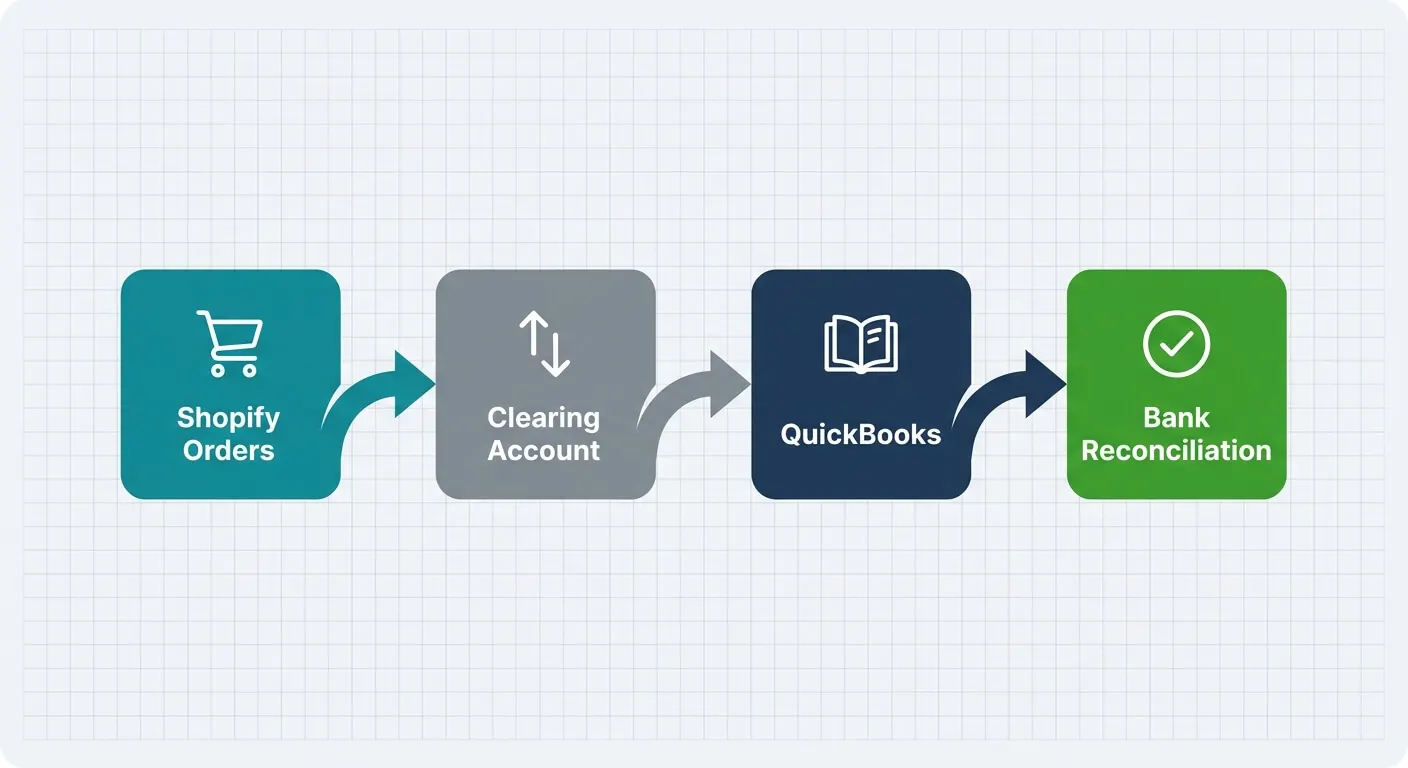
A clearing account is a holding account that receives gross sales, then gets emptied as fees and payouts are recorded. It is the single most useful control in e-commerce bookkeeping. Without one, your bank reconciliation will never balance cleanly, no matter which sync tool you choose.
Work through these six steps in order:
- Tidy your chart of accounts first. Create separate accounts for sales, shipping income, payment fees, refunds and tax liability.
- Add a Shopify clearing account. Gross sales go in, payouts and fees come out.
- Choose a hard start date. Sync from the first day of a new month, never mid-month.
- Do not import history. Leave last year alone. Your accountant already closed it.
- Run parallel for one month. Compare the automated figures against your manual numbers before you trust them.
- Lock the period. Once reconciled, close it in QuickBooks so nothing shifts later.
Step five is the one everyone skips. It is also the one that catches misconfigured tax codes before they become a year-long problem.
What to Watch in the First 90 Days
Integrations fail quietly. A sync that breaks on a Friday can leave three weeks of missing journals before anyone notices, and the fix takes far longer than the original setup. Set up failure alerts on day one, and put a 10 minute reconciliation check in your calendar every week for the first quarter.
Three things commonly go wrong after launch. Chargebacks arrive weeks after the sale and post to odd dates. Tax rate changes need updating in both systems. And gift cards get counted as revenue instead of a liability.
Judgement calls should still go through a person. Automation should remove the typing, not the oversight. That principle applies to invoicing automation just as much as sales sync.
If you also sell through other platforms, or you are weighing accounting software, my comparison of a Shopify and Xero setup shows how the same logic transfers. Operational clarity beats tool count, and every integration you add is debt that somebody has to maintain. Fewer, better connections win.
Getting this right takes an afternoon of thinking and a couple of hours of setup. The payoff is books you can actually trust, and a year end that costs less. If you would rather someone else handled the plumbing, I do exactly this work on our Shopify integration service.
Frequently Asked Questions
Do I need a paid app, or is the free QuickBooks Connector enough?
The free connector is enough for most single-channel shops under about 500 orders a month. Move to a paid app when you sell on multiple channels, use more than one currency, or spend over an hour a month fixing mismatched payouts. Volume and complexity, not revenue, drive the decision.
Should every Shopify order appear in QuickBooks?
No. Posting one journal per payout is cleaner and faster to reconcile than hundreds of individual invoices. Shopify already holds your order-level detail, so duplicating it in your accounts adds noise without insight. Only sync order-level data if you invoice wholesale customers who need individual statements.
How long does setting up the integration usually take?
Expect two to four hours for an off-the-shelf app, including tidying your chart of accounts. A custom workflow takes 10 to 20 hours to build and test properly. Add one month of parallel running before you retire your manual process, whichever route you take.
What happens to refunds and payment fees?
A correctly configured sync records them as separate lines, not as reduced sales. Fees hit an expense account, refunds hit a contra-revenue account, and the net figure matches your bank deposit. If your integration lumps them into one number, your gross margin reporting will be wrong.