Xero and Shopify Integration for Retail: Fewer Stockouts, Less Manual Entry
Learn how connecting Xero and Shopify eliminates manual inventory updates, reduces stockouts by up to 30%, and gives retailers real-time financial visibility.

Contents
Why Retailers Are Connecting Their Accounting and E-commerce Systems
Retailers who connect Xero with Shopify typically see fewer stockouts and spend less time on manual data entry. This integration creates a single source of truth for inventory levels, sales data, and financial reporting. Instead of reconciling spreadsheets at month end, you get real-time visibility into what’s selling, what’s running low, and how much cash you’ve actually collected.
Most retail owners I’ve worked with started their Shopify stores with manual processes. Someone exports orders, someone else updates Xero, and a third person adjusts inventory counts. This works until it doesn’t. One missed update means overselling. One transposed number means your accounts don’t balance.
The fix isn’t hiring more people. It’s connecting the systems so data flows automatically.

What Actually Happens When You Integrate Xero and Shopify
A properly configured integration between Xero and Shopify synchronises four key data types automatically: sales transactions, inventory quantities, customer records, and payment reconciliations. Merchants using integrated accounting systems spend less time on financial administration than those using manual processes.
Sales Flow Automatically Into Your Books
Every Shopify order creates a corresponding invoice or sales receipt in Xero. This happens within minutes, not days. Your revenue recognition is immediate and accurate.
The integration maps Shopify products to Xero inventory items. When someone buys a blue medium t-shirt, both systems update simultaneously. Your Shopify stock count drops by one, and Xero records the sale against the correct product line.
Payments Reconcile Themselves
Shopify Payments, PayPal, and other payment processors create bank transactions. The integration matches these to your Xero invoices automatically. Month-end reconciliation becomes a five-minute check rather than a two-day ordeal.
For retailers processing 500+ orders monthly, this saves approximately $2,000-3,000 per month in bookkeeping time. That’s based on typical bookkeeper hourly rates and the 15-20 hours most spend on manual reconciliation.
Choosing Your Integration Method
Integration failures often stem from choosing a technical approach that does not match the business’s complexity level. You have three main options for connecting Xero and Shopify, each suited to different scenarios.
Native Apps Through the Shopify App Store
Shopify’s app store offers several Xero connectors. A2X and OneSaas are the most established. These handle basic order syncing well and cost $19-79 per month depending on order volume.
They work best for straightforward retail operations. Single currency, simple product catalogues, and standard payment methods. If you’re selling physical products with basic variants, a native app will likely meet your needs.
The limitation is flexibility. Native apps follow predefined rules. If you need custom logic, like splitting orders by fulfilment location or applying specific tax treatments, you’ll hit walls.
Workflow Automation Platforms
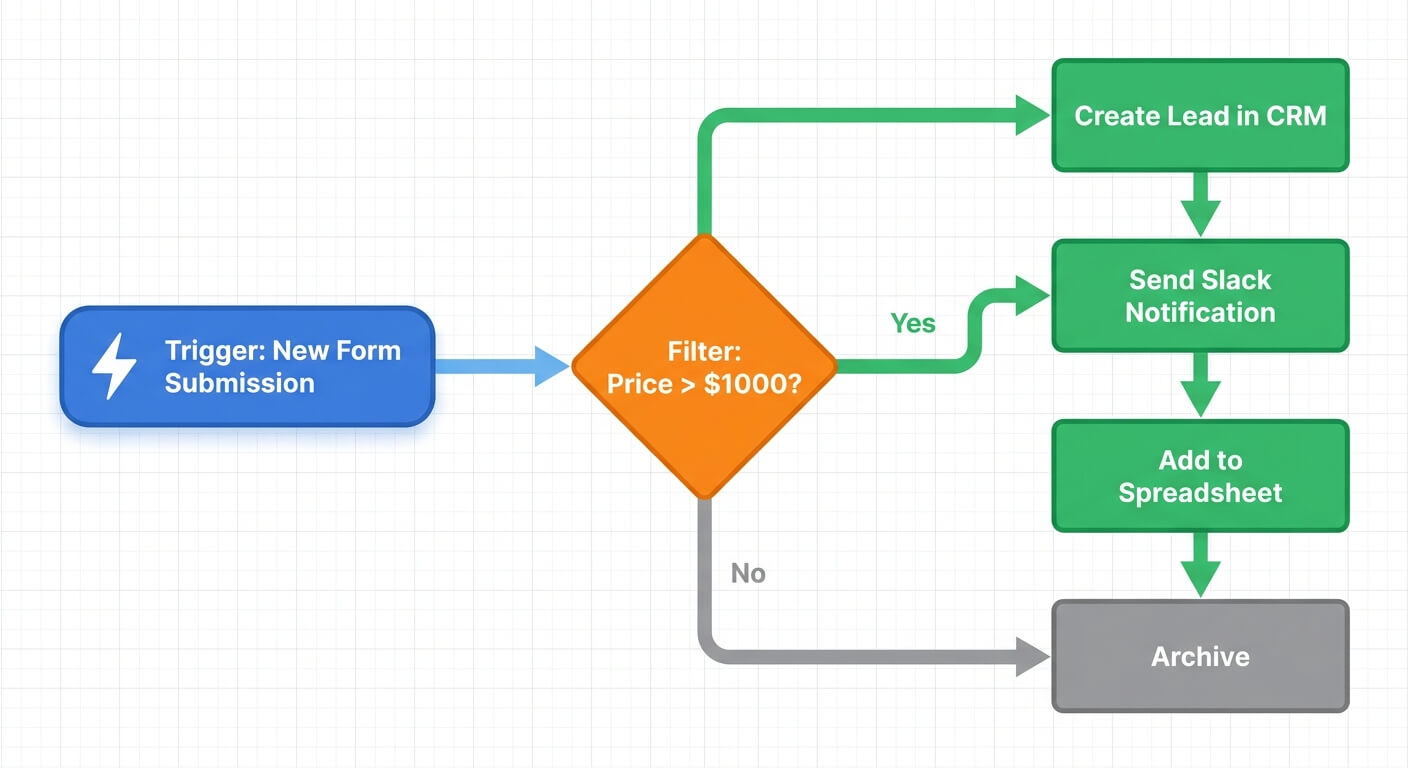
Tools like n8n and Zapier let you build custom connections between systems. They’re more flexible than native apps but require some technical setup.
Zapier offers pre-built templates for Shopify-Xero connections. You can have basic order syncing running within an hour. n8n provides more control for complex scenarios but has a steeper learning curve.
The real power comes from combining triggers. When a Shopify order ships AND the customer is a wholesale account AND the order value exceeds $500, THEN create a Xero invoice with net-30 terms and notify the account manager. Native apps can’t handle this logic.
I’ve helped clients build AI-enhanced inventory workflows using Zapier that predict reorder points based on sales velocity. This goes well beyond what any native app offers.

Custom API Integration
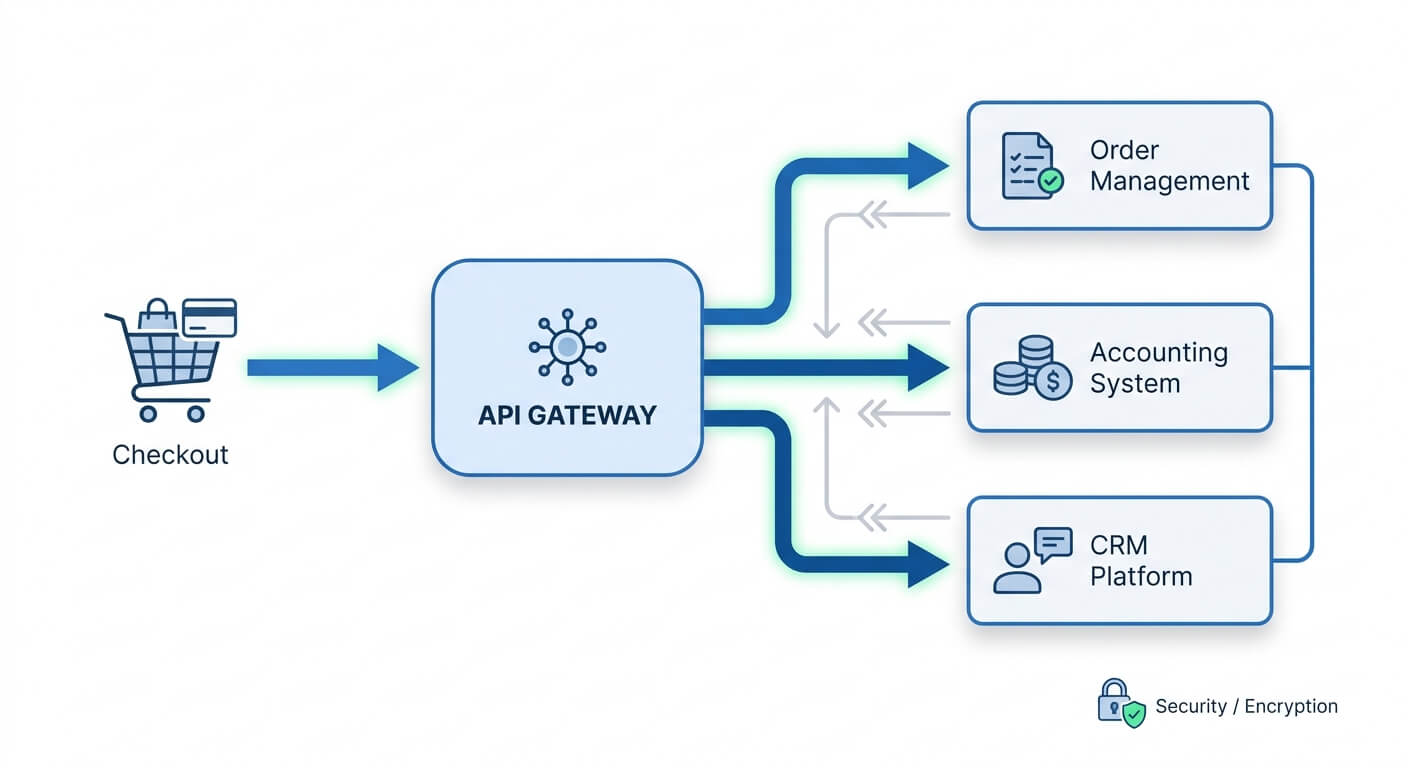
For retailers with complex requirements, direct API integration offers complete control. Both Xero and Shopify have well-documented APIs. A developer can build exactly what you need.
This approach makes sense when you have multiple Shopify stores feeding into one Xero organisation. Or when you need to integrate with additional systems simultaneously, like a warehouse management platform or CRM.
Custom integrations cost more upfront, typically $3,000-10,000 for initial development. But they scale without per-transaction fees and handle edge cases that break off-the-shelf solutions.
Setting Up Your Integration Step by Step
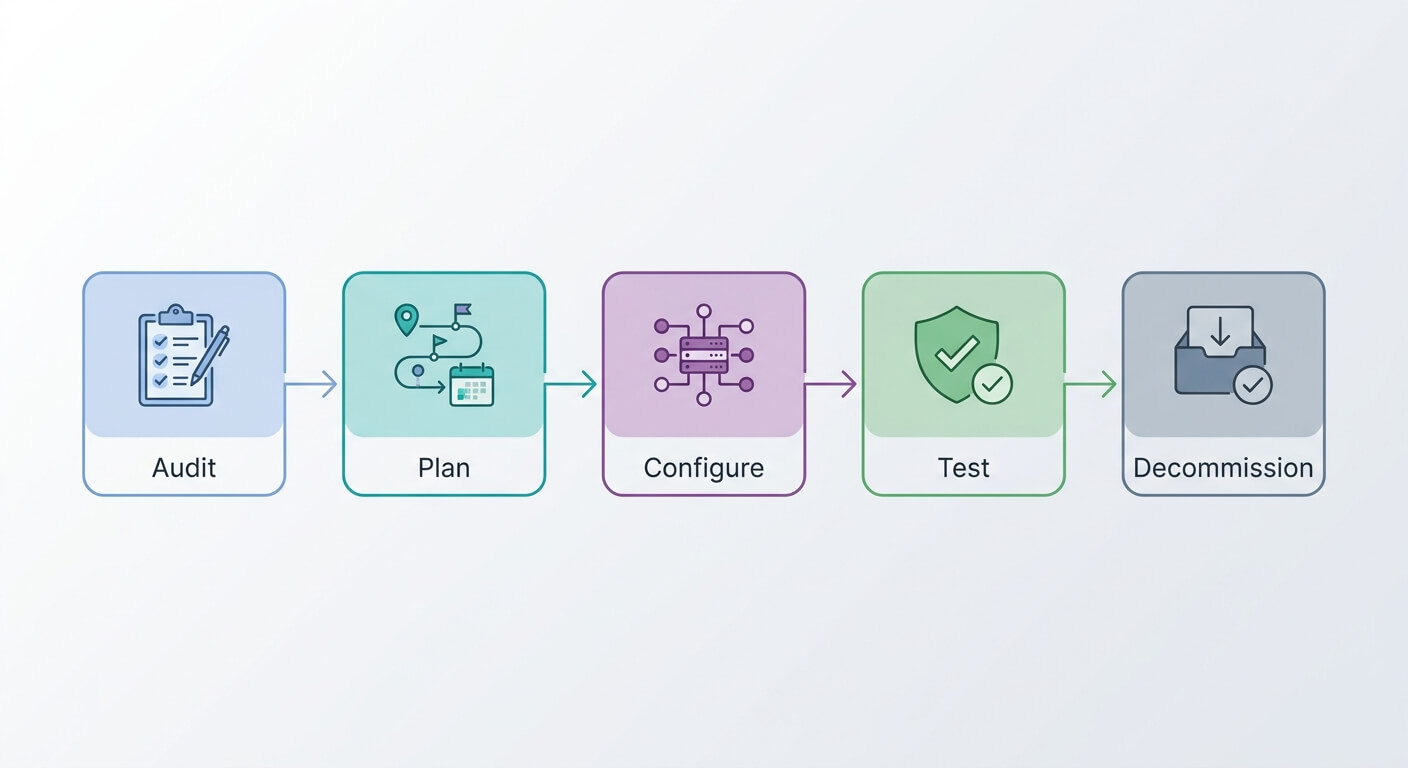
Integration projects often fail due to poor planning rather than technical issues. Following a structured approach dramatically improves your success rate.
Step One: Audit Your Current Data
Before connecting anything, clean up both systems. Your Shopify product SKUs need to match your Xero inventory codes. Your chart of accounts needs to handle e-commerce transactions properly.
Check for duplicate customers in Xero. Many retailers have the same customer entered multiple ways. The integration will create more duplicates unless you consolidate first.
Run a tech stack audit to identify any other systems that should connect to this integration. Your CRM, email marketing platform, and shipping software might all benefit from the same data flows.
Step Two: Map Your Data Fields
Decide how Shopify data translates to Xero. Which Shopify order statuses trigger invoice creation? How do discounts and refunds appear in your accounts? Where do shipping charges get categorised?
Create a simple spreadsheet mapping:
- Shopify Order → Xero Invoice
- Shopify Customer → Xero Contact
- Shopify Product → Xero Inventory Item
- Shopify Discount → Xero Line Item or Tracked Expense
This exercise reveals gaps in your setup before they become problems.
Step Three: Configure and Test
Start with a small batch of test transactions. Create manual Shopify orders and verify they flow through correctly. Check that inventory adjustments appear in Xero. Confirm payment reconciliation works.
Don’t go live until you’ve tested:
- Regular orders
- Discounted orders
- Refunds and returns
- Multiple payment methods
- Partial shipments
Most integration failures happen because someone tested happy-path scenarios and missed edge cases.
Step Four: Monitor and Refine
Integrations need ongoing attention. Set up alerts for sync failures. Review your Xero suspense account weekly for transactions that didn’t map correctly.
Schedule monthly reviews of your integration’s performance. Are sync times acceptable? Are there transaction types causing consistent errors? Has your business changed in ways that require integration updates?
Common Pitfalls and How to Avoid Them
Learn from others’ errors.
Inventory Count Mismatches
The most frequent problem: Shopify and Xero show different stock levels. This happens when inventory adjustments occur in one system but not the other.
Pick one system as your inventory master. For most retailers, this should be Shopify since it connects to your sales channels. Xero becomes the follower, receiving updates rather than sending them.
Never manually adjust inventory in both systems. Always changes in your master system and let the integration propagate them.
Tax Calculation Conflicts
Shopify calculates tax at checkout. Xero has its own tax settings. If these don’t match, your books won’t reconcile.
Configure your integration to pass Shopify’s calculated tax amounts to Xero as fixed values. Don’t let Xero recalculate. This prevents rounding differences from creating discrepancies.
Currency and Multi-Location Complexity
Selling internationally? Running multiple warehouses? Your integration needs to handle these scenarios explicitly.
Shopify can process orders in multiple currencies. Xero needs to receive these in the correct currency with proper exchange rate tracking. Native apps handle this reasonably well. Custom integrations need specific development.
Multi-location inventory requires careful thought about how stock transfers appear in your accounts. Moving products between warehouses shouldn’t create phantom sales or purchases.
The Business Case for Integration
Retail businesses typically see full payback on integration investments within 3-6 months, according to data from businesses I’ve helped build automation ROI cases. The returns come from three areas.
Time Savings
A typical SMB retailer with 1,000 monthly orders spends 20-30 hours on manual data entry and reconciliation. Integration eliminates 80-90% of this. At $30/hour fully loaded cost, that’s $6,000-8,000 monthly savings.
Error Reduction
Manual data entry has a 1-3% error rate. For 1,000 orders averaging $75, that’s $750-2,250 monthly in pricing errors, duplicate entries, and missed transactions. Integration reduces errors to near zero.
Better Decision Making
Real-time visibility into inventory and cash flow enables smarter purchasing. You can see which products are profitable, which tie up cash, and when to reorder. This insight alone often generates more value than the operational savings.
One retailer I worked with discovered their best-selling product was actually their least profitable after accounting for returns and shipping costs. They only spotted this because the integration gave them accurate, timely data.
Frequently Asked Questions
How long does it take to set up a Xero-Shopify integration?
Most native app integrations can be configured within 2-4 hours if your data is clean. Custom integrations using workflow automation platforms typically take 1-2 weeks including testing. API-based custom development usually requires 4-8 weeks depending on complexity and developer availability. Plan for additional time if your existing data needs cleanup first.
Will the integration work with my existing Shopify apps?
Generally yes, but check for conflicts with other inventory management or accounting apps. Running multiple apps that sync the same data creates duplication and reconciliation nightmares. Disable or remove any existing inventory sync apps before adding a Xero integration. Most Shopify themes and sales channel apps work fine alongside accounting integrations.
What happens if the integration stops working?
Transactions queue until the connection restores. No data is lost, but you may have a batch of transactions to process when service resumes. Set up monitoring alerts so you know immediately when syncs fail. Most integration tools have built-in retry logic that handles brief outages automatically. Longer outages may require manual intervention.
Can I integrate multiple Shopify stores with one Xero account?
Yes, though setup requires careful planning. Each Shopify store needs its own integration connection. You’ll want to use tracking categories in Xero to separate revenue and costs by store. Some native apps support multi-store setups natively, while others require separate subscriptions. Custom integrations handle this scenario most flexibly.
How do returns and refunds sync between systems?
Most integrations create credit notes in Xero when refunds process in Shopify. Configure your integration to handle partial refunds correctly, as these trip up many setups. The credit note should reference the original invoice and adjust inventory counts if products return to stock. Test your refund workflow thoroughly before going live.