AI Customer Service Automation for Small Business: A Practical Guide to Faster Support
Learn how AI customer service automation for small business can cut response times by 60% while reducing costs. Practical setup guide with real examples.

Contents
Why Small Businesses Are Winning With AI Support Tools
Small businesses using AI customer service automation typically see faster response times and lower support costs. These tools handle routine enquiries instantly, freeing your team to solve complex problems that actually need human judgement. The technology has matured significantly, with solutions now available from $50 per month that require no technical expertise to deploy.
Three years ago, automated customer service meant clunky phone trees and frustrating chatbots. Today’s AI tools understand context, remember previous conversations, and know when to escalate to a human. This shift has levelled the playing field between small businesses and large corporations.
Your customers expect quick answers. Harvard Business Review’s study of online sales leads made the case years ago that responding within the hour markedly improves your odds of qualifying a lead, and nothing since has made buyers more patient. Slow support doesn’t just annoy people; every hour a frustrated customer waits gives them time to research a competitor.
The maths behind traditional support doesn’t help. Hiring another full-time agent costs roughly $45,000 a year before benefits and training, and covers 40 of the 168 hours a week your customers might need help in. You’d need four agents just to cover the clock, before sick days, holidays, and turnover. Most small businesses can’t afford round-the-clock support staff. AI bridges that gap.
What AI Customer Service Automation Actually Does
AI customer service automation uses natural language processing to understand customer questions and provide accurate answers without human intervention. The best systems learn from your existing support tickets, FAQs, and knowledge base to give responses that sound like they came from your team. They handle everything from order status enquiries to troubleshooting guides, typically resolving 40-70% of incoming tickets automatically.
If your last experience with a chatbot involved frustrating loops of “I don’t understand”, you’re thinking of older, keyword-matched technology. If a customer asked “Can I change my delivery address?” and the script only covered “modify shipping details”, it failed. Today’s AI understands that both phrases mean the same thing, and it holds context across a conversation: a customer can ask about delivery times, then follow up with “What about express shipping?” without restating the order.
Instant Answers to Common Questions
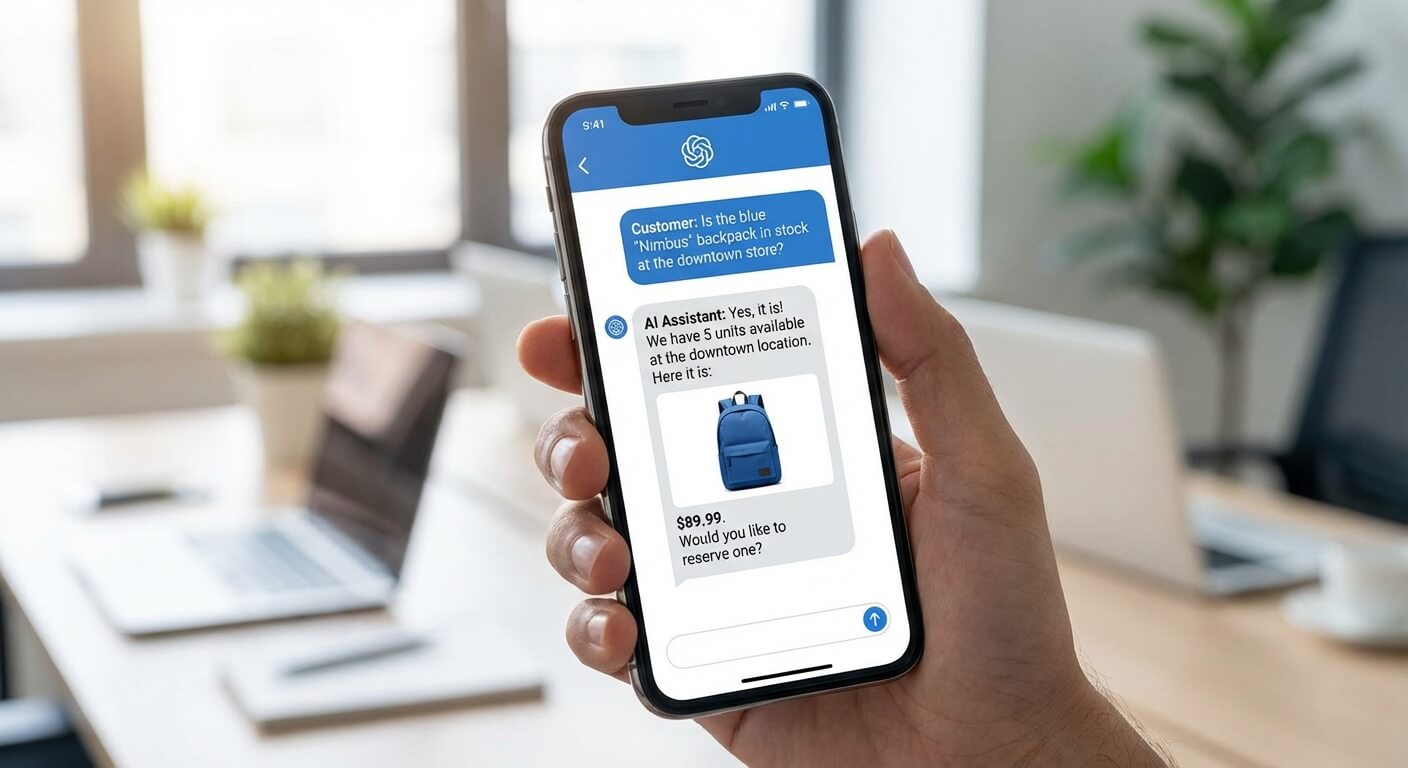
Most customer enquiries fall into predictable categories. Where’s my order? How do I reset my password? What’s your returns policy? AI handles these perfectly. It pulls real-time data from your systems to give specific answers, not generic responses.
Smart Escalation to Your Team
Good AI knows its limits. When a customer has a complex problem or sounds frustrated, the system routes them to a human agent with full context. Your team sees the entire conversation history and any relevant customer data. No one asks the customer to repeat themselves.
Escalation doesn’t have to mean the next available agent. Intelligent routing looks at customer value and agent skill, not just a queue. It can pull purchase history, account age, and lifetime value from your CRM, so a long-standing customer’s first problem gets prioritised over a tenth complaint from a free user, and a technical query from a Spanish-speaking customer reaches an agent who has both the technical knowledge and the language. This is worth setting up once your basic handoff works; it’s a configuration step on top of your support platform, not a separate purchase.
24/7 Coverage Without Night Shifts
Your AI never sleeps. Customers browsing at midnight get the same quality support as those enquiring at noon. For businesses selling internationally, this eliminates timezone headaches entirely. If you’re exploring how automation can extend beyond customer service, my AI automation services cover broader operational improvements.
Choosing the Right Tools for Your Size and Budget
Customer service interactions are increasingly capable of being handled without a human agent, yet SMBs struggle to identify which tools match their actual needs. The market ranges from enterprise platforms costing thousands monthly to focused solutions designed specifically for smaller operations.
Entry-Level Solutions: Under $100 Per Month
Intercom’s Fin, Tidio, and Freshdesk Freddy offer solid starting points. These tools integrate with your website and email, handle basic enquiries, and learn from your responses. Expect to spend 2-4 hours on initial setup.
Tidio stands out for retail businesses with strong Shopify integration. Freshdesk Freddy works well if you already use Freshdesk for ticketing. Intercom’s Fin excels at conversational depth but costs more.
Mid-Range Options: $100-500 Per Month
Zendesk AI and HubSpot Service Hub add sophistication. They offer better reporting, more integration options, and stronger customisation. You can train them on your specific terminology and create complex routing rules, including sentiment analysis that flags an angry customer for priority handling.
For businesses handling 500+ tickets monthly, this tier delivers meaningful efficiency gains. The analytics alone help you spot patterns in customer issues you might otherwise miss.
Building Custom Solutions
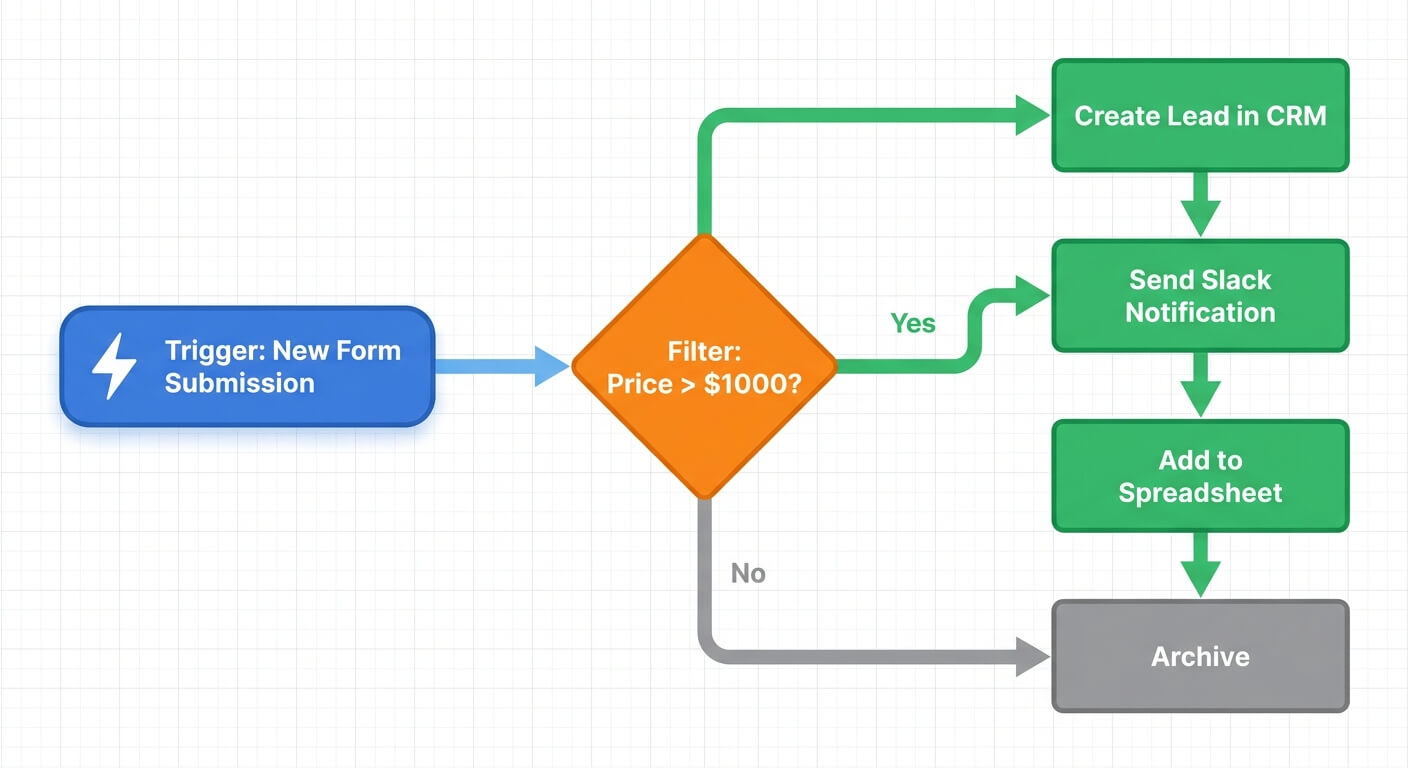
Some businesses need more control. Workflow platforms like n8n and Zapier let you build custom AI support flows. You might connect ChatGPT to your CRM, pull order data from your ecommerce platform, and send personalised responses automatically.
This approach requires more setup time but offers unlimited flexibility. My n8n workflow automation guide walks through the technical details for businesses ready to build their own solutions.
Setting Up AI Customer Service Automation Step by Step
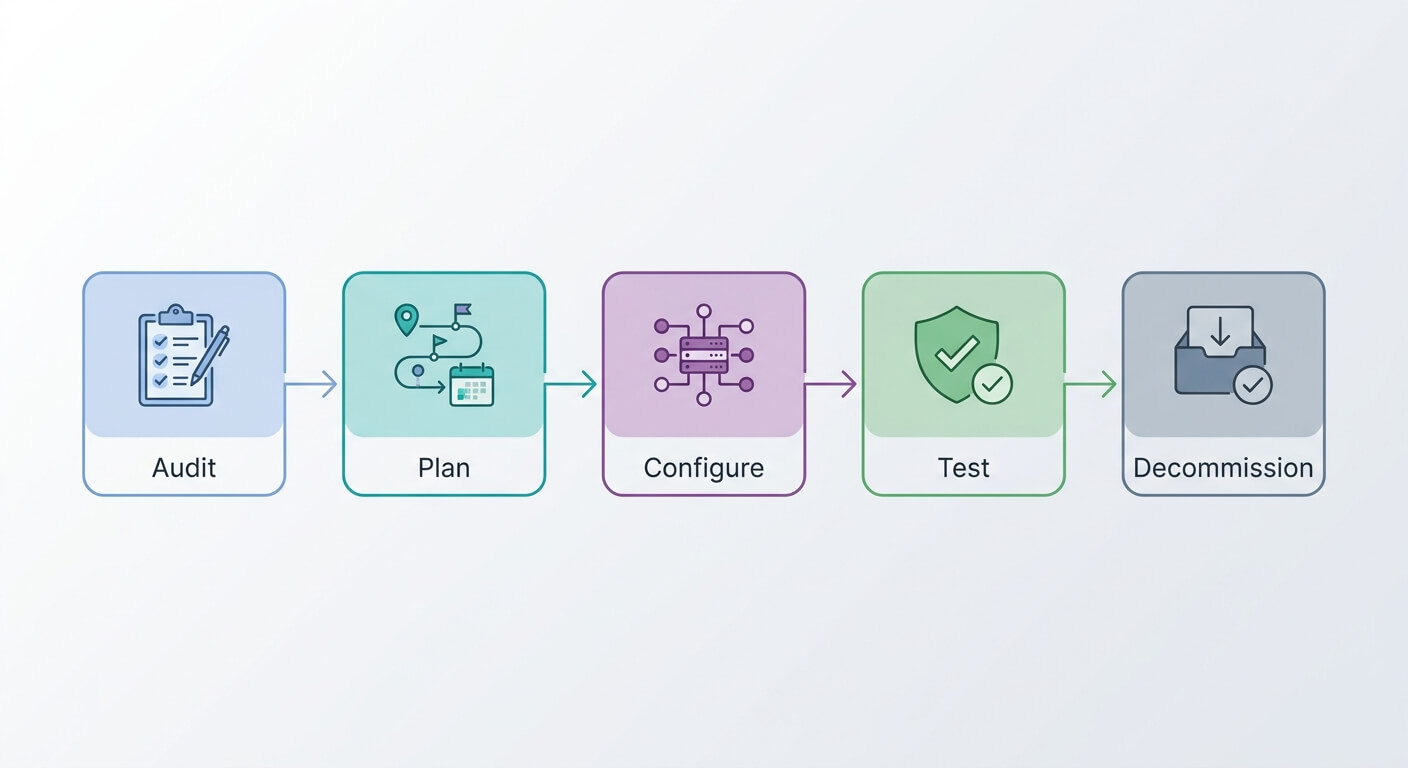
Implementation typically takes 2-4 weeks for most small businesses, with the first week focused on knowledge base preparation and the remainder on testing and refinement. Companies that rush this process often see poor AI performance and frustrated customers, while those who invest in proper training achieve resolution rates above 50% within the first month.
Week One: Audit Your Current Support
Before choosing any tool, analyse your last 200 support tickets. What questions come up repeatedly? Which issues take longest to resolve? Where do customers express the most frustration?
Create a spreadsheet with categories and frequency. This data shapes everything that follows. Most businesses discover that 60-80% of their tickets fall into 10-15 question types.
Week Two: Build Your Knowledge Base
Your AI is only as good as the information you feed it. Write clear, complete answers for every common question you identified. Include variations in how customers might phrase each question.
Don’t copy your existing FAQ verbatim. Write answers as if you’re having a conversation. Include specific details like timeframes, prices, and process steps. Vague answers create more support tickets, not fewer.
Week Three: Configure and Connect
Install your chosen tool and connect it to your existing systems. At minimum, link your CRM and order management platform. Better integration means more personalised responses.
Set up escalation rules carefully. Define exactly when AI should hand off to humans. Angry customer? Escalate. Request for refund over $100? Escalate. Third attempt at the same question? Definitely escalate.
If you’re connecting multiple systems, my guide on linking CRM and accounting for seamless data flow covers best practices for integration architecture.
Week Four: Test and Refine
Run the AI in shadow mode first. Let it generate responses but have your team review before sending. This catches problems before they reach customers.
Track which responses work and which need improvement. Refine your knowledge base daily during this phase. After a week of shadow testing, move to live operation with close monitoring.

Common Mistakes That Sabotage AI Support
Understanding these pitfalls helps you avoid becoming another cautionary tale.
Trying to Automate Everything
Some tickets need humans. Complaints about a damaged product need empathy. Complex technical issues need expertise. Unusual situations need judgement. Forcing AI to handle these creates terrible experiences.
Start by automating your simplest, most repetitive tickets, and set a modest first target: 30% of queries in the first month, not 80%. Expand gradually as you build confidence in the system. A 50% automation rate done well beats an 80% rate that frustrates customers.
Neglecting the Human Handoff
The transition from AI to human agent matters enormously. Nothing annoys customers more than explaining their problem twice. Ensure your AI passes complete context to human agents.
Test this handoff yourself. Submit a support request, interact with the AI, then request a human. Does the agent know what you’ve already tried? If not, fix this before going live.
Ignoring AI Responses After Launch
AI systems need ongoing attention. Customer questions evolve. Products change. Policies update. An AI trained last year becomes increasingly wrong over time.
Schedule monthly reviews of AI performance. Look at responses that led to escalations. Identify new common questions. Update your knowledge base continuously.
Hiding the AI
Don’t pretend your AI is human. Customers generally don’t mind talking to bots for simple questions. They do mind feeling deceived. Transparency builds trust.
A simple “I’m an AI assistant” introduction sets appropriate expectations. Customers often prefer AI for quick answers since there’s no hold time and no small talk required.
Measuring Success and Proving ROI
Businesses implementing AI customer service automation typically see a fairly quick payback period, as automated interactions tend to cost less than those handled by human agents. Tracking the right metrics ensures you can demonstrate this value and identify improvement opportunities.
Key Metrics to Track
Resolution rate tells you what percentage of tickets AI handles completely. Aim for 40% initially, then push toward 60% over time.
Customer satisfaction scores for AI interactions versus human interactions. These should be comparable. If AI scores significantly lower, investigate why.
Average response time will drop dramatically. Track this to demonstrate value to stakeholders. Most businesses see response times fall from hours to seconds.
Customer effort score asks customers directly how easy it was to get help. Low effort correlates strongly with loyalty; high effort predicts churn even when the issue got resolved.
Cost per ticket combines your tool costs with time savings. Calculate this monthly. If you’re struggling to quantify returns, my business process automation ROI calculator provides a structured framework.
The Counterintuitive Truth About Efficiency
Here’s something surprising: the best AI implementations don’t just reduce support costs. They actually improve support quality overall. When your team spends less time on password resets, they spend more time on meaningful customer conversations.
One retail client I’ve worked with found that after implementing AI, their human agents’ customer satisfaction scores increased by 15%. The agents were handling fewer tickets but giving better service on each one. Freed from repetitive work, they had energy for genuine helpfulness.
Integrating AI Support With Your Broader Operations
AI customer service automation becomes more powerful when connected to other business systems, creating feedback loops that improve products, marketing, and operations simultaneously. Integrated AI implementations tend to deliver greater ROI than isolated deployments.
Feeding Insights Back to Your Business
Your AI sees every customer question. That data is gold. Track trending issues to spot product problems early. Notice which marketing campaigns create confused customers. Identify gaps in your website content.
Build a monthly report from AI interactions. Share it with your product team, your marketing team, and your operations team. Customer support data should inform decisions across your business.
Connecting to Sales and Marketing
Some support enquiries are actually sales opportunities. A question about product compatibility might signal buying intent. AI can recognise these moments and route them appropriately.
Connect your AI to your CRM. When a known lead asks a support question, flag that interaction for your sales team. When a customer asks about an upgrade, create an opportunity automatically.
For a complete view of automation possibilities, my AI chatbots for retail customer response article explores deeper integration strategies.
Frequently Asked Questions
How much does AI customer service automation cost for small businesses?
Entry-level AI customer service tools start around $50 per month for basic chatbot functionality. Mid-range solutions with stronger integration and analytics typically run $150-400 monthly, and intelligent routing usually needs a mid-tier platform in that range or above. Custom implementations using workflow automation platforms cost more in setup time but can be cheaper long-term. Most small businesses find good options in the $100-250 range.
Will AI customer service automation make my support feel impersonal?
Not if you implement it thoughtfully. Modern AI tools can be trained to match your brand voice and tone. The key is using AI for routine enquiries while routing complex or emotional interactions to humans. Customers often prefer instant AI answers for simple questions over waiting in a queue.
How long does it take to set up AI customer service for a small business?
Most small businesses can have basic AI customer service running within 2-4 weeks. The first week focuses on auditing current support patterns and building your knowledge base. Week two involves tool selection and configuration. The final weeks cover testing and refinement. Adding intelligent routing and deeper CRM integration on top typically extends full implementation to six to eight weeks. Ongoing optimisation continues indefinitely.
Can AI handle complaints and angry customers effectively?
AI excels at detecting customer frustration and escalating appropriately. You can configure sentiment analysis to route negative interactions to human agents immediately. The AI handles the initial acknowledgment and information gathering, then passes complete context to your team for resolution. Never leave angry customers with only AI options.
Can AI customer service work for complex B2B products?
Yes, with appropriate scope. AI handles initial triage, information gathering, and routing even for complex products, collecting technical details before connecting customers to a specialist. For straightforward queries like documentation requests, account changes, or status updates, automation works regardless of product complexity. Complex troubleshooting still needs human expertise.