Website Conversion Rate Optimisation for Small Business: The Complete Playbook
A practical guide to website conversion rate optimisation for small business owners. Real tactics, tools, and tests that turn visitors into paying customers.
Contents
Most small business websites convert at around 2-3%. That means 97 out of every 100 visitors leave without buying, booking, or even signing up. The good news? Doubling that rate doesn’t require a redesign or a bigger ad budget. It just requires knowing where visitors drop off, and fixing the right things in the right order. Budget 10 to 20% of your paid traffic spend: on $2,000 a month of Google Ads, that is $200 to $400 for CRO tools and testing.
This playbook on website conversion rate optimisation for small business owners cuts through the jargon. I’ll cover the metrics that matter, the changes that move the needle, and the testing approach that keeps you out of trouble. No theory, just what works.
What Conversion Rate Optimisation Actually Means
Conversion rate optimisation (CRO) is the practice of increasing the percentage of visitors who take a desired action on your website. According to a 2023 report by Unbounce, the median small business landing page converts at 4.3%, but the top quartile hits 11.5% or more. The gap between average and excellent is rarely about design talent. It’s about discipline.
A conversion isn’t always a sale. It can be a quote request, a booking, a newsletter signup, or a phone call. The point is that the visitor moved one step closer to becoming a customer. Pick your primary conversion goal before you change anything else.
Why most small businesses get this wrong
Most owners treat their website like a brochure. They write copy about themselves, add a contact form, and hope. Then they spend money on ads to drive traffic that bounces. Conversion optimisation flips the priority: fix the leaky bucket before pouring in more water.

The Numbers You Need to Track
You can’t improve what you don’t measure. Businesses that track conversion metrics consistently are far more likely to hit revenue targets than those that only watch traffic. Start with four core metrics and ignore the rest until you’ve got them under control.
Here are the four to watch:
- Conversion rate: percentage of visitors who complete your primary goal
- Bounce rate: percentage who leave after viewing just one page
- Average session duration: how long people stick around
- Goal completion path: which pages people visit before converting
If your bounce rate is above 70%, your traffic and your page don’t match. If session duration is under 30 seconds, your content isn’t holding attention. Both issues need fixing before you tweak buttons or headlines.
Set up tracking properly
Most small businesses have Google Analytics installed but no conversion goals configured. That’s like driving with the speedometer covered. Spend an afternoon setting up events for form submissions, button clicks, and phone calls. Tools like Hotjar add heatmaps and session recordings, which show you exactly where visitors hesitate.
High-Impact Changes That Move the Needle
Optimising a small business website isn’t about a thousand tiny tweaks. It’s about five or six big changes that account for most of the gains. I’ve seen clients double their conversion rate by fixing just three things: the headline, the call-to-action, and the form length.
Rewrite your headline for clarity, not cleverness
Visitors decide in about three seconds whether your site is worth their time. Your headline must answer one question: what do you do, and who is it for? “Award-winning solutions for modern businesses” tells me nothing. “Bookkeeping for tradespeople, done in 48 hours” tells me everything.
Test specific, benefit-led headlines against vague ones. The specific version almost always wins.
Shorten your forms
Every extra form field cuts conversion. Ask yourself: do you really need their company size on first contact? Probably not.
Name, email, and a single qualifying question are usually enough. You can ask the rest later.
Make the call-to-action obvious
A button labelled “Submit” or “Learn More” is a wasted opportunity. Use action verbs that describe the outcome: “Get my free quote”, “Book a 15-minute call”, “See pricing”. Make the button a colour that contrasts with the rest of the page. One primary CTA per page beats three competing ones every time.

Speed, Mobile, and Trust: The Foundations
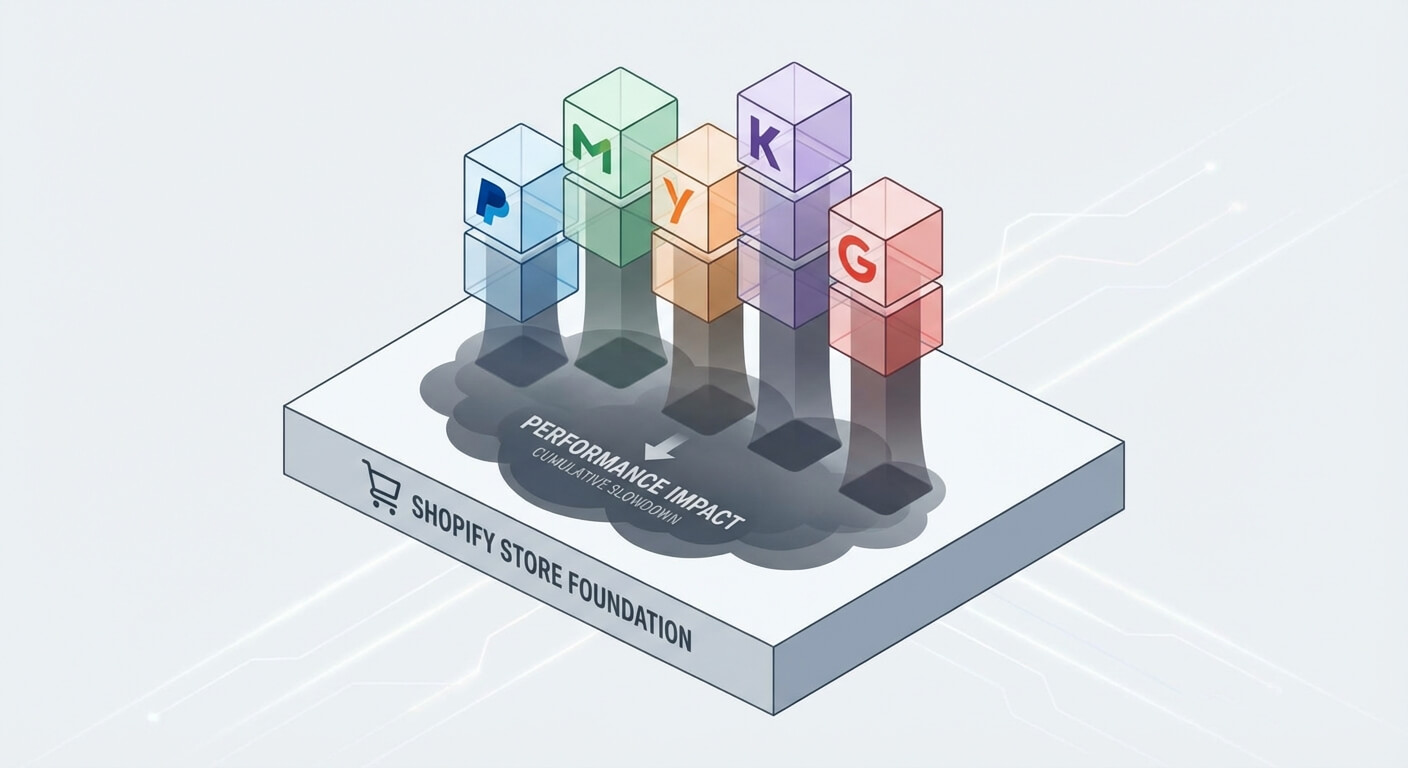
None of the tactics above matter if your site loads slowly or breaks on a phone. Mobile devices now account for a substantial portion of web traffic, and if your site takes more than three seconds to load, you’ll lose roughly half your visitors before they see anything.
Run your site through Google PageSpeed Insights once a quarter. Compress images, remove unused plugins, and switch to a faster host if your scores are below 70. I’ve covered this in more detail in my guide to optimising Core Web Vitals for speed.
Trust signals win sales
Small businesses underestimate how nervous first-time visitors are. Add real photos of your team, not stock images. Display reviews from Google or Trustpilot. Show logos of clients you’ve worked with. Include a clear refund or guarantee policy. These elements cost nothing and lift conversion by 10-20% in most cases I’ve tested.
Mobile-specific fixes
Check your site on your own phone. Are buttons easy to tap? Is text readable without zooming? Does the contact form work? If you run a hospitality or service business, my piece on converting missed calls into revenue goes deeper into mobile-first engagement.
How to Test Without Breaking Things
A/B testing is the safety net that lets you make changes confidently. Companies that test consistently outperform those that rely on opinion. But most small businesses don’t have the traffic for proper split tests, so I recommend a different approach.

The minimum viable testing approach
If you get fewer than 1,000 visitors a month to a key page, skip formal A/B testing. Instead, make one change at a time, give it two weeks, and compare to the previous fortnight. Note the change in your conversion rate, bounce rate, and total conversions. Keep what works, revert what doesn’t.
For higher-traffic pages, use Google Optimise alternatives like VWO or Optimizely. Run one test at a time. Don’t trust results until you’ve got at least 100 conversions per variant.
What to test first
Prioritise tests by traffic and impact. Your homepage, top landing page, and checkout or contact page should be tested before anything else. Test headlines first, then CTAs, then form length, then layout. Save visual design changes for last, they usually have the smallest impact.
Tools and Automation That Make This Easier
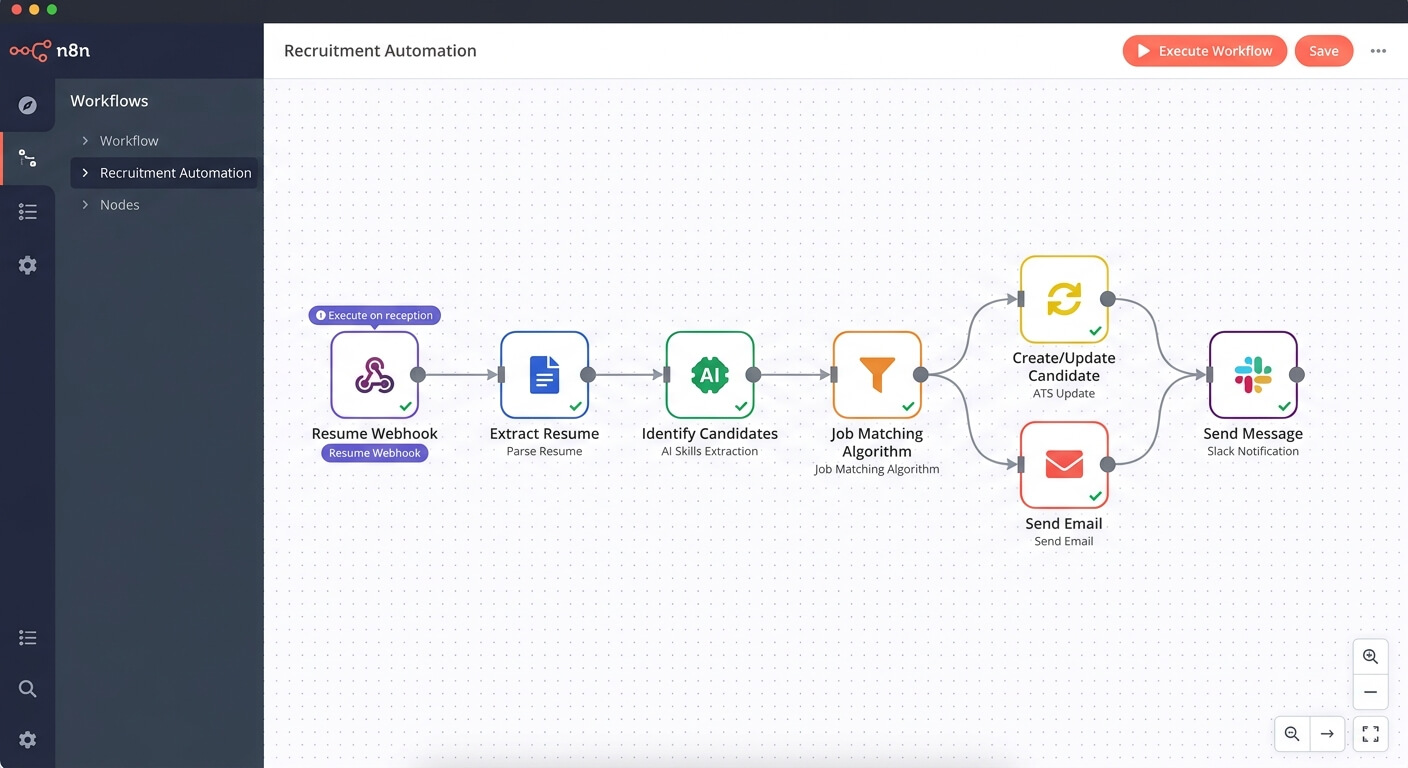
You don’t need a full marketing team to run CRO. A handful of tools handle most of the work, and connecting them through automation saves hours every week. Many of my clients use Zapier or n8n to push form submissions straight into their CRM, trigger follow-up emails, and tag leads by source.
If your forms feed into a spreadsheet that someone copies into your CRM, you’re losing leads to delays. Automating that handoff is one of the highest-ROI projects I deliver. See my marketing automation guide for the full picture, or my piece on marketing automation for small business.
Recommended stack for most SMBs
- Analytics: Google Analytics 4 (free)
- Heatmaps and recordings: Hotjar or Microsoft Clarity (free tier available)
- Forms: Typeform, Tally, or your CRM’s native forms
- Testing: VWO or Optimisely for high-traffic sites
- Automation: Zapier or n8n to connect everything
Frequently Asked Questions
How long does it take to see results from website conversion rate optimisation for small business sites?
Most small businesses see measurable improvements within four to six weeks of their first changes. Quick wins like headline rewrites and form shortening show results in days. Larger projects like full page redesigns or new checkout flows take two to three months to validate properly.
What is a good conversion rate for a small business website?
A good benchmark is 3-5% for service businesses and 2-3% for e-commerce. Top performers hit 10% or more. Your industry, traffic source, and offer all affect the number. Compare yourself to your own past performance, not to industry averages, since context matters more than any benchmark.
Do I need a developer to improve my website’s conversion rate?
Not for most changes. Headline rewrites, button colours, form fields, and trust signals can usually be edited through your CMS. You’ll need developer help for site speed fixes, A/B testing setup, and complex automations. Start with the no-code changes first, they deliver 80% of the gains.
How much should a small business spend on CRO?
Budget 10-20% of what you spend on paid traffic. If you’re spending $2,000 a month on Google Ads, allocate $200-400 to CRO tools and testing. The return is usually better than spending more on ads, because every conversion improvement compounds across all your traffic sources.