From Chaos to Calendar: Automating Scheduling and Meeting Workflows
Transform chaotic meeting coordination into streamlined automated workflows. Discover practical scheduling automation strategies that save time and reduce stress.
Contents
Automating meeting workflows can reclaim up to 15% of a knowledge worker’s week, according to research on workplace scheduling. That time comes from every double-booking, back-and-forth email, and recurring invite rebuilt by hand. Scheduling automation tools cost $10 to $50 per user per month for a small business.
The Real Cost of Manual Scheduling
I’ve watched talented business owners spend their Sunday evenings juggling calendars, trying to find slots that work for everyone. A brilliant architect I know spends three hours every week just coordinating site visits with contractors. A marketing consultant told me she’d sent fourteen emails back and forth just to schedule one client meeting.
This isn’t just about convenience. When you’re manually managing schedules, you’re trading your most valuable commodity for administrative busywork. Research has found that knowledge workers spend a portion of their time on discretionary activities that offer little personal satisfaction and could be handled by others. Scheduling sits squarely in this category. According to a 2023 Reclaim.ai productivity report, professionals spend an average of 4.8 hours per week on scheduling-related tasks, a figure that climbs considerably higher for business owners without dedicated administrative support.
The ripple effects extend beyond lost time. Manual scheduling creates gaps in your calendar that could have been productive hours. It delays decisions when meetings get pushed back because someone couldn’t find a suitable slot quickly. Most critically, it puts a ceiling on how much you can grow because there’s only so much coordination one person can handle.
Small businesses feel this acutely. Unlike large companies with dedicated administrators, SMB owners handle their own scheduling alongside everything else. Business owners spend a notable portion of their working week on scheduling-related tasks. The result is a constant background stress of calendar management that never quite goes away.
Understanding Modern Scheduling Automation
Scheduling automation has evolved far beyond simple booking systems. Today’s solutions integrate with your existing tools, understand your preferences, and handle complex scenarios that used to require human intervention.
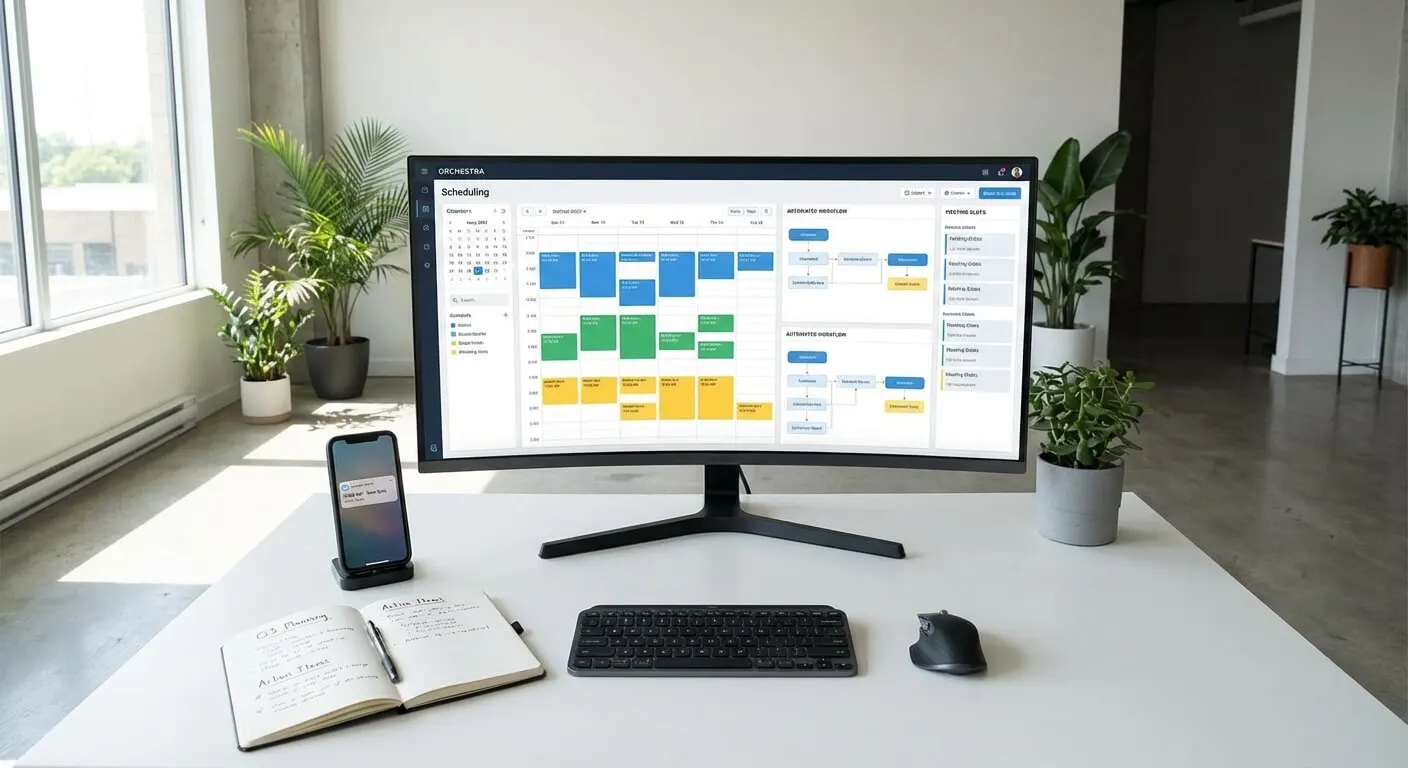
At its core, scheduling automation connects your calendar with intelligent booking interfaces. When someone wants to meet with you, they see your genuine availability and can book directly into slots you’ve pre-approved. The system handles confirmations, sends reminders, and manages changes automatically.
But modern automation goes deeper. It can block time for different types of meetings, ensure you have travel time between locations, and prevent back-to-back bookings when you need preparation time. Some systems even analyse your meeting patterns and suggest optimal scheduling strategies.
The key difference from basic calendar sharing is intelligence. Rather than showing your entire calendar to the world, automation systems present curated availability based on rules you set. You might allow client calls only on Tuesday and Thursday afternoons, keeping Monday mornings free for focused work.
This intelligence extends to meeting preparation. Advanced systems can automatically gather information from attendees, send relevant documents beforehand, and create agenda templates based on meeting types. What used to be five separate tasks becomes one automated workflow.
Core Components of Effective Meeting Workflows
Effective meeting automation requires understanding the full lifecycle of how meetings actually work in your business. Across the small businesses I’ve advised, six critical components consistently determine whether scheduling automation saves time or creates new problems.
Availability Management
Your calendar isn’t just about free time. It’s about the right type of time for specific activities. A solid automation system distinguishes between focus time, meeting time, and buffer time. It knows you don’t want client calls during your creative hours and automatically protects your most productive periods.
Meeting Classification
Not all meetings are equal. A quick check-in call needs different preparation than a strategy session. Good automation systems handle different meeting types with appropriate durations, preparation requirements, and follow-up actions. A fifteen-minute consultation call gets different treatment than a two-hour workshop.
Information Gathering
Effective meetings start with the right information. Automation can collect essential details when someone books time with you. What specific challenges are they facing? What outcomes do they want from the meeting? This information lets you prepare properly and makes every meeting more productive.
Communication Sequences
Meetings involve multiple touchpoints: initial confirmation, reminder messages, preparation materials, and follow-up actions. Manual management means some of these steps get skipped when you’re busy. Automation ensures consistent communication that builds professionalism and trust.
Integration Points
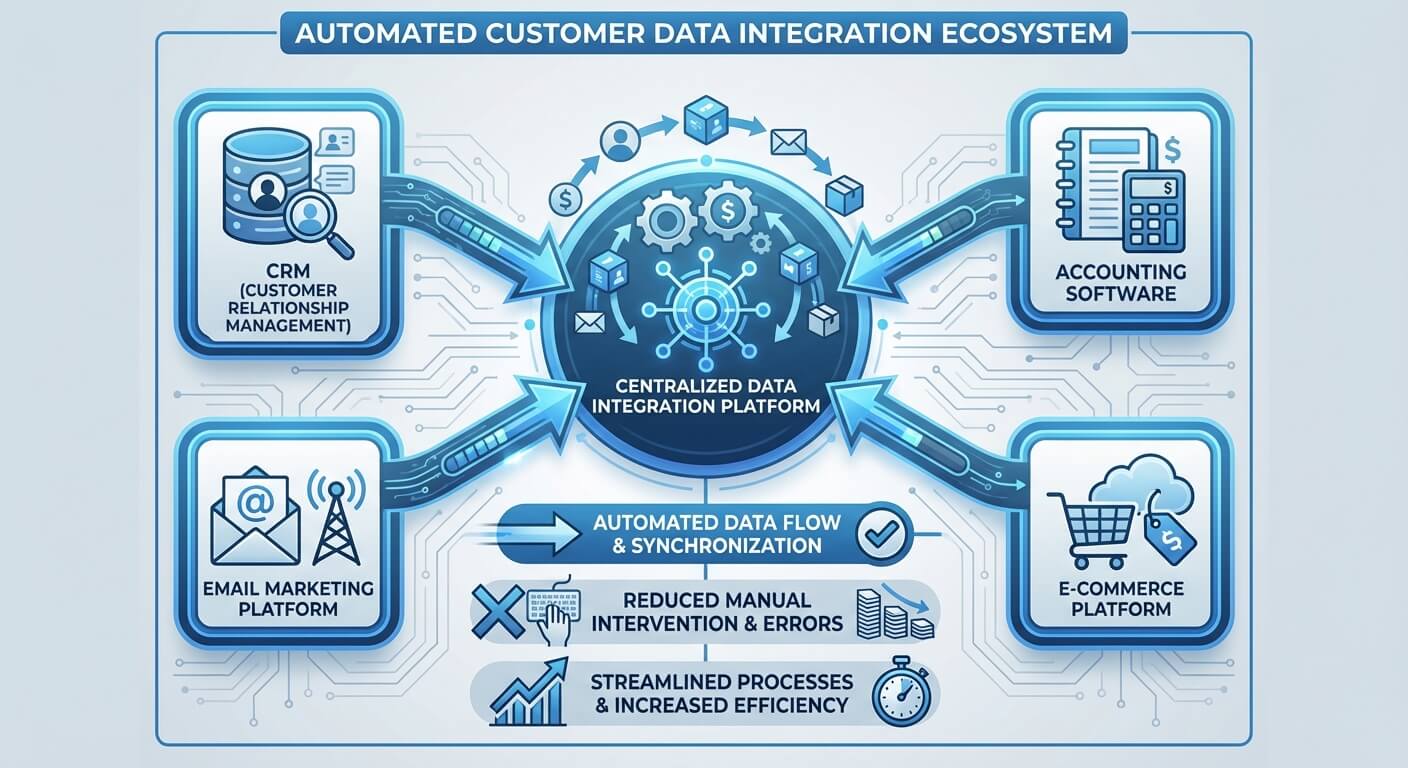
Your scheduling system needs to work with your existing tools. Customer relationship management systems, project management platforms, and communication tools should all stay synchronised. When someone books a meeting, your entire system should know about it and respond accordingly.
Buffer and Recovery
Real life doesn’t follow perfect schedules. Meetings run long, people cancel last minute, and urgent situations arise. Good automation builds in flexibility and has protocols for common disruptions. This prevents one schedule change from cascading into chaos.
Technology Solutions That Actually Work
The scheduling automation market spans from simple calendar links to sophisticated AI automation systems. Understanding what works for small businesses requires looking beyond features to focus on reliability and ease of use.
Calendar-Based Solutions
Most businesses start with calendar-based booking systems. These tools connect to your existing calendar and present available slots to external users. They work well for straightforward appointment booking but have limitations with complex scheduling requirements.
The strength of calendar-based systems is simplicity. They’re quick to set up, integrate easily with common calendar platforms, and don’t require learning new interfaces. However, they often lack the intelligence needed for sophisticated meeting workflows.
CRM-Integrated Platforms
Customer relationship management systems increasingly include scheduling functionality. These solutions excel when meeting scheduling is part of a broader customer journey. They can track meeting history, link conversations to follow-up actions, and provide context for recurring relationships.
CRM integration becomes particularly valuable for service-based businesses where meetings are part of ongoing client relationships. The scheduling data enriches customer records and informs future interactions.
Specialised Meeting Platforms
Some platforms focus exclusively on meeting management. These tools often include advanced features like meeting analytics, productivity insights, and collaboration tools. They’re designed for businesses where meetings are a primary activity rather than just one component of operations.
AI-Enhanced Systems
The newest generation of scheduling tools uses artificial intelligence to optimise meeting workflows. These systems learn from your patterns, suggest improvements, and can handle complex scheduling scenarios that would typically require human intervention.
AI-enhanced scheduling can reduce coordination time while improving meeting quality through better preparation and follow-up.
Implementation Strategy for Small Businesses
Implementing scheduling automation successfully requires a methodical approach that respects how your business actually works. I’ve seen too many small businesses jump into sophisticated systems without understanding their real scheduling patterns, leading to tools that create more work than they save.
Start With Audit
Before choosing any technology, spend two weeks tracking your current scheduling activities. How much time do you spend coordinating meetings? What types of meetings do you have most often? Where do scheduling conflicts typically arise?
This audit reveals your real patterns rather than assumptions. You might discover that 80% of your scheduling headaches come from a specific type of meeting or that certain days are particularly problematic.
Define Your Constraints
Effective scheduling automation requires clear rules about when and how you’re available. These constraints aren’t limitations; they’re the framework that makes automation possible.
Consider your energy patterns throughout the week. If you’re most creative in the morning, protect that time from routine meetings. If you need transition time between different types of activities, build that into your availability rules.
Choose Integration Points
Identify which existing tools must work seamlessly with your scheduling system. Your email platform, customer database, and project management tools should all stay synchronised. Missing integrations create manual work that undermines automation benefits.
Prioritise integrations based on frequency of use. A connection that saves five minutes daily is more valuable than one that saves an hour monthly.
Plan the Transition
Most small businesses can’t switch to fully automated scheduling overnight. Plan a transition period where you run both old and new systems simultaneously. This lets you test the automation with low-stakes meetings while keeping critical appointments handled manually.
Inform your regular contacts about the change. Many people are comfortable with automated scheduling, but some prefer human coordination. Having both options during transition maintains relationships while you optimise the system.
Common Pitfalls and How to Avoid Them
Scheduling automation fails in predictable ways. Understanding these patterns helps you design systems that work reliably from the start.
Over-Automation
The biggest mistake is trying to automate everything immediately. Complex meeting scenarios often need human judgment. Start with straightforward appointments and gradually expand to more sophisticated situations.
Some meetings benefit from personal coordination. High-stakes client discussions or sensitive conversations might need the flexibility that only human scheduling provides. Good automation knows its limits.
Inadequate Buffer Time
Automated systems excel at maximising calendar efficiency, but this can backfire if you don’t build in adequate buffer time. Back-to-back meetings might look productive on paper but lead to fatigue and decreased quality.
Consider your realistic needs for preparation time, note-taking after meetings, and simple mental breaks. Build these requirements into your automation rules rather than hoping they’ll happen naturally.
Poor Integration Planning
Scheduling automation touches multiple systems in your business. Poor integration planning leads to data silos and manual synchronisation work that defeats the purpose of automation.
Map out all the places where meeting information needs to appear: your calendar, CRM system, project management tools, and communication platforms. Ensure your chosen solution can maintain consistency across these systems.
Neglecting the Human Element
Automation should enhance human interactions, not replace them. People still want to feel that their time is valued and that meetings will be productive.
Ensure your automated communications maintain personal tone and provide clear value propositions for meetings. Generic confirmation messages can make people feel like they’re just another calendar slot.
Advanced Workflow Integration
Once basic scheduling automation works reliably, you can integrate it with broader business processes to create seamless workflows that extend far beyond simple appointment booking.
Pre-Meeting Preparation
Advanced automation can transform how you prepare for meetings. When someone books time with you, the system can automatically send relevant background information, collect specific details about their needs, and create customised agenda templates.
This preparation extends to your internal systems. The automation can create project records, update customer profiles, and prepare necessary documents before the meeting starts. You walk into every meeting fully prepared without manual preparation work.
Real-Time Adaptations
Sophisticated systems can adapt to changing circumstances without human intervention. If a meeting runs long, the system can automatically adjust subsequent appointments, send notification messages to affected parties, and reschedule conflicts based on priority rules you’ve established.
This real-time adaptation prevents schedule disruptions from cascading through your entire day. One delayed meeting doesn’t create a chain reaction of manual rescheduling work.
Follow-Up Automation
Meetings generate follow-up tasks: action items, promised information, and next meeting scheduling. Advanced automation can capture these commitments during meetings and create appropriate follow-up workflows.
This might involve sending summary emails with action items, scheduling follow-up meetings based on commitments made, or updating project management systems with new tasks. The meeting’s outcomes automatically flow into your broader business processes.
Analytics and Optimisation
Meeting automation systems generate valuable data about your scheduling patterns, meeting effectiveness, and time allocation. This information helps optimise your calendar strategy over time.
You might discover that certain meeting lengths are more productive, specific times of day lead to better outcomes, or particular preparation materials improve meeting quality. These insights let you continuously refine your scheduling approach.
Measuring Success and ROI
Scheduling automation’s value extends beyond simple time savings. Comprehensive measurement helps you understand the full impact and identify opportunities for further optimisation.
Time Recovery Metrics
The most obvious measurement is direct time savings from reduced scheduling coordination. Track how much time you previously spent on calendar management versus automated coordination time.
But also measure indirect time recovery. How much time do you save from reduced scheduling conflicts? What about the time recovered from better meeting preparation and more focused discussions?
Quality Improvements
Automation often improves meeting quality through better preparation and clearer expectations. Measure outcomes like meeting effectiveness, participant satisfaction, and goal achievement rates.
Properly automated scheduling leads to meetings that start on time, have clear agendas, and achieve their intended outcomes. These quality improvements often provide more value than pure time savings.
Business Impact Metrics
Connect scheduling improvements to broader business outcomes. Does better meeting coordination lead to faster project completion? Are client relationships stronger when meeting coordination is seamless? A 2023 study by Doodle, the online scheduling company, found that poor scheduling practices cost businesses an estimated 399 billion dollars annually in lost productivity across the UK and US combined, underscoring how much value is at stake for organisations that fail to modernise their meeting workflows.
For service businesses, scheduling automation often enables handling more clients without additional administrative overhead. Automated scheduling can help companies increase meeting completion rates and reduce no-shows. This scalability can directly impact revenue growth.
System Reliability
Measure how often your automated system works without manual intervention. High-performing automation should handle the majority of scheduling scenarios without requiring your attention.
Track exception rates and manual override frequency. These metrics help identify areas where your automation rules need refinement or where additional system capabilities would be valuable.
Building Long-Term Scheduling Excellence
Scheduling automation isn’t a set-and-forget solution. Building long-term excellence requires ongoing refinement and adaptation as your business evolves.
Continuous Refinement
Regularly review your scheduling patterns and automation performance. What scenarios still require manual intervention? Where do people struggle with your automated systems? These insights guide system improvements.
Your business needs change over time. A scheduling system that worked perfectly when you had five regular clients might need adjustment when you have fifty. Plan for periodic system reviews and updates.
Stakeholder Training
Everyone who interacts with your scheduling system should understand how to use it effectively. This includes team members who might schedule on your behalf and regular clients who book meetings frequently.
Provide clear guidance on how your scheduling system works and what options are available. Well-informed users get better results and require less support.
Technology Evolution
Scheduling automation technology continues advancing rapidly. Stay informed about new capabilities that might benefit your business, but avoid changing systems simply because something new is available.
Evaluate new features based on specific business needs rather than general advancement. A feature that sounds impressive might not provide value for your particular scheduling requirements.
Integration Expansion
As your business processes mature, look for opportunities to integrate scheduling automation with additional systems. New integrations can unlock value that wasn’t apparent when you first implemented automation.
This might involve connecting scheduling data to financial systems for better project profitability tracking or integrating with communication platforms for more seamless client interactions.
Making the Change
Transitioning from manual to automated scheduling represents a fundamental shift in how you manage time and client relationships. Success requires both technical implementation and mindset adjustment.
The technical aspects are straightforward when you choose appropriate tools and plan implementation carefully. The mindset shift often proves more challenging. Moving from personal control over every scheduling decision to trusting automated systems requires confidence in your setup.
Start with low-risk scenarios where automation failure wouldn’t create serious problems. As the system proves reliable, gradually expand its scope to handle more critical scheduling needs.
Most small business owners who successfully implement scheduling automation report similar outcomes: they recover significant time, reduce stress around calendar management, and provide better service through more reliable coordination.
The key insight is that scheduling automation isn’t about removing human touch from your business. It’s about removing human effort from routine coordination so you can focus that energy on activities that genuinely require your expertise and attention.
Effective process optimisation through scheduling automation creates space for the work that actually grows your business. Rather than spending Sunday evening coordinating next week’s meetings, you can spend that time on strategy, creativity, or simply rest.
Your calendar becomes a tool that supports your priorities rather than a constraint that limits your possibilities. That shift from chaos to calendar isn’t just about organisation. It’s about creating the conditions where your business can grow without overwhelming your life.
When your scheduling works automatically, meetings happen more smoothly, preparation is more thorough, and follow-up is more consistent. These improvements compound over time, creating sustainable systems that support whatever level of growth you choose to pursue.
The investment in system integration and process automation pays dividends not just in recovered time, but in reduced stress, improved client relationships, and the confidence that comes from systems that work reliably without constant attention.
Frequently Asked Questions
How long does it take to implement scheduling automation for a small business?
Most small businesses can implement basic scheduling automation within one to two weeks. This includes selecting a platform, configuring availability rules, and testing with low-stakes appointments. However, achieving full automation with advanced workflows and integrations typically takes four to six weeks. The key is starting with simple scheduling scenarios and gradually expanding as you gain confidence in the system. Plan for a transition period where you run both manual and automated systems simultaneously to ensure reliability before fully committing.
Will automated scheduling make my business seem impersonal to clients?
When implemented thoughtfully, scheduling automation actually enhances the client experience rather than diminishing it. Clients appreciate the convenience of booking at their own pace without back-and-forth emails. The key is maintaining personalisation through customised confirmation messages, relevant pre-meeting information, and appropriate follow-up. Many businesses find that automation frees them to focus on higher-value personal interactions during actual meetings rather than spending energy on coordination logistics.
What happens if the automated system makes a scheduling mistake?
Well-designed scheduling automation includes safeguards against common errors, but no system is perfect. Most platforms include override capabilities that let you manually adjust appointments when needed. The best approach is building buffer time into your schedule and having clear protocols for handling exceptions. Start by automating straightforward appointments whilst maintaining manual control over complex or high-stakes meetings. As the system proves reliable, you can gradually expand its scope whilst always retaining the ability to intervene when necessary.
How much does scheduling automation typically cost for small businesses?
Scheduling automation solutions range from free basic plans to enterprise systems costing several hundred pounds monthly. Most small businesses find suitable options between $10-50 per month per user. The ROI typically justifies costs quickly, if you’re spending five hours weekly on manual scheduling, even a modest automation system pays for itself by recovering billable time. Consider total costs including any required integrations, training time, and setup fees. Many businesses start with free or low-cost options and upgrade as their scheduling complexity increases.
Can scheduling automation work for businesses with complex booking requirements?
Modern scheduling automation handles increasingly sophisticated scenarios including multiple staff members, different service types, equipment or room booking, and complex availability patterns. Advanced systems can manage sequential appointments, coordinate group scheduling, and respect intricate business rules. However, extremely complex scenarios might require custom development or hybrid approaches combining automation with manual oversight. Assess your specific requirements during the audit phase and choose platforms designed for your complexity level rather than trying to force simple tools to handle advanced needs.
Why is automating scheduling considered a necessity for modern British businesses?
Manual scheduling drains productivity, costing valuable time and stifling growth. Automating workflows reclaims up to 15% of a knowledge worker’s week, transforming chaotic calendars into efficient schedules. This strategic shift optimises operations and unlocks full potential, making it crucial for competitive British businesses aiming for sustained success.
What is the core function of modern scheduling automation?
At its core, modern scheduling automation connects your calendar with intelligent booking interfaces. When someone wants to meet with you, they see your genuine availability and can book directly into slots you’ve pre-approved. The system handles confirmations, sends reminders, and manages changes automatically.